Support Linux/Mac/Windows/Android – Not only compatible with Linux(Ubuntu), Mac and Windows

graphics drawing tablet


Original price was: ₹4,499.00.₹2,056.00Current price is: ₹2,056.00.
Support Linux/Mac/Windows/Android – Not only compatible with Linux(Ubuntu), Mac and Windows
graphics drawing tablet
In the world of digital art, animation, and graphic design, a graphics drawing tablet is an essential tool for both beginners and professionals. Whether you’re sketching, illustrating, or editing photos, a high-quality graphics tablet can significantly enhance your creative workflow. Among the top contenders in the market, the Huion HS64 stands out as a versatile, affordable, and feature-packed option. In this comprehensive guide, we’ll explore the features, benefits, and reasons why the Huion HS64 is a top choice for artists, along with tips for choosing the perfect graphics drawing tablet for your needs.
A graphics drawing tablet is a device that allows artists to draw directly onto a digital surface using a stylus, mimicking the natural feel of pen and paper. Unlike traditional tablets, graphics drawing tablets are designed specifically for creative tasks such as digital art, animation, photo editing, and graphic design. They connect to computers or mobile devices and work seamlessly with popular software like Adobe Photoshop, Illustrator, Corel Painter, and Clip Studio Paint.
The Huion HS64 is a prime example of a graphics drawing tablet that combines affordability with advanced features, making it an excellent choice for artists of all skill levels.
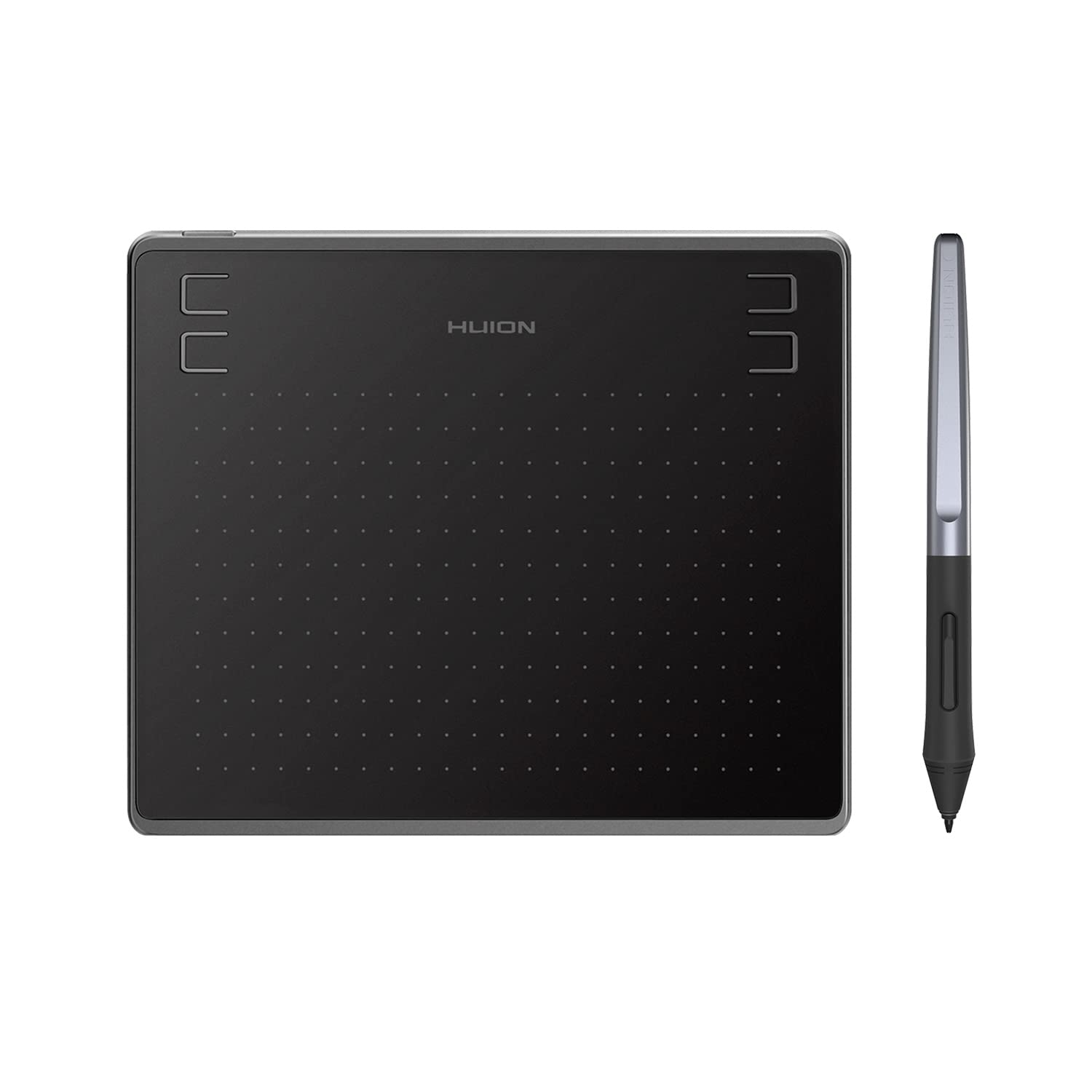
The Huion HS64 is a compact, lightweight, and powerful graphics drawing tablet designed to meet the needs of beginners, hobbyists, and professionals alike. With its impressive specifications and user-friendly features, it’s no wonder that this tablet is a popular choice among digital artists. Let’s dive into the key features that make the Huion HS64 a standout graphics drawing tablet.
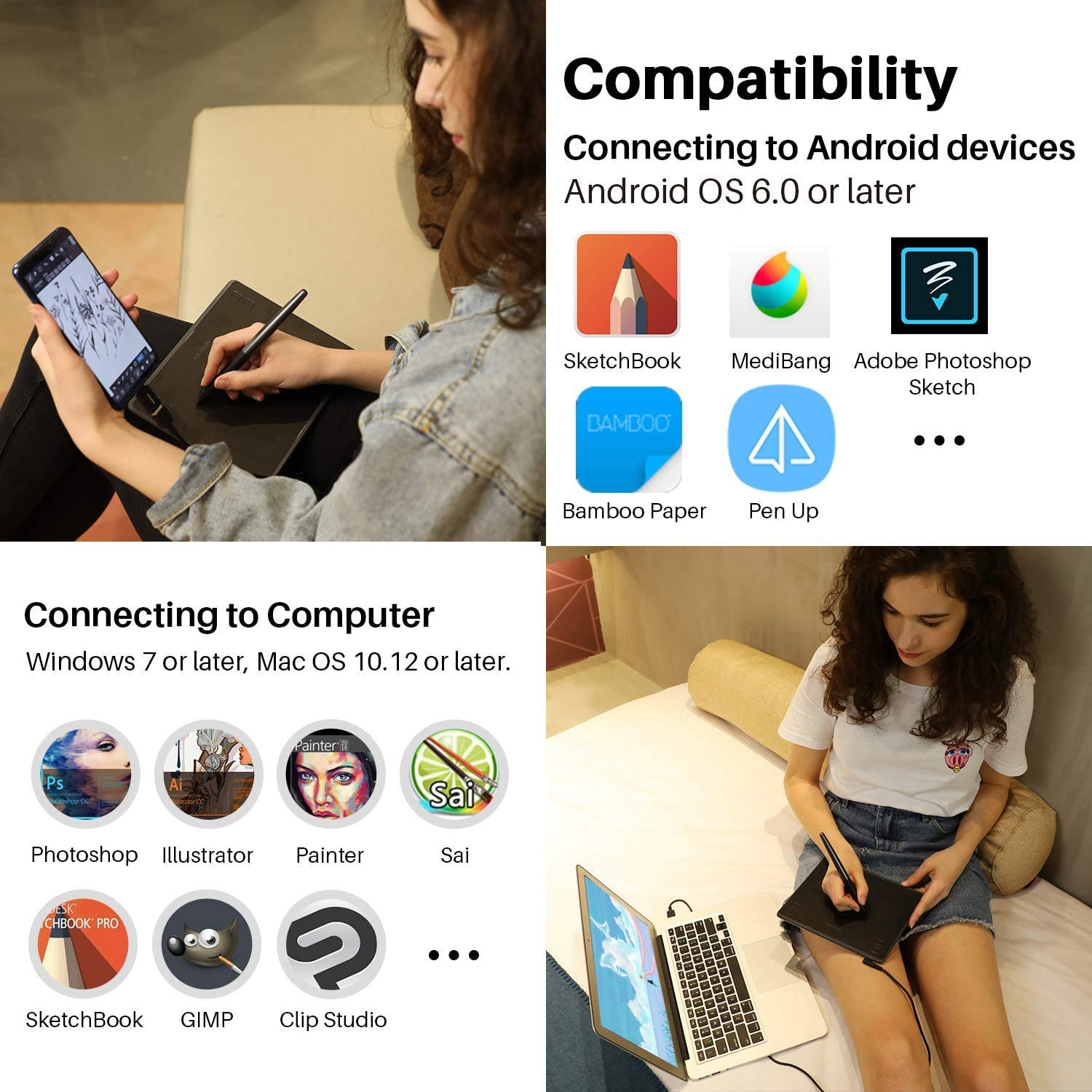
The Huion HS64 is compatible with a variety of operating systems, including:
Linux (Ubuntu): Perfect for open-source enthusiasts.
Mac OS 10.12 and above: Ideal for Apple users.
Windows 7 and above: Works seamlessly with most PCs.
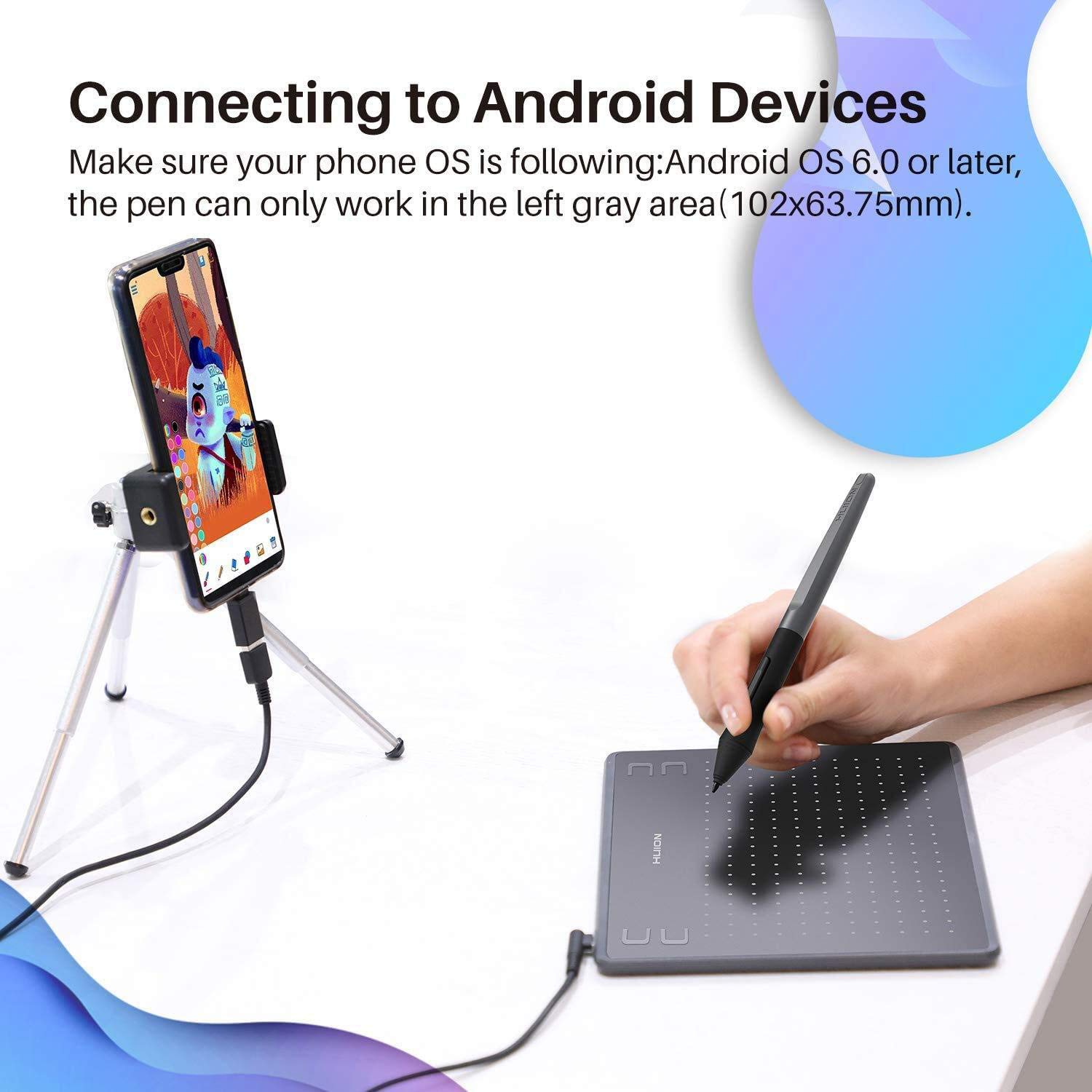
Android 6.0 and above: Transform your smartphone into a digital drawing canvas with the included OTG adapter.
This broad compatibility makes the Huion HS64 a versatile choice for artists who work across different devices. Whether you’re using a laptop, desktop, or even a smartphone, this graphics drawing tablet ensures a smooth and responsive experience.
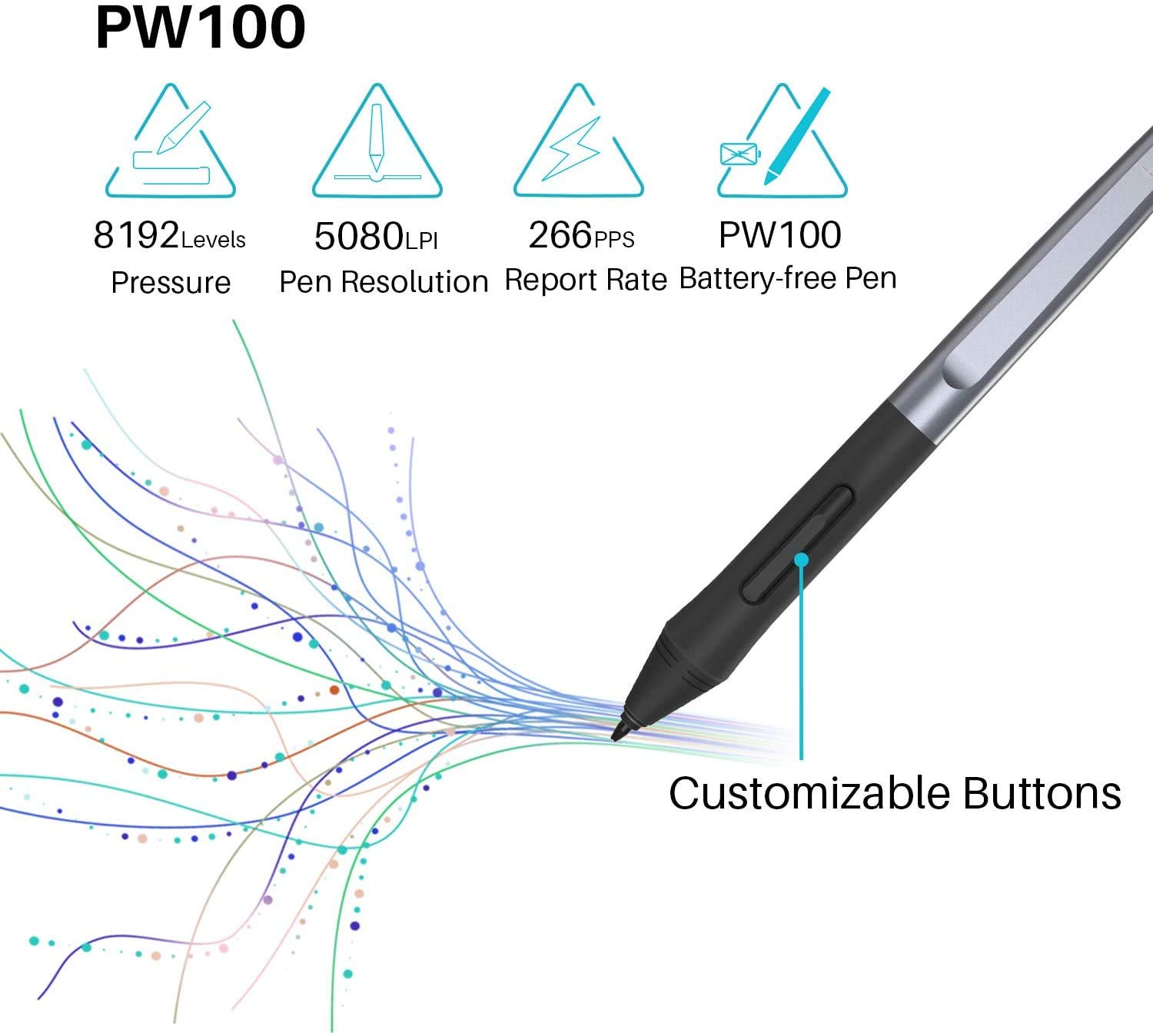
The Huion HS64 comes with the PW100 digital pen, which offers exceptional performance for precise and natural drawing. Key features of the stylus include:
8192 Levels of Pressure Sensitivity: This allows for fine control over line thickness and opacity, mimicking the feel of traditional drawing tools.
5080 LPI Pen Resolution: Ensures crisp and accurate lines, making it ideal for detailed artwork.
Virtually No Lag: Provides a smooth and responsive drawing experience.
Battery-Free Design: No need to worry about charging or replacing batteries, allowing uninterrupted creativity.
Pen Side Buttons: Easily switch between pen and eraser modes for a streamlined workflow.
These features make the PW100 stylus a perfect companion for the Huion HS64, offering artists the precision and control needed for professional-grade work.
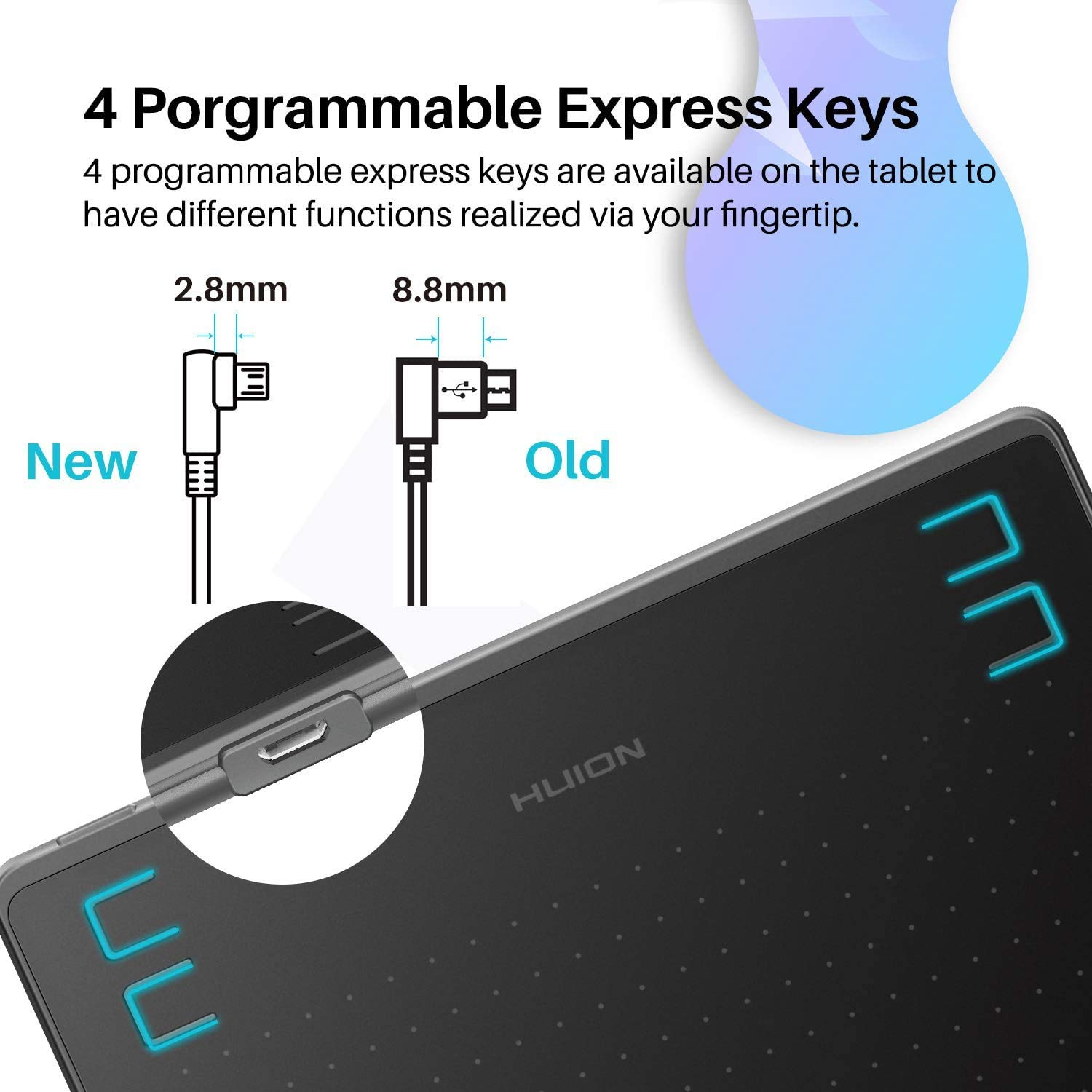
The Huion HS64 is equipped with 4 programmable press keys, which can be customized through the Huion driver to suit your specific workflow. Whether you want to assign shortcuts for zooming, undoing, or switching tools, these express keys help you work faster and more efficiently. The tablet is also designed to accommodate both left-handed and right-handed users, making it a versatile option for all artists.
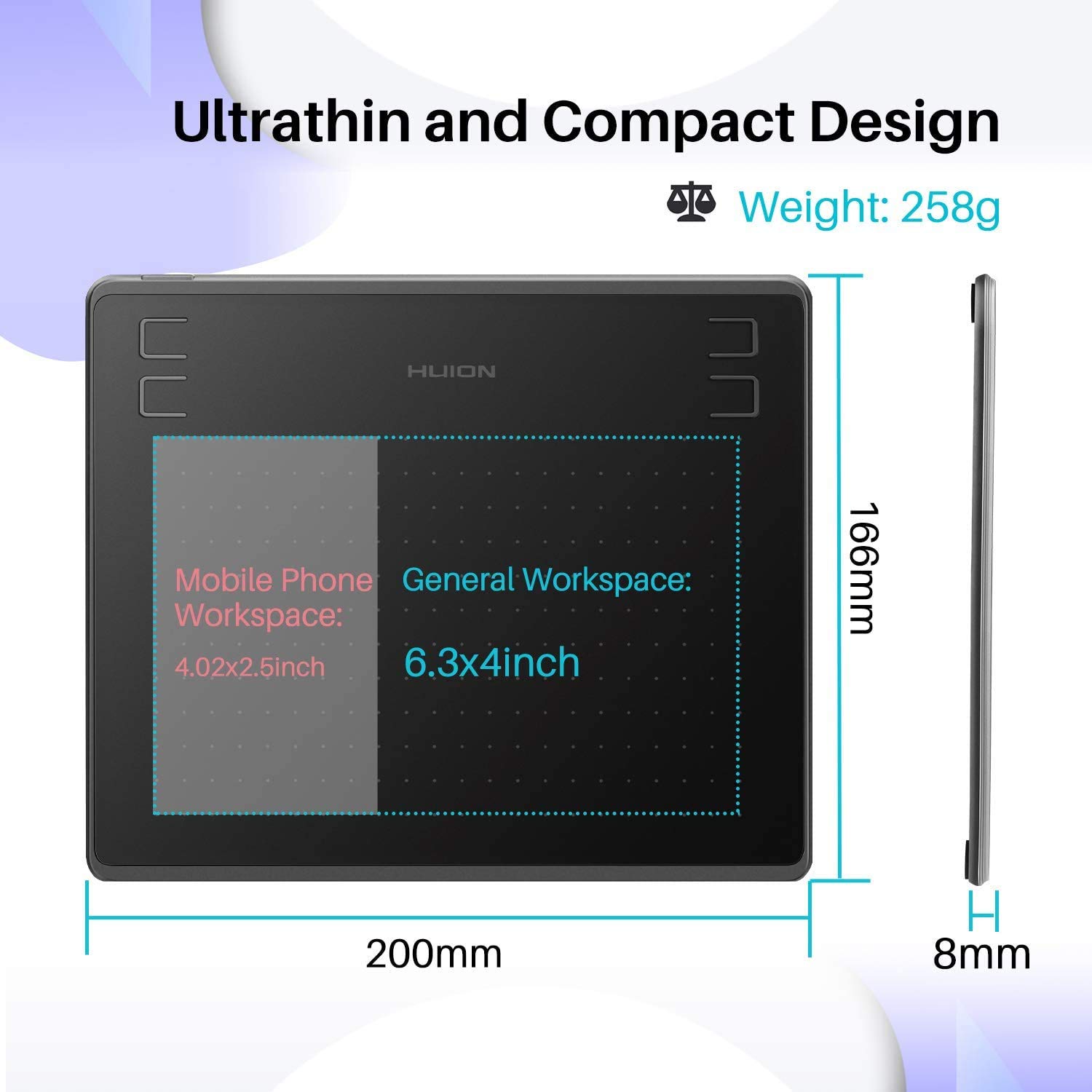
Measuring just 6.3 x 4 inches, the Huion HS64 is an extra-slim graphics drawing tablet that’s perfect for artists with limited desk space or those who need a portable solution. Despite its compact size, the tablet offers a spacious active drawing area, providing ample room for creative expression. Its lightweight design makes it easy to carry, so you can create art wherever inspiration strikes.
The Huion HS64 is not just a drawing tool—it can also replace your computer mouse and keyboard for various tasks. With its responsive stylus, you can use the tablet for:
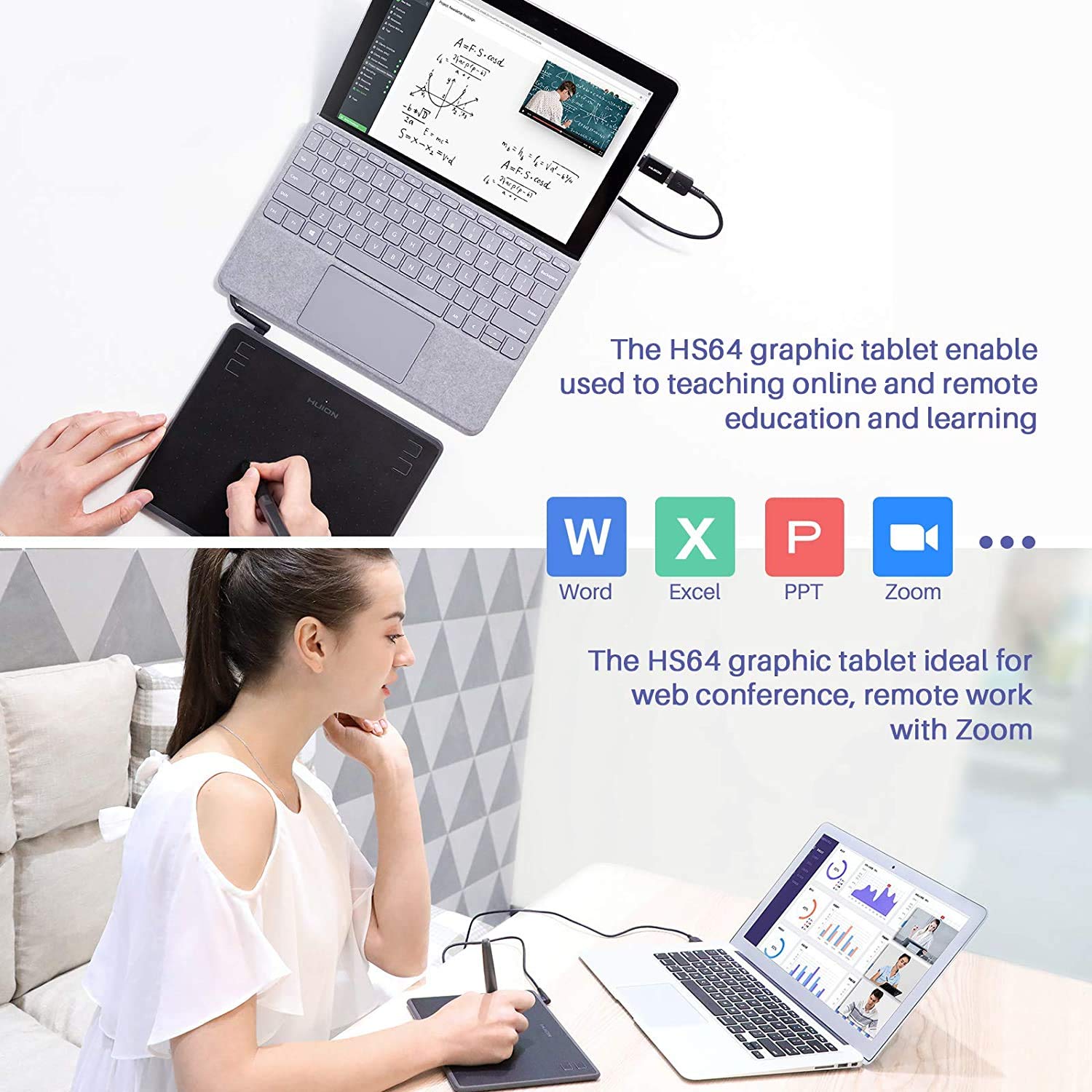
Editing and Annotating: Ideal for teachers and students during online classes or remote work, compatible with platforms like Zoom, Microsoft Teams, and Xsplit.
Note-Taking: Works seamlessly with software like Microsoft Word, PowerPoint, and OneNote for jotting down ideas or signing documents.
Web Conferencing: Enhances productivity during virtual meetings by allowing annotations and diagrams.
This versatility makes the Huion HS64 a valuable tool for both creative and professional tasks, making it more than just a graphics drawing tablet.
The Huion HS64 supports 60° tilt recognition, allowing artists to create natural, brush-like strokes by tilting the stylus. This feature enhances the realism of your artwork, making it ideal for painting, sketching, and illustration.
The tablet uses a Micro USB interface for quick and reliable data transmission. Simply connect the Huion HS64 to your device, and you’re ready to start creating. No complicated setup or driver installation is required for basic functionality, making it a user-friendly option for beginners.
Whether you’re a beginner learning the ropes of digital art or a professional working on complex projects, the Huion HS64 is designed to meet your needs. Its compatibility with popular software like Adobe Photoshop, Paint Tool SAI, Corel Painter, and Manga Studio ensures that it’s suitable for a wide range of creative tasks, including:
Drawing and Sketching: Create detailed illustrations with precision.
Animation: Design smooth and dynamic animations.
Photo Editing: Retouch and enhance images with ease.
Graphic Design: Craft professional-grade designs for branding and marketing.
The Huion HS64 is perfect for a variety of users, including:
Beginners: Its affordable price and easy-to-use features make it an excellent entry-level graphics drawing tablet.
Students and Teachers: The tablet’s compatibility with note-taking and annotation software makes it ideal for remote learning and virtual classrooms.
Hobbyists: Artists who enjoy sketching or experimenting with digital art will appreciate the tablet’s portability and versatility.
Professionals: With advanced features like 8192 pressure sensitivity levels and tilt support, the HS64 is suitable for professional-grade work.
Traveling Artists: The compact and lightweight design makes it easy to carry, ensuring you can create on the go.
Investing in a graphics drawing tablet like the Huion HS64 offers numerous benefits for artists and professionals. Here are some key advantages:
Unlike a traditional mouse, a graphics drawing tablet allows for precise control over your strokes, thanks to the pressure-sensitive stylus. This results in more natural and accurate drawings, making it easier to bring your creative vision to life.
Customizable express keys and a responsive stylus streamline your workflow, allowing you to focus on creating rather than navigating complex menus. The Huion HS64’s programmable keys can be tailored to your favorite shortcuts, saving you time and effort.
From digital art to note-taking and web conferencing, a graphics drawing tablet is a versatile tool that can handle a variety of tasks. The Huion HS64’s compatibility with multiple platforms and software makes it a valuable addition to any creative or professional setup.
The compact size of the Huion HS64 makes it easy to carry in a backpack or laptop bag, allowing you to create art wherever you are. Whether you’re at a coffee shop, traveling, or working from home, this graphics drawing tablet is always ready for action.
Compared to other graphics drawing tablets on the market, the Huion HS64 offers premium features at an affordable price. It’s an excellent choice for artists who want professional-grade performance without breaking the bank.
When shopping for a graphics drawing tablet, there are several factors to consider to ensure you choose the right one for your needs. Here are some tips to guide your decision:
The active drawing area determines how much space you have to create. The Huion HS64’s 6.3 x 4-inch active area is ideal for small desks and portable use, but if you need more space, consider a larger tablet.
Pressure sensitivity affects how responsive the tablet is to your pen strokes. With 8192 levels of pressure sensitivity, the Huion HS64 offers excellent control for detailed artwork.
Ensure the tablet is compatible with your operating system and preferred software. The Huion HS64’s support for Linux, Mac, Windows, and Android makes it a versatile choice.
If you plan to travel with your tablet, choose a compact and lightweight model like the Huion HS64. Its slim design makes it easy to carry without sacrificing performance.
Features like programmable keys, tilt support, and battery-free pens can enhance your experience. The Huion HS64 includes all of these, making it a feature-rich option.
Graphics drawing tablets come in a range of price points. The Huion HS64 offers premium features at an affordable price, making it a great value for money.
Setting up the Huion HS64 is simple and straightforward. Follow these steps to start creating:
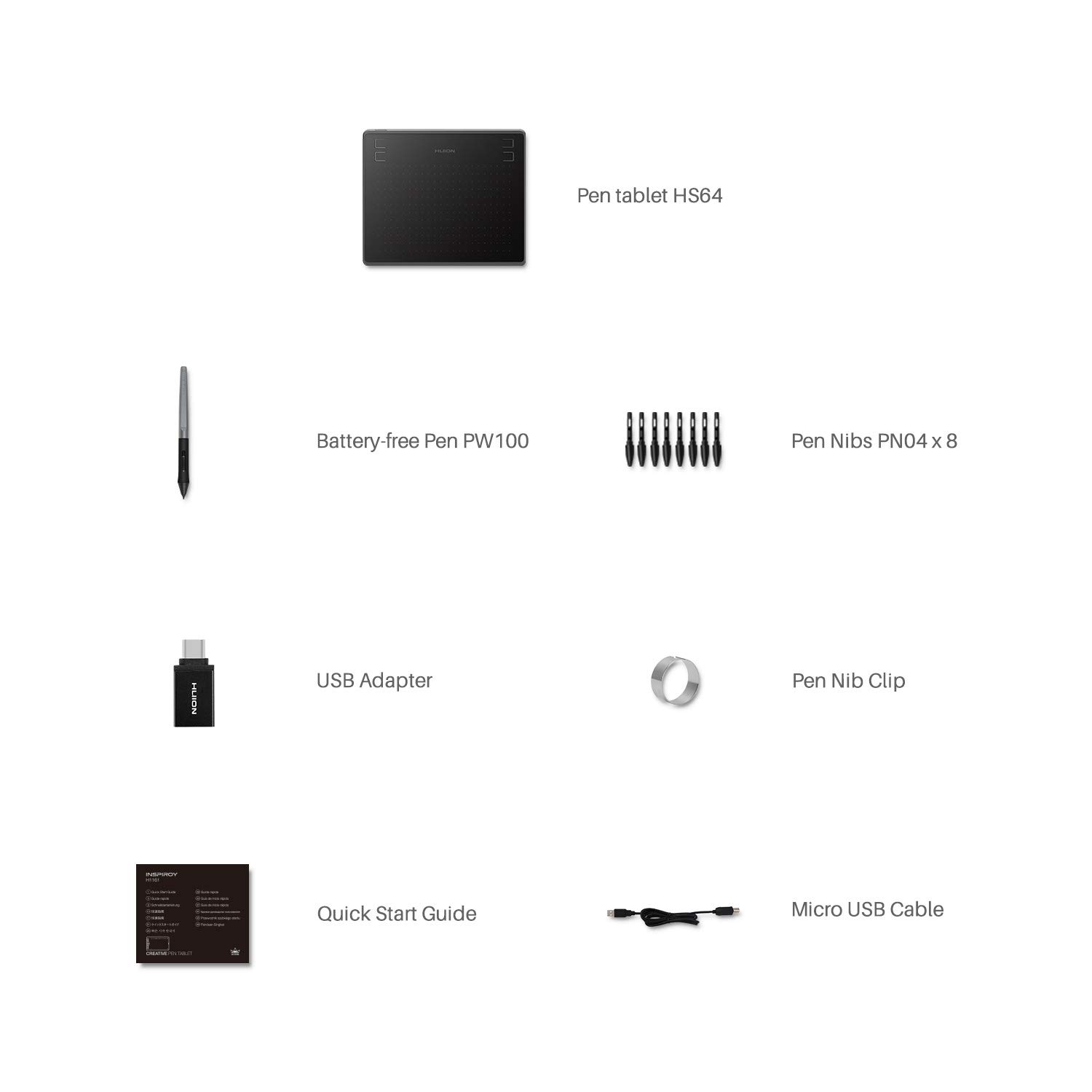
Unbox and Connect: Remove the tablet, stylus, and accessories from the box. Connect the tablet to your device using the included Micro USB cable.
Install the Driver: Download and install the Huion driver from the official website to customize express keys and pen settings.
Choose Your Software: Install your preferred drawing or editing software, such as Adobe Photoshop, Corel Painter, or Clip Studio Paint.
Customize Settings: Use the Huion driver to set up express keys and adjust pen sensitivity to suit your workflow.
Start Creating: Open your software, select the Huion HS64 as your input device, and begin drawing, sketching, or editing.
To get the most out of your graphics drawing tablet, consider the following tips:
Experiment with Pressure Sensitivity: Adjust the pen pressure settings in your software to find the perfect balance for your drawing style.
Use Express Keys: Assign frequently used shortcuts to the programmable keys to speed up your workflow.
Practice Tilt Support: Experiment with tilting the stylus to create dynamic, brush-like strokes.
Keep the Tablet Clean: Regularly clean the tablet surface to maintain responsiveness and prevent scratches.
Update Drivers: Check the Huion website for driver updates to ensure optimal performance.
Looking for a thoughtful and practical gift for an artist or student? The Huion HS64 graphics drawing tablet is an excellent choice. Its compact size, affordability, and versatile features make it a perfect gift for:
Aspiring Artists: Encourage creativity with a beginner-friendly tablet.
Students: Support remote learning with a tool for note-taking and annotations.
Professionals: Provide a reliable and portable solution for on-the-go creativity.
Hobbyists: Inspire new projects with a high-quality drawing tool.
Plus, the Huion HS64 comes with a one-year warranty, ensuring peace of mind for both the giver and the recipient.
The graphics drawing tablet market is filled with options, but the Huion HS64 stands out for its combination of affordability and advanced features. Here’s how it compares to other popular tablets:
|
Feature |
Huion HS64 |
Competitor A |
Competitor B |
|---|---|---|---|
|
Active Area |
6.3 x 4 inches |
6 x 4 inches |
7 x 4.4 inches |
|
Pressure Sensitivity |
8192 Levels |
4096 Levels |
8192 Levels |
|
Tilt Support |
60° |
No |
60° |
|
Customizable Keys |
4 Programmable Keys |
4 Programmable Keys |
6 Programmable Keys |
|
Compatibility |
Linux, Mac, Windows, Android |
Mac, Windows |
Mac, Windows, Android |
|
Price |
Affordable |
Mid-Range |
Premium |
The Huion HS64 offers a compelling balance of features, performance, and price, making it a top choice for budget-conscious artists.
The Huion HS64 graphics drawing tablet is a versatile, affordable, and feature-rich tool that caters to artists, students, and professionals alike. With its compact design, advanced pen performance, customizable express keys, and wide compatibility, it’s an excellent choice for anyone looking to elevate their digital art, animation, or design work. Whether you’re sketching on the go, teaching a virtual class, or creating professional-grade illustrations, the Huion HS64 delivers exceptional value and performance.
Ready to take your creativity to the next level? Invest in the Huion HS64 graphics drawing tablet and unlock endless possibilities for your artistic journey.

Reviews
There are no reviews yet.