Air Pressure: 1.0 mm HO / Connector: 6Pin Connector / Life Span: 30,000 Hrs

RGB gaming PC cooling fans


Original price was: ₹2,950.00.₹1,499.00Current price is: ₹1,499.00.
Air Pressure: 1.0 mm HO / Connector: 6Pin Connector / Life Span: 30,000 Hrs
RGB gaming PC cooling fans
When building or upgrading a gaming PC, one component that often gets overlooked is the cooling fan. However, RGB gaming PC cooling fans are more than just functional hardware—they’re a statement of style, performance, and innovation. Among the top contenders in this space is the ENTWINO WAR HAMMER Kratos IR120 Kit, a high-performance cooling solution designed to keep your system cool, quiet, and visually stunning. In this comprehensive guide, we’ll dive deep into the world of RGB gaming PC cooling fans, exploring their features, benefits, and why the ENTWINO WAR HAMMER Kratos IR120 stands out as a top choice for gamers and PC enthusiasts.
Gaming PCs are powerhouses, packed with high-performance components like CPUs, GPUs, and motherboards that generate significant heat during intense gaming sessions. Without proper cooling, these components can overheat, leading to thermal throttling, reduced performance, and even permanent damage. RGB gaming PC cooling fans address this issue by providing efficient airflow, maintaining optimal temperatures, and adding a vibrant aesthetic to your rig.
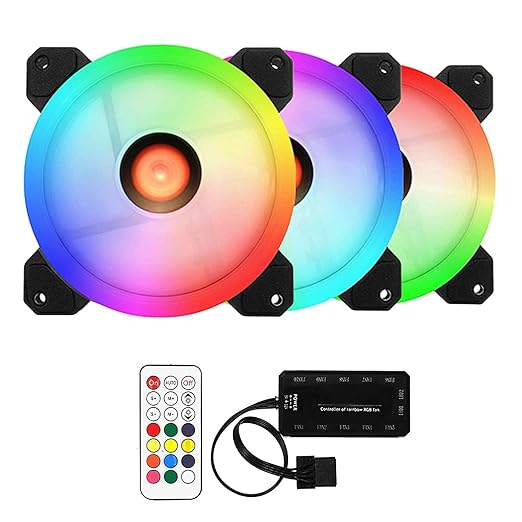
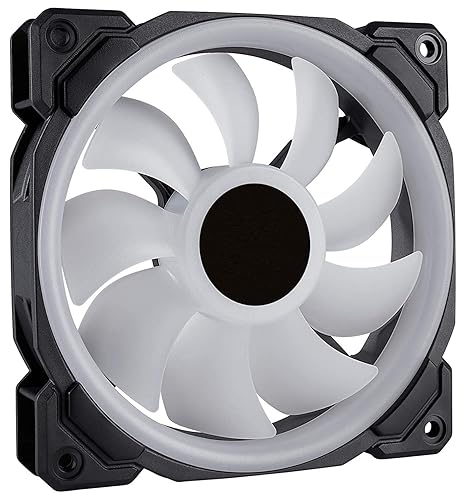
The ENTWINO WAR HAMMER Kratos IR120 Kit is a perfect example of a cooling fan that combines functionality with flair. With its double ring addressable RGB design, this fan delivers stunning lighting effects that sync seamlessly with high-end motherboards from brands like ASUS, MSI, Gigabyte, and ASRock. But it’s not just about looks—its silent cooling technology, hybrid design, and shock-absorbing pads ensure top-tier performance with minimal noise, making it a must-have for any gaming setup.
Before we delve into the specifics of the ENTWINO WAR HAMMER Kratos IR120, let’s explore the key features that make RGB gaming PC cooling fans a critical component for any gaming rig:
Efficient Cooling Performance: Fans like the ENTWINO WAR HAMMER Kratos IR120 provide 38 CFM (cubic feet per minute) of airflow and 1.0 mm H₂O of air pressure, ensuring that heat is effectively dissipated from your components.
Addressable RGB Lighting: Customizable RGB lighting allows you to personalize your PC’s aesthetic, syncing with your motherboard’s software for dynamic effects.
Silent Operation: Advanced noise reduction technologies keep fan noise to a minimum, with the ENTWINO fan operating at ≤ 20 dB(A).
Durability: With a lifespan of 30,000 hours, high-quality fans like the ENTWINO ensure long-term reliability.
Versatility: Compatible with a wide range of motherboards and cases, these fans are easy to integrate into any build.
Now, let’s take a closer look at the ENTWINO WAR HAMMER Kratos IR120 Kit and why it’s a standout choice in the world of RGB gaming PC cooling fans.
The ENTWINO WAR HAMMER Kratos IR120 Kit is engineered to deliver exceptional cooling performance while enhancing the visual appeal of your gaming PC. Measuring 10L x 10W x 8H centimeters, this compact yet powerful fan is designed to fit seamlessly into most PC cases. Let’s break down its standout features and how they contribute to its status as a top-tier RGB gaming PC cooling fan.
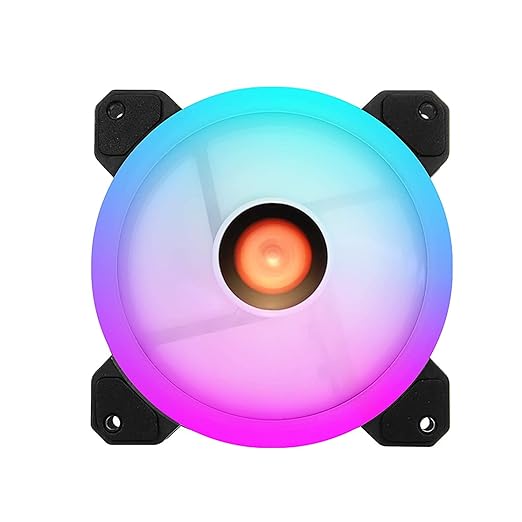
The double ring addressable RGB design of the ENTWINO WAR HAMMER Kratos IR120 is a game-changer for PC builders who prioritize aesthetics. Unlike traditional RGB fans that offer limited lighting options, addressable RGB (ARGB) allows for individual LED control, enabling dynamic and customizable lighting effects. Whether you want a pulsating rainbow effect, a static color to match your build, or a synchronized light show across your components, this fan delivers.
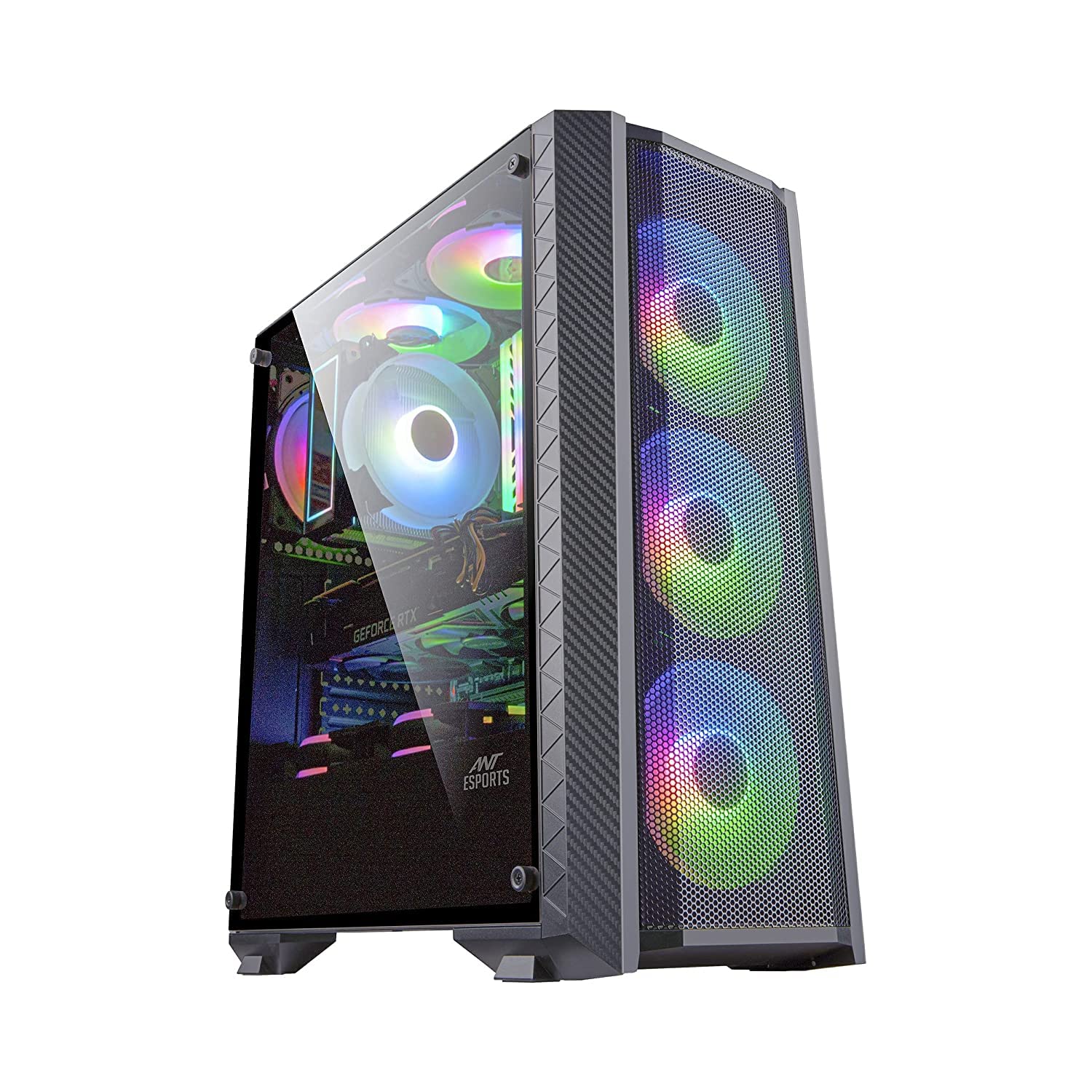
The fan is compatible with all high-end motherboard manufacturers, including ASUS Aura Sync, MSI Mystic Light, Gigabyte RGB Fusion, and ASRock Polychrome Sync. This ensures that you can integrate the fan’s lighting with your existing setup, creating a cohesive and visually stunning gaming rig. For gamers who want their PC to stand out at LAN parties or on streaming setups, the RGB gaming PC cooling fans like the ENTWINO WAR HAMMER Kratos IR120 are a perfect choice.
One of the biggest challenges with gaming PC cooling fans is balancing performance with noise levels. Loud fans can be distracting, especially during long gaming sessions or content creation. The ENTWINO WAR HAMMER Kratos IR120 addresses this with its silent cooling technology and sound-absorbing techniques, keeping noise levels at ≤ 20 dB(A). This is quieter than a whisper, ensuring that your gaming experience remains immersive without the hum of noisy fans.
The fan’s 1500 ± 10% RPM speed provides a perfect balance between airflow and noise, making it ideal for both casual gamers and professionals who need a quiet working environment. Whether you’re gaming, streaming, or working on resource-intensive tasks like video editing, this fan keeps your system cool without compromising on silence.
The ENTWINO WAR HAMMER Kratos IR120 incorporates a hybrid design inspired by jet engines and helicopter blades. This innovative approach maximizes static air pressure while maintaining high airflow, making it ideal for cooling high-performance components like CPUs and GPUs. With a maximum airflow of 38 CFM and air pressure of 1.0 mm H₂O, this fan ensures that heat is efficiently removed from your system, preventing thermal bottlenecks.
The hybrid design also makes the fan versatile for various cooling setups, whether you’re using it as a case fan, radiator fan, or part of an AIO (all-in-one) liquid cooling system. For gamers building high-end systems with powerful components, the ENTWINO WAR HAMMER Kratos IR120 is a reliable choice for maintaining optimal temperatures.
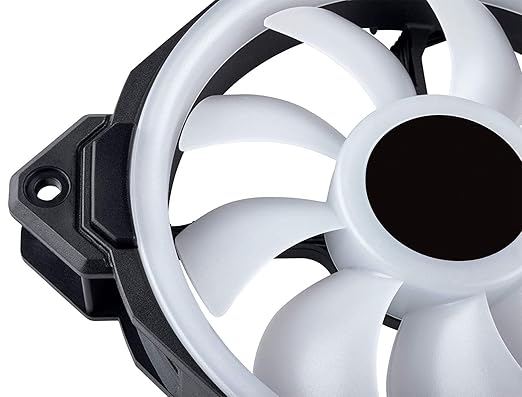
Vibration noise is a common issue with PC fans, especially when running at high speeds. The ENTWINO WAR HAMMER Kratos IR120 addresses this with shock-absorbing pads at all corners of the fan. These pads minimize vibrations between the fan and the chassis, reducing noise and ensuring a stable, quiet operation. This feature is particularly beneficial for users with compact cases or those who prioritize a quiet computing environment.
The ENTWINO WAR HAMMER Kratos IR120 is designed for efficiency and longevity. Here are its key technical specifications:
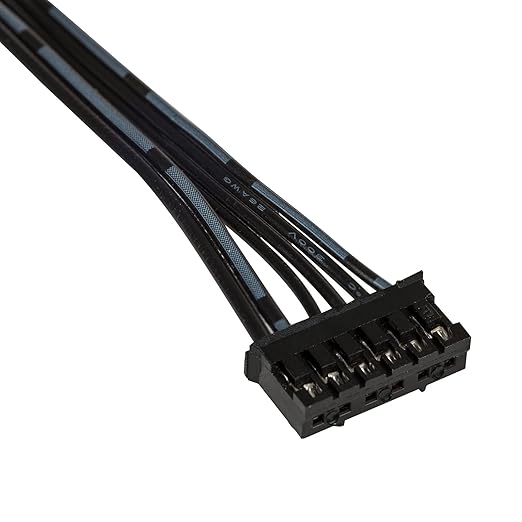
Power Connector Type: 6-Pin
Voltage: 12V DC
Start-Up Voltage: ≤ 6V
Current: 0.16A ± 10%
Wattage: 3 Watts
Speed: 1500 ± 10% RPM
Air Flow (Max): 38 CFM
Air Pressure: 1.0 mm H₂O
Noise Level: ≤ 20 dB(A)
Lifespan: 30,000 hours
These specs highlight the fan’s ability to deliver high performance while maintaining energy efficiency and durability. With a 30,000-hour lifespan, the ENTWINO WAR HAMMER Kratos IR120 is built to last, providing reliable cooling for years to come.
When it comes to building a gaming PC, RGB gaming PC cooling fans offer a unique combination of performance, aesthetics, and functionality. Here are some reasons why they’re a must-have for any gaming setup:
RGB lighting has become a hallmark of modern gaming PCs. Fans like the ENTWINO WAR HAMMER Kratos IR120 allow you to customize your PC’s look with vibrant, dynamic lighting effects. Whether you’re showcasing your build at a gaming event or streaming on platforms like Twitch, RGB fans add a professional and eye-catching touch to your setup.
Effective cooling is critical for maintaining the performance of your gaming PC. Overheating can lead to thermal throttling, where components reduce their performance to prevent damage. RGB gaming PC cooling fans like the ENTWINO WAR HAMMER Kratos IR120 ensure that your system stays cool, allowing your CPU and GPU to perform at their best.
For gamers who spend hours immersed in their favorite titles, fan noise can be a major distraction. Modern RGB gaming PC cooling fans prioritize silent operation, using advanced technologies like fluid dynamic bearings and noise reduction techniques to keep sound levels low.
Most RGB gaming PC cooling fans are designed to be plug-and-play, with compatibility for a wide range of motherboards and cases. The ENTWINO WAR HAMMER Kratos IR120, for example, uses a 6-pin connector for easy integration with your system’s RGB and power setup.
High-quality fans are built to last, with lifespans ranging from 30,000 to 50,000 hours. This ensures that your investment in RGB gaming PC cooling fans pays off over time, providing consistent performance and durability.
With so many options available, selecting the right RGB gaming PC cooling fan can be overwhelming. Here are some factors to consider when making your decision:
Airflow (measured in CFM) and static pressure (measured in mm H₂O) are critical for determining a fan’s cooling performance. For general case cooling, prioritize high airflow. For radiator or heatsink cooling, prioritize high static pressure. The ENTWINO WAR HAMMER Kratos IR120 offers a balanced 38 CFM and 1.0 mm H₂O, making it versatile for various applications.
If you’re sensitive to noise, look for fans with low decibel ratings. The ENTWINO WAR HAMMER Kratos IR120’s ≤ 20 dB(A) noise level makes it one of the quietest options in its class.
Ensure that the fan’s RGB system is compatible with your motherboard’s software. The ENTWINO WAR HAMMER Kratos IR120 supports all major RGB platforms, making it a versatile choice for most builds.
Check the dimensions of the fan to ensure it fits your case. The ENTWINO WAR HAMMER Kratos IR120’s 10L x 10W x 8H centimeters size is compatible with most standard PC cases.
Choose fans with a long lifespan and a solid warranty. The ENTWINO WAR HAMMER Kratos IR120’s 30,000-hour lifespan ensures long-term reliability.
Installing RGB gaming PC cooling fans like the ENTWINO WAR HAMMER Kratos IR120 is straightforward, but proper setup is key to maximizing performance. Here’s a step-by-step guide:
Choose the Right Location: Identify the optimal placement for your fans, such as intake (front or bottom) or exhaust (rear or top) positions in your case.
Mount the Fan: Secure the fan to your case using the provided screws or mounting brackets. Ensure the shock-absorbing pads are properly aligned to reduce vibration.
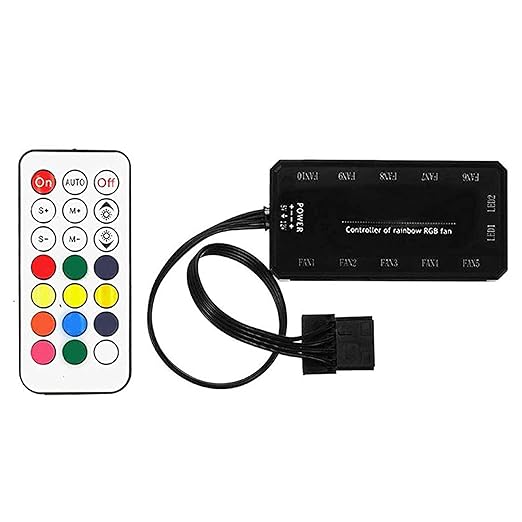
Connect the Power and RGB Cables: Plug the 6-pin connector into your motherboard or RGB controller. Ensure the fan is connected to a 12V power source.
Configure RGB Settings: Use your motherboard’s RGB software to customize the lighting effects. Sync the ENTWINO WAR HAMMER Kratos IR120 with other RGB components for a cohesive look.
Test the Fan: Power on your PC and verify that the fan is spinning and the RGB lighting is functioning correctly.
To ensure long-term performance, regular maintenance of your RGB gaming PC cooling fans is essential. Here are some tips:
Clean Regularly: Dust can accumulate on fan blades, reducing airflow and increasing noise. Use compressed air or a soft brush to clean the fan every 3-6 months.
Check for Vibrations: Ensure that the shock-absorbing pads are intact and that the fan is securely mounted to prevent vibrations.
Monitor Performance: Use software like HWMonitor to check fan speeds and system temperatures, ensuring that your fans are performing optimally.
Update RGB Software: Keep your motherboard’s RGB software up to date to access the latest lighting effects and compatibility features.
As gaming PCs become more powerful, the demand for efficient and stylish cooling solutions continues to grow. RGB gaming PC cooling fans are evolving to meet these needs, with advancements in areas like:
Smart Fan Control: Fans with AI-driven speed control that adjusts based on system temperatures.
Improved Materials: Blades made from lightweight, durable materials for better airflow and reduced noise.
Enhanced RGB Effects: More advanced lighting options, including 3D effects and integration with smart home systems.
Eco-Friendly Designs: Energy-efficient fans that reduce power consumption without sacrificing performance.
The ENTWINO WAR HAMMER Kratos IR120 is already ahead of the curve, with its 3-watt power consumption and hybrid design setting a high standard for future innovations.
To help you make an informed decision, let’s compare the ENTWINO WAR HAMMER Kratos IR120 to other popular RGB gaming PC cooling fans:
|
Feature |
ENTWINO WAR HAMMER Kratos IR120 |
Competitor A |
Competitor B |
|---|---|---|---|
|
Airflow |
38 CFM |
40 CFM |
35 CFM |
|
Noise Level |
≤ 20 dB(A) |
≤ 22 dB(A) |
≤ 25 dB(A) |
|
RGB Type |
Addressable RGB |
Addressable RGB |
Static RGB |
|
Lifespan |
30,000 hours |
25,000 hours |
20,000 hours |
|
Price |
Affordable |
Moderate |
Budget |
While Competitor A offers slightly higher airflow, the ENTWINO WAR HAMMER Kratos IR120 excels in noise reduction and durability, making it a better value for gamers who prioritize silence and longevity.
When it comes to RGB gaming PC cooling fans, the ENTWINO WAR HAMMER Kratos IR120 Kit stands out as a top-tier option. Its double ring addressable RGB design, silent cooling technology, hybrid blade design, and shock-absorbing pads make it a perfect blend of style, performance, and reliability. Whether you’re building a new gaming PC or upgrading an existing one, this fan delivers the cooling power and aesthetic appeal you need to take your setup to the next level.
By choosing RGB gaming PC cooling fans like the ENTWINO WAR HAMMER Kratos IR120, you’re investing in a cooler, quieter, and more visually stunning gaming experience. Upgrade your rig today and experience the difference that high-quality cooling can make!

Reviews
There are no reviews yet.