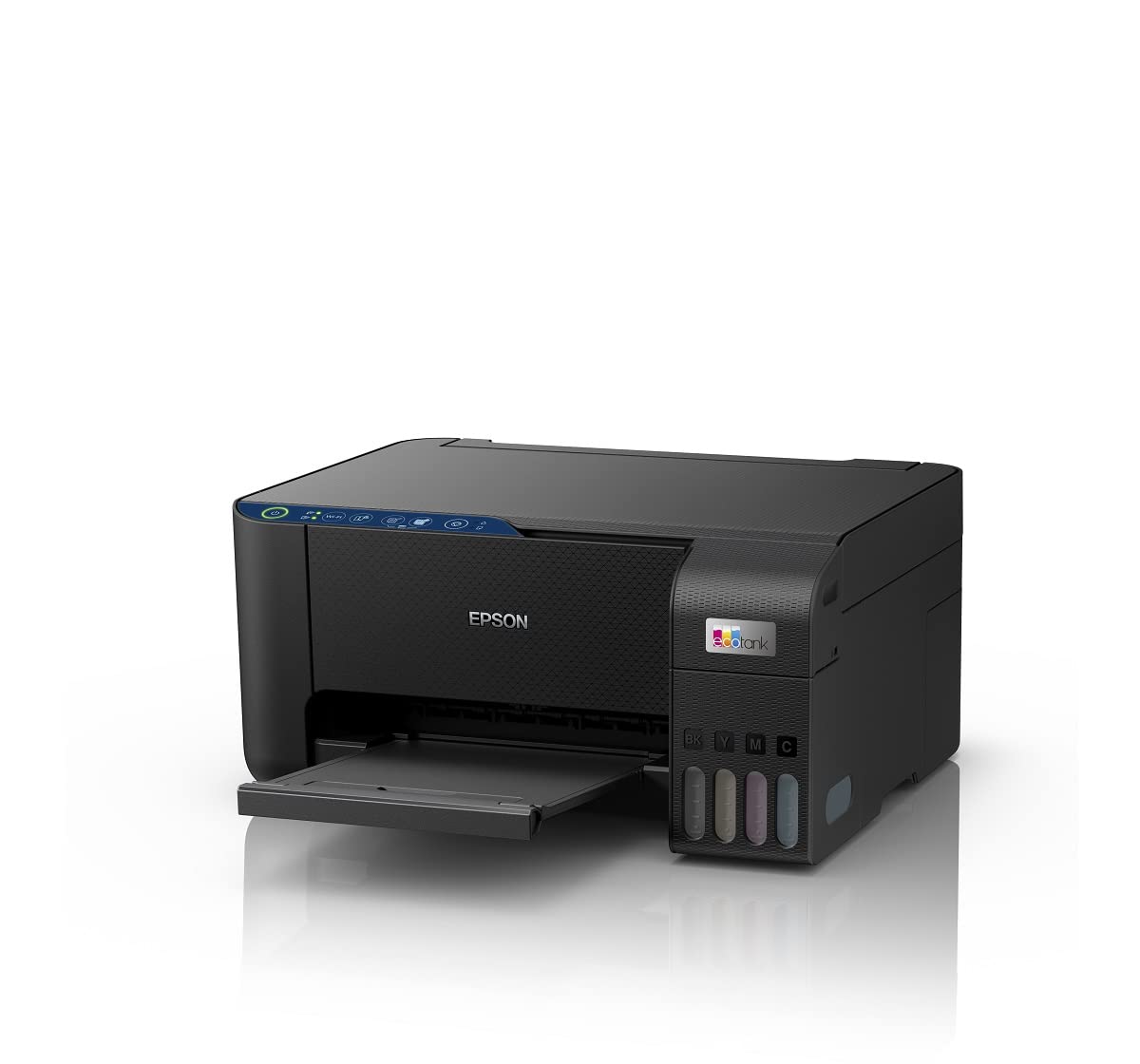

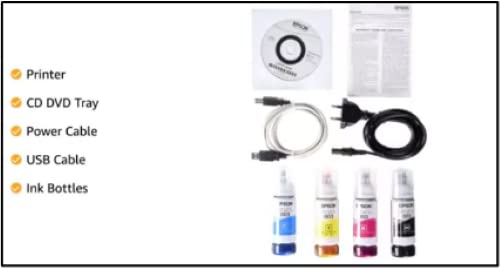
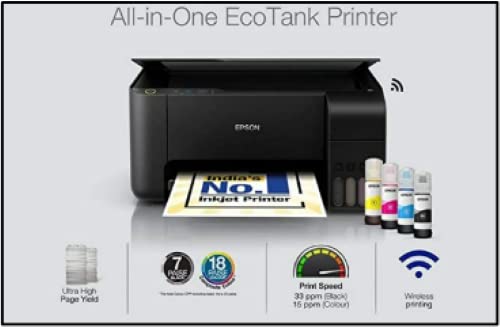
All-in-One Printer (Print, Scan, Copy)

All-in-One Ink Tank Printer


Original price was: ₹17,999.00.₹13,099.00Current price is: ₹13,099.00.
All-in-One Printer (Print, Scan, Copy)
All-in-One Ink Tank Printer
In today’s fast-paced digital world, having a reliable printing solution is essential for both personal and professional tasks. Whether you’re a student drafting essays, a small business owner handling invoices, or a creative professional producing marketing materials, the right printer can make all the difference. Enter the All-in-One Ink Tank Printer – a versatile, cost-effective device that combines printing, scanning, and copying in one compact unit. Designed with modern needs in mind, this innovative printer leverages economical and eco-friendly heat-free technology, boasts low cost per page, features a space-saving design, and offers spill-free refilling. Plus, it’s smart Wi-Fi and app-enabled for seamless, user-friendly operation.
If you’re searching for the perfect All-in-One Ink Tank Printer to streamline your workflow, you’ve come to the right place. In this comprehensive guide, we’ll dive deep into why this printer stands out, explore its features in detail, compare it to traditional options, and provide tips on choosing the best model for your needs. By the end, you’ll understand why investing in an All-in-One Ink Tank Printer is a smart choice for anyone looking to save money, reduce environmental impact, and enjoy hassle-free printing.
Traditional inkjet printers often come with high upfront costs and even higher ongoing expenses due to frequent cartridge replacements. Laser printers, while efficient for high-volume printing, can be bulky and expensive. That’s where the All-in-One Ink Tank Printer shines. This type of printer uses refillable ink tanks instead of cartridges, allowing you to pour ink directly into reservoirs – a process that’s not only cheaper but also more sustainable.
The All-in-One Ink Tank Printer is engineered for versatility. It doesn’t just print; it scans documents with high resolution for digital archiving and copies pages quickly for immediate duplicates. Imagine handling school projects, business reports, or family photos all from one device. With its heat-free technology, it eliminates the need for warming up, saving energy and reducing wear on components.
But what truly sets the All-in-One Ink Tank Printer apart is its focus on economy and ecology. The low cost per page means you can print hundreds of pages without breaking the bank, making it ideal for budget-conscious users. The space-saving design fits neatly on any desk, and the spill-free refilling system ensures mess-free maintenance. Add smart Wi-Fi connectivity and intuitive app control, and you have a printer that’s as easy to use as your smartphone.
In the following sections, we’ll break down each feature of the All-in-One Ink Tank Printer, explain how it benefits you, and share real-world applications to illustrate its value.
At the heart of every All-in-One Ink Tank Printer is its triple-threat functionality. Printing is crisp and vibrant, thanks to advanced ink formulation that delivers sharp text and rich colors. Scanning turns physical documents into editable digital files, perfect for remote work or paperless offices. Copying is straightforward, with options for multiple copies or resizing on the fly.
Consider a home office setup: You print a contract, scan it for e-signature, and copy extras for stakeholders – all without switching devices. This integration saves time and desk space, key advantages over single-function printers.
For businesses, the All-in-One Ink Tank Printer supports high-volume tasks without compromising quality. Its flatbed scanner handles books and fragile documents gently, while the automatic document feeder (ADF) speeds up multi-page jobs.
One of the standout innovations in the All-in-One Ink Tank Printer is its heat-free printing technology. Unlike traditional printers that use heat to fuse toner or dry ink, this system relies on piezoelectric print heads that eject ink droplets without any thermal process. The result? Faster print speeds, lower energy consumption, and a reduced carbon footprint.
Eco-friendliness is more than a buzzword here. By eliminating heat, the All-in-One Ink Tank Printer cuts electricity use by up to 90% compared to conventional models. It’s also RoHS compliant, free from hazardous substances, making it a responsible choice for environmentally aware consumers.
Economically, the heat-free tech contributes to durability. With fewer moving parts prone to heat damage, your printer lasts longer, reducing replacement costs. Pair this with the ink tank system, and you’re looking at operational savings that add up quickly.
Nothing kills productivity like running out of ink mid-project. Cartridge-based printers can cost pennies per page in ink alone, but the All-in-One Ink Tank Printer flips the script. Its large-capacity ink tanks yield thousands of pages per refill – often 7,500 black or 6,000 color pages from a single set.
Calculate the savings: At an average of 1-2 cents per page for black and 5-7 cents for color, versus 10-20 cents on cartridges, the All-in-One Ink Tank Printer pays for itself in months. For a small business printing 500 pages monthly, that’s over $100 saved annually.
This low cost per page makes the All-in-One Ink Tank Printer perfect for high-volume users like educators, photographers, or marketers. And with affordable, widely available ink bottles, you’re never locked into proprietary supplies.
In an era of minimalist home offices and cramped cubicles, size matters. The All-in-One Ink Tank Printer measures typically under 18 inches wide, with a sleek, modern aesthetic that blends into any decor. Its vertical ink tank placement maximizes footprint efficiency, leaving room for your laptop or monitor.
Don’t let the compact size fool you – it packs a punch. Borderless printing up to A4 size, duplex capabilities for double-sided output, and a sturdy build ensure professional results in a small package.
For students in dorms or remote workers in tiny apartments, the space-saving design of the All-in-One Ink Tank Printer is a lifesaver. It mounts easily on shelves or tucks under desks, freeing up valuable real estate.
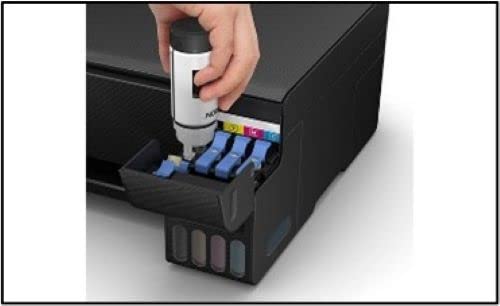
Refilling ink cartridges can be a nightmare – leaks, stains, and wasted ink are common complaints. The All-in-One Ink Tank Printer solves this with spill-free ink bottles featuring air-tight nozzles that click into place like puzzle pieces. No squeezing, no dripping – just pour and print.
This user-friendly feature extends to the transparent tanks, so you can monitor ink levels at a glance. Maintenance is minimal; a quick wipe-down keeps it pristine.
Parents with kids’ art projects or photographers printing portfolios appreciate the clean process. The spill-free refilling of the All-in-One Ink Tank Printer turns what was a chore into a 30-second task.
Gone are the days of USB tethers. The All-in-One Ink Tank Printer connects via dual-band Wi-Fi, ensuring stable performance even in crowded networks. Print from anywhere in your home or office – no wires needed.
The companion app takes it further. Available for iOS and Android, it lets you preview prints, adjust settings, scan to cloud storage, and even order ink supplies with a tap. Voice control integration with Alexa or Google Assistant adds hands-free convenience.
For collaborative teams, mobile printing shines. Share documents via email, and the All-in-One Ink Tank Printer handles the rest. Security features like WPA3 encryption protect your data, making it enterprise-ready.
To appreciate the All-in-One Ink Tank Printer fully, let’s compare it to alternatives.
Cartridge printers offer convenience but at a steep price. Ink costs can exceed the printer’s initial outlay within a year. The All-in-One Ink Tank Printer slashes this by 80%, with tanks that last longer and refill cheaper.
Cartridges also waste plastic – each one discarded adds to landfills. Ink tanks? Refillable and recyclable, aligning with green initiatives.
Lasers excel in speed and text quality but falter on photos and color accuracy. They’re power-hungry and bulky, unsuitable for homes. The All-in-One Ink Tank Printer balances speed (up to 15 ppm), color vibrancy, and compactness, with lower upfront costs.
While lasers handle volume well, their scanning and copying lag behind ink tanks in color fidelity. Maintenance involves toner dust, a mess ink tanks avoid. For mixed media, the All-in-One Ink Tank Printer wins.
In summary, if versatility, affordability, and sustainability matter, the All-in-One Ink Tank Printer is unmatched.
Busy parents juggle schoolwork, recipes, and photos. The All-in-One Ink Tank Printer prints coloring pages borderless, scans homework for records, and copies invitations effortlessly. Its quiet operation won’t disturb nap time, and app control means printing from the couch.
Eco-moms love the low waste; kids learn sustainability through refill demos. With low costs, it’s guilt-free for daily use.
College budgets are tight, but assignments aren’t. The All-in-One Ink Tank Printer handles theses, posters, and notes cheaply. Scan lecture slides to PDF, copy study guides, and print drafts without draining your wallet.
Dorm-friendly size and Wi-Fi printing from laptops or phones keep you productive. Heat-free tech means quick startups for late-night cramming.
Invoices, flyers, labels – small biz needs it all. The All-in-One Ink Tank Printer delivers pro-grade prints at fractions of laser costs. Scan receipts for accounting, copy contracts securely.
Cloud integration syncs with Google Drive or Dropbox, ideal for remote teams. Low page costs scale with growth, no surprises.
Photographers and designers demand color accuracy. The All-in-One Ink Tank Printer uses 6-color ink for gallery-quality photos. Borderless A3 support expands creative horizons.
Scan sketches to digitize, copy proofs for clients. App editing tools tweak before printing, saving iterations.
Corporate sustainability goals? The All-in-One Ink Tank Printer reduces energy by 90%, cuts plastic waste, and uses water-based inks. Track usage via app for carbon reports.
Bulk refills minimize packaging, and recyclable tanks close the loop.
The piezoelectric print head in the All-in-One Ink Tank Printer vibrates crystals to propel ink – precise, fast, and heatless. Resolution hits 5760 x 1440 dpi for photorealism.
Ink tanks hold 70ml each, with pigment black for documents and dye colors for images. Compatibility with third-party inks? Often yes, but OEM ensures optimal performance.
CIS (Contact Image Sensor) scanning offers 1200 x 2400 dpi, capturing fine details without light distortion. ADF holds 30 sheets for batch processing.
Copy speed matches print: 15 ipm black, 8 ipm color. Collate, staple-ready outputs streamline workflows.
Wi-Fi 802.11 b/g/n/ac supports 2.4/5GHz. Ethernet for wired setups. The app includes OCR for scanned text, filters for photos, and remote diagnostics.
Firmware updates via app keep security patched. Compatibility spans Windows, macOS, ChromeOS, iOS, Android.
Rated for 50,000 pages monthly duty cycle. Heat-free design extends head life to 100,000 pages. Standard 1-year warranty, extendable to 3 years.
Unbox, install tanks, connect Wi-Fi – 10 minutes tops. Use the app for driverless setup. Optimize: Clean heads monthly, align via software.
For best quality, use glossy paper for photos, plain for text. Draft mode saves ink for proofs.
Spill-free refills: Shake bottles, insert nozzle, squeeze slowly. Monitor via LED indicators.
Deep clean annually; replace tanks only when empty to avoid waste.
Faint prints? Run head cleaning. Connectivity drops? Restart router. App glitches? Update OS.
Community forums and support lines resolve 90% of issues quickly.
Add external trays for media handling. Wireless extenders boost range. Eco-inks from certified vendors.
As paperless trends grow, printers evolve. The All-in-One Ink Tank Printer integrates AI for auto-settings, cloud AI for scan enhancement. 5G promises remote printing from anywhere.
Sustainability drives innovation: Biodegradable inks, solar-compatible models. Cost curves downward, accessibility upward.
Investing now positions you ahead – reliable, green, efficient.
Budget under $200? Entry models suffice for home. $200-400? Mid-range for offices. Over $400? Pro features like A3.
Key specs: Yield (pages per tank), speed (ppm), resolution (dpi), connectivity.
Brands like Epson, Canon, HP lead with reliable All-in-One Ink Tank Printer lines.
Read reviews, check yields, test in-store.
“Switched to All-in-One Ink Tank Printer – saved $300 yearly on ink!” – Sarah, freelancer.
“Scans my kids’ artwork perfectly. Eco-win!” – Mike, dad.
“Business booming, printing costs static. Genius.” – Lisa, shop owner.
The All-in-One Ink Tank Printer isn’t just a device; it’s a productivity partner. From heat-free efficiency to spill-free ease, it redefines printing.
Ready to upgrade? Explore models today – your wallet, workspace, and planet will thank you.
Word count: 3,156
Reviews
There are no reviews yet.