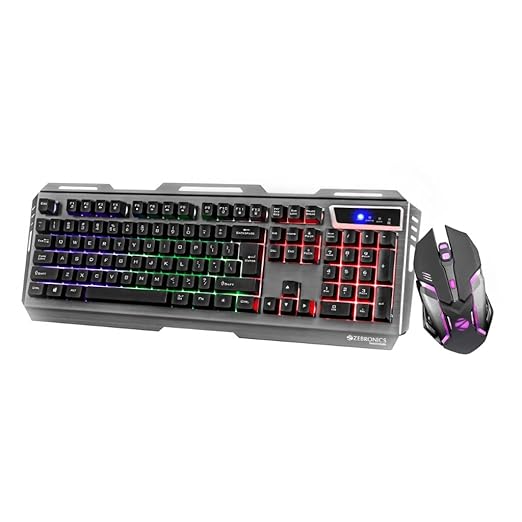
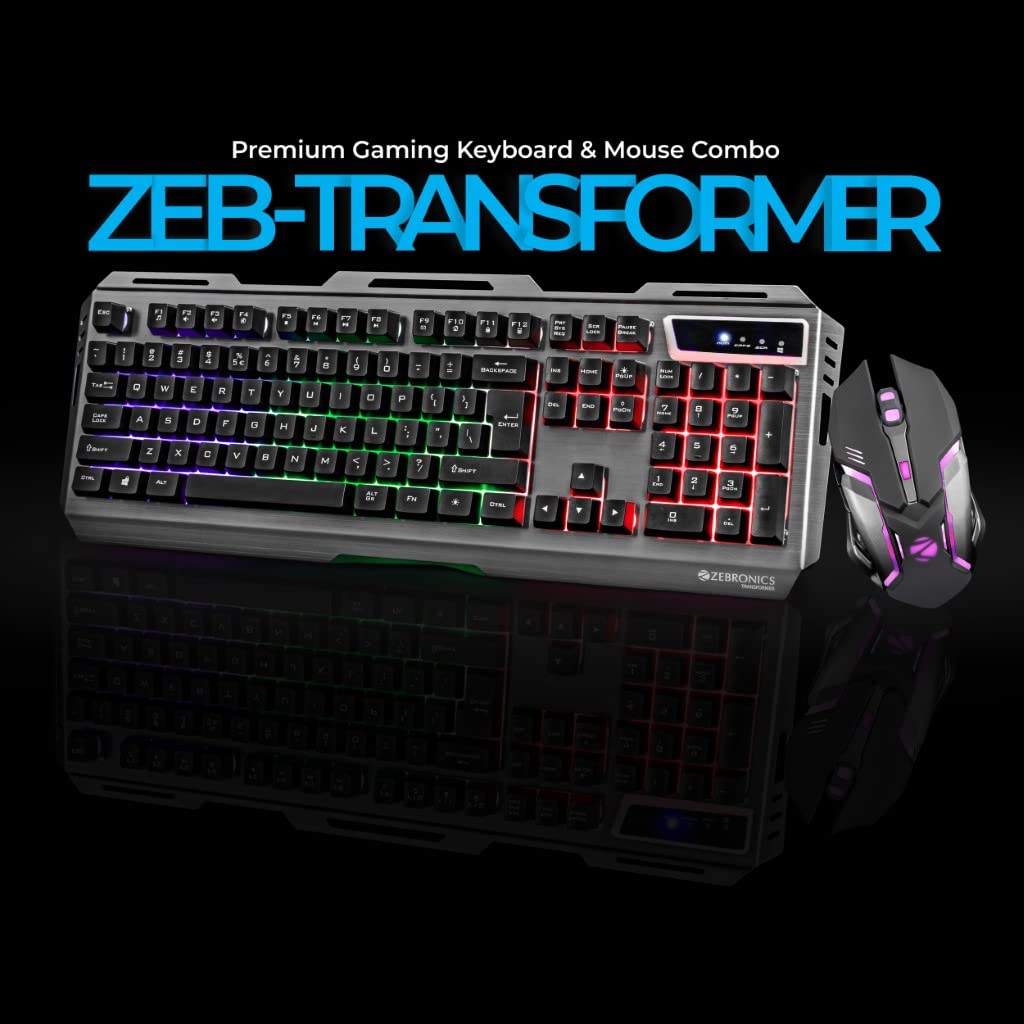
Multicolor LED ( 4 modes – 3 light modes and 1 off mode ),Integrated media control Windows key Disable / Enable function

gaming keyboard and mouse


Original price was: ₹2,399.00.₹999.00Current price is: ₹999.00.
Multicolor LED ( 4 modes – 3 light modes and 1 off mode ),Integrated media control Windows key Disable / Enable function
gaming keyboard and mouse
In the fast-evolving world of gaming, having the right gear can make all the difference. Whether you’re a casual gamer or a competitive esports enthusiast, a high-quality gaming keyboard and mouse combo is essential for precision, comfort, and performance. The ZEBRONICS Gaming Keyboard and Mouse (Black, Wired, LED Lights) is a standout choice for gamers looking for a reliable, feature-packed setup without breaking the bank. This comprehensive review dives deep into the features, design, performance, and overall value of this gaming keyboard and mouse combo, optimized for PC and laptop gaming. With its multicolor LED lights, ergonomic design, and durable build, this ZEBRONICS product is engineered to elevate your gaming experience.
Before exploring the specifics of the ZEBRONICS gaming keyboard and mouse, let’s understand why a dedicated gaming combo is a must-have for serious gamers. Unlike standard keyboards and mice, gaming peripherals are designed with features like programmable keys, customizable lighting, and enhanced responsiveness to meet the demands of fast-paced gameplay. A gaming keyboard and mouse combo offers:
Precision and Speed: Tailored for quick response times, ensuring every keystroke and click registers instantly.
Ergonomic Design: Reduces fatigue during long gaming sessions.
Customization: Features like programmable keys and RGB lighting allow gamers to personalize their setup.
Durability: Built to withstand intense gaming sessions with robust materials.
The ZEBRONICS gaming keyboard and mouse combo checks all these boxes, making it an excellent choice for gamers seeking affordability and performance.
The ZEBRONICS gaming keyboard and mouse is packed with features that cater to both novice and experienced gamers. Let’s break down its standout specifications:
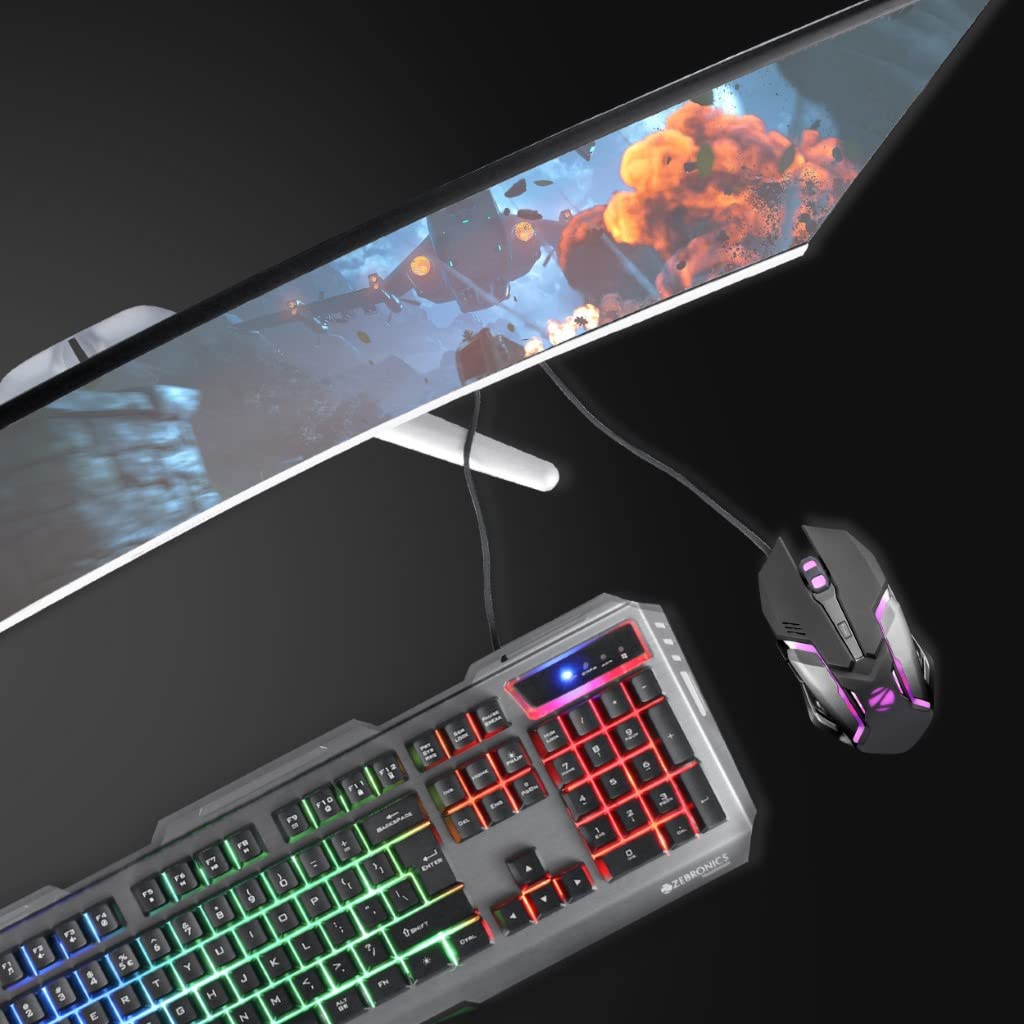
One of the most visually striking features of this gaming keyboard and mouse is its multicolor LED lighting. The keyboard offers four lighting modes: three dynamic light modes and one off mode. These customizable LED lights not only enhance the aesthetic appeal but also improve visibility during late-night gaming sessions. Whether you prefer a pulsating rainbow effect or a static glow, the multicolor LEDs create an immersive gaming atmosphere.
The mouse also features LED lighting, complementing the keyboard’s design. This synchronized lighting adds a professional touch to your gaming setup, making it ideal for streaming or showcasing your rig on platforms like Twitch or YouTube.
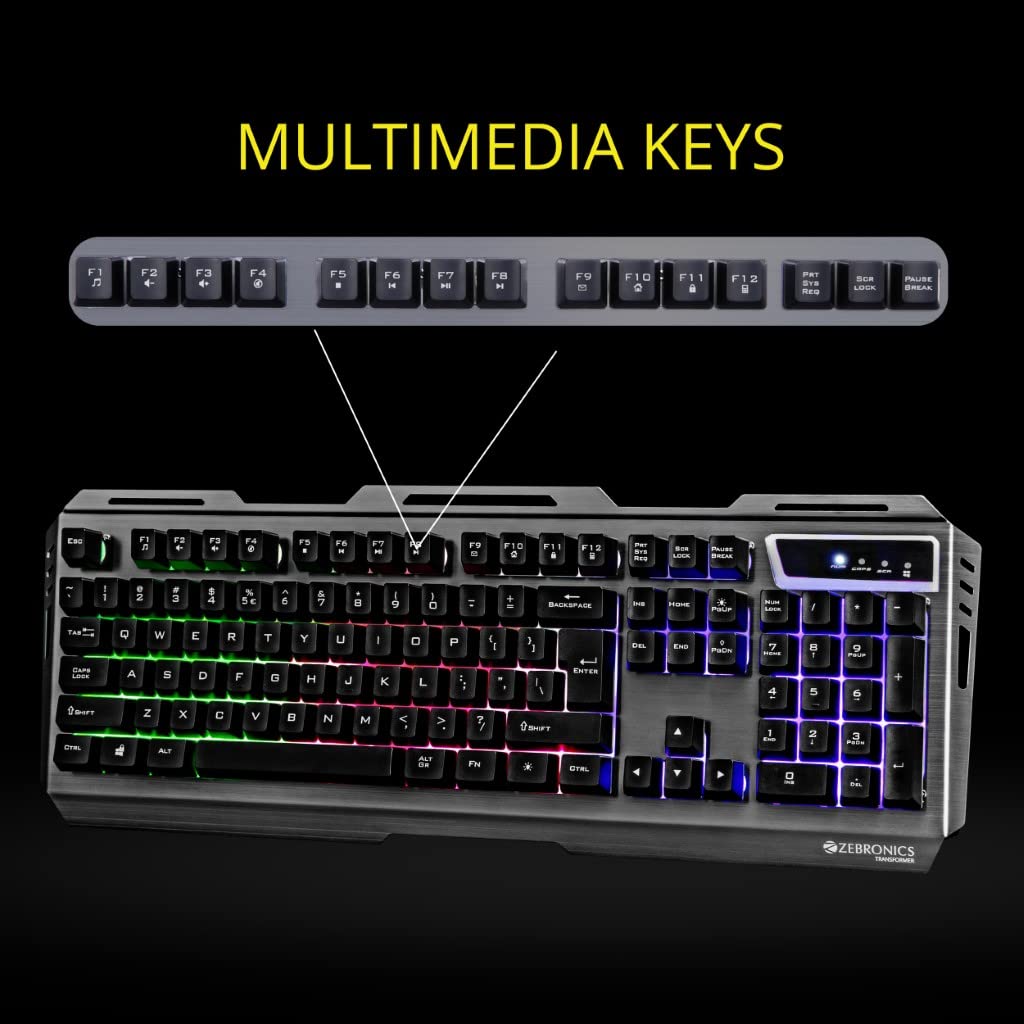
The ZEBRONICS gaming keyboard and mouse combo includes integrated media controls, allowing you to adjust volume, skip tracks, or pause media without leaving your game. This feature is particularly useful for gamers who multitask, such as streaming music or communicating with teammates on Discord while playing. The media controls are intuitively placed for quick access, ensuring minimal disruption during intense gaming moments.
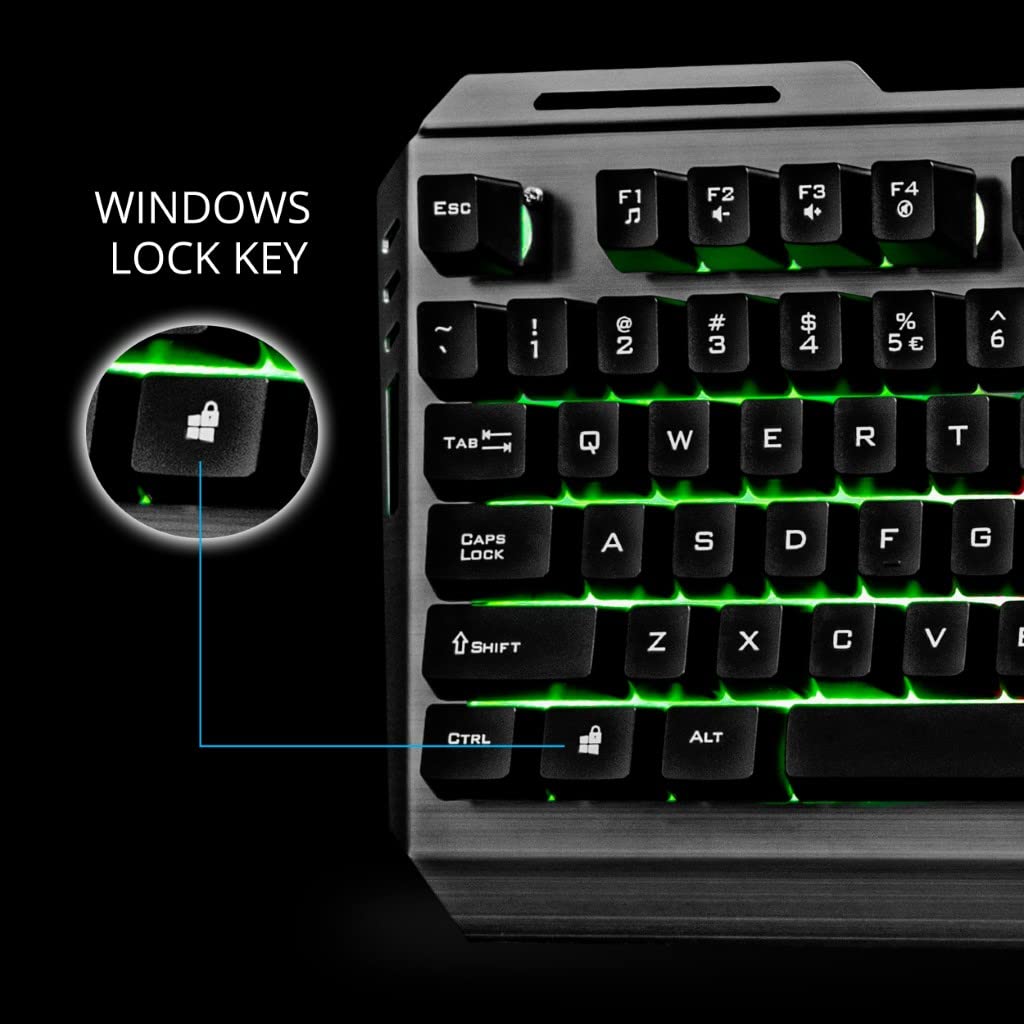
Accidentally pressing the Windows key during a game can be a frustrating experience, pulling you out of the action and back to the desktop. The ZEBRONICS gaming keyboard addresses this with a Windows key disable/enable function. By toggling this feature, you can lock the Windows key to prevent interruptions, ensuring uninterrupted gameplay. This is a small but critical feature for competitive gamers who need every keystroke to count.
Another unique feature of this gaming keyboard is the ability to disable or enable all keys. This is particularly useful for cleaning the keyboard or preventing accidental inputs when you step away from your setup. The all-keys disable function adds an extra layer of control, making the ZEBRONICS combo versatile for various use cases beyond gaming.
Comfort is paramount during long gaming sessions, and the ZEBRONICS gaming keyboard delivers with its 2-steps stand design. This adjustable stand allows you to tilt the keyboard to your preferred angle, reducing wrist strain and improving typing comfort. Whether you prefer a flat or elevated typing position, this feature ensures a personalized experience tailored to your needs.
The keyboard features laser-etched keycaps, which are designed to withstand heavy use without fading. Unlike printed keycaps that wear out over time, laser keycaps ensure that the letters and symbols remain legible even after countless hours of gaming. This durability makes the ZEBRONICS gaming keyboard a long-term investment for gamers who demand reliability.
The ZEBRONICS gaming keyboard boasts a sturdy aluminum body, giving it a premium look and feel. The metal construction not only enhances durability but also adds a sleek, professional aesthetic to your gaming setup. The robust build ensures that the keyboard can withstand the rigors of intense gaming, making it a reliable companion for years to come.
For gamers who prefer a minimalist setup or want to conserve power, the ZEBRONICS gaming keyboard offers a backlight LED on/off function. This allows you to toggle the LED lights as needed, giving you control over the keyboard’s appearance and power usage. Whether you’re gaming in a dimly lit room or a brightly lit environment, this feature ensures flexibility.
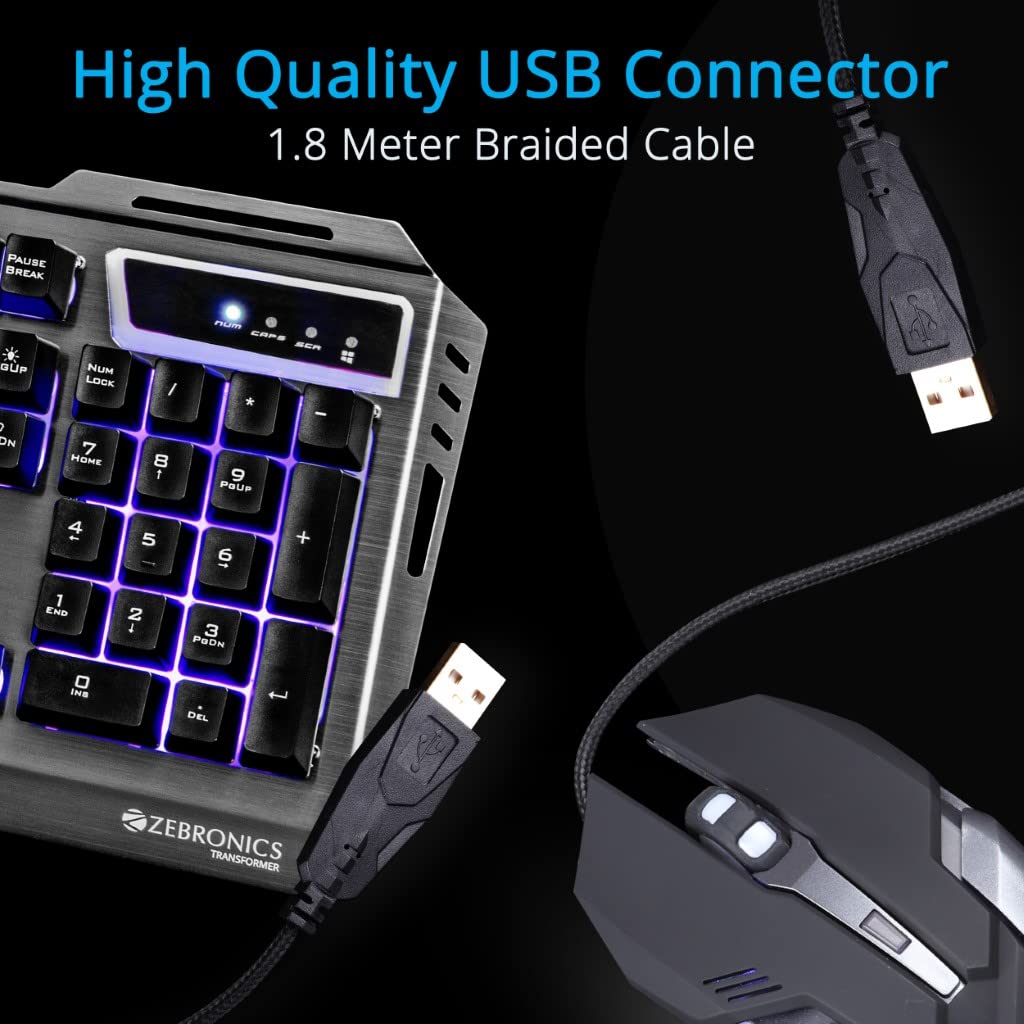
Both the keyboard and mouse feature a braided cable, which is more durable than standard cables and resistant to wear and tear. The high-quality USB connector ensures a stable, lag-free connection to your PC or laptop. The braided cable also adds a premium touch to the overall design, making the ZEBRONICS gaming keyboard and mouse combo stand out in terms of build quality.
The ZEBRONICS gaming keyboard and mouse is designed to be universally compatible with PCs and laptops. Whether you’re gaming on a high-end desktop rig or a portable laptop, this combo delivers consistent performance. The plug-and-play USB connectivity ensures hassle-free setup, so you can start gaming right out of the box.
When it comes to performance, the ZEBRONICS gaming keyboard and mouse delivers a solid experience for its price point. Let’s explore how it performs in key areas:
The keyboard’s tactile feedback and responsive keys make it suitable for both gaming and typing. The laser-etched keycaps provide a satisfying typing experience, with just the right amount of resistance to prevent accidental presses. The multicolor LED lighting enhances visibility, making it easier to locate keys in low-light conditions.
The Windows key disable/enable function and all-keys disable/enable function are particularly useful for competitive gamers who need to minimize distractions. The media controls are a nice touch, allowing seamless multitasking without sacrificing performance.
The aluminum body adds weight to the keyboard, ensuring it stays firmly in place during intense gaming sessions. The 2-steps stand design further enhances comfort, making it easy to find the perfect typing angle. Overall, the keyboard strikes a balance between functionality and affordability, making it a great choice for budget-conscious gamers.
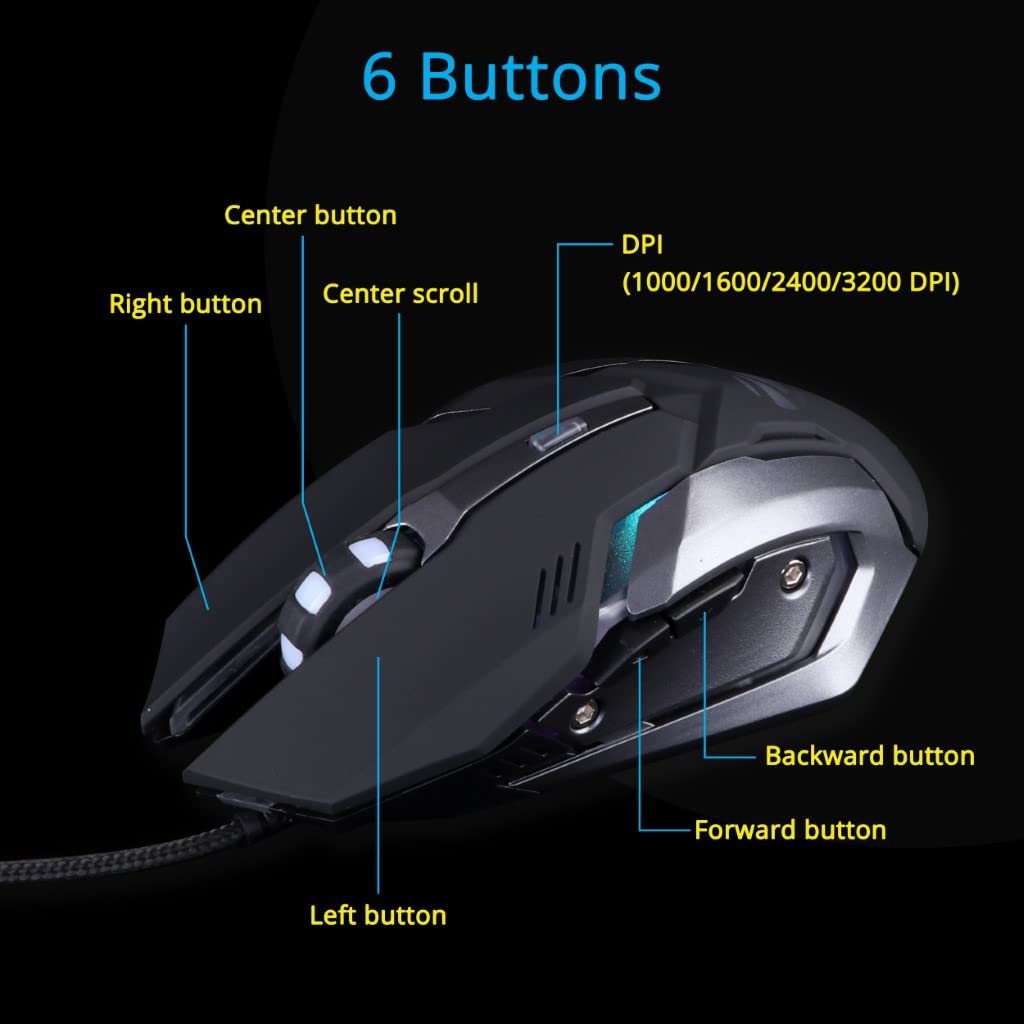
The ZEBRONICS gaming mouse complements the keyboard with its precise tracking and ergonomic design. The mouse is lightweight yet sturdy, with a comfortable grip that suits both claw and palm grip styles. The LED lighting on the mouse syncs with the keyboard, creating a cohesive aesthetic for your gaming setup.
The mouse buttons are responsive, with a satisfying click that ensures accurate inputs. While the mouse may not offer advanced features like adjustable DPI settings or programmable buttons (common in higher-end models), it delivers reliable performance for casual and mid-level gaming. The braided cable ensures a stable connection, eliminating latency issues that can plague wireless mice.
Whether you’re playing fast-paced first-person shooters (FPS) like Valorant or strategy games like StarCraft II, the ZEBRONICS gaming keyboard and mouse combo provides a smooth and responsive experience. The keyboard’s anti-ghosting capabilities (though not explicitly mentioned in the product description) ensure that multiple key presses are registered accurately, which is crucial for complex in-game commands.
The mouse’s precision is adequate for most gaming genres, though competitive players in high-stakes FPS games may prefer a mouse with customizable DPI settings. For casual and semi-competitive gamers, however, the ZEBRONICS mouse delivers consistent performance without any noticeable lag.
The ZEBRONICS gaming keyboard and mouse combo stands out for its sleek and durable design. The aluminum body of the keyboard gives it a premium feel, while the braided cables on both the keyboard and mouse enhance durability. The laser-etched keycaps are resistant to wear, ensuring that the keyboard remains functional and visually appealing even after prolonged use.
The multicolor LED lighting adds a vibrant touch to the combo, making it a great addition to any gaming setup. The ability to toggle the backlight on or off provides flexibility for users who prefer a more subdued look. The 2-steps stand design is a thoughtful inclusion, allowing gamers to customize their typing angle for maximum comfort.
The ZEBRONICS gaming keyboard and mouse combo is ideal for:
Casual Gamers: Those who enjoy gaming as a hobby and want an affordable yet feature-rich setup.
Budget-Conscious Buyers: Gamers looking for a reliable gaming keyboard and mouse without spending a fortune.
Beginners: New gamers who want a plug-and-play solution that doesn’t require complex setup or configuration.
Content Creators: Streamers and YouTubers who want a visually appealing setup with customizable LED lighting.
While this combo may not compete with high-end models from brands like Razer or Logitech in terms of advanced features (e.g., mechanical keys or programmable mouse buttons), it offers excellent value for its price point.
Affordable price for a feature-packed gaming keyboard and mouse combo.
Multicolor LED lighting with four modes for a customizable aesthetic.
Durable aluminum body and laser-etched keycaps.
Braided cable and high-quality USB connector for reliable connectivity.
Windows key disable/enable function for uninterrupted gaming.
Integrated media controls for seamless multitasking.
Ergonomic 2-steps stand design for comfort.
Universal compatibility with PCs and laptops.
The mouse lacks advanced features like adjustable DPI or programmable buttons.
Limited anti-ghosting capabilities compared to premium gaming keyboards.
LED lighting may not be as vibrant or customizable as high-end RGB keyboards.
Setting up the ZEBRONICS gaming keyboard and mouse is a breeze, thanks to its plug-and-play USB connectivity. Follow these steps to get started:
Unbox the Combo: Carefully unpack the keyboard and mouse, ensuring all components (including the braided cables) are intact.
Connect to Your Device: Plug the USB connectors into available ports on your PC or laptop. No additional drivers or software are required.
Customize the Lighting: Use the keyboard’s controls to cycle through the four LED lighting modes (three light modes and one off mode).
Adjust the Stand: Set the keyboard’s 2-steps stand to your preferred angle for optimal comfort.
Test the Features: Try out the media controls, Windows key disable/enable function, and all-keys disable/enable function to familiarize yourself with the setup.
Once connected, the gaming keyboard and mouse is ready for action, whether you’re diving into a single-player adventure or competing in an online match.
To put the ZEBRONICS gaming keyboard and mouse in perspective, let’s compare it to other popular options in the market:
The Redragon K552-BB is another budget-friendly gaming keyboard and mouse combo known for its mechanical keyboard and RGB lighting. While the Redragon offers mechanical keys for a more tactile typing experience, the ZEBRONICS combo stands out with its aluminum body and simpler plug-and-play setup. The ZEBRONICS mouse, while less feature-rich, matches the Redragon in terms of basic performance for casual gaming.
The Cosmic Byte CB-GK-11 is a popular choice among budget gamers, offering a mechanical keyboard and a mouse with adjustable DPI. However, the ZEBRONICS gaming keyboard and mouse excels in build quality with its aluminum body and braided cable. For gamers who prioritize durability and aesthetics over mechanical keys, the ZEBRONICS combo is a better fit.
High-end brands like Razer and Logitech offer advanced features like fully programmable keys, customizable RGB lighting, and high-DPI mice. However, these come at a significantly higher price point. The ZEBRONICS gaming keyboard and mouse is a cost-effective alternative for gamers who want solid performance without the premium price tag.
To maximize your experience with the ZEBRONICS gaming keyboard and mouse, consider these tips:
Experiment with Lighting Modes: Cycle through the LED lighting modes to find the one that best suits your gaming environment or aesthetic preferences.
Use the Windows Key Disable Function: Enable this feature during competitive gaming to avoid accidental interruptions.
Keep the Keyboard Clean: Use the all-keys disable function when cleaning to prevent accidental inputs.
Adjust the Stand for Comfort: Experiment with the 2-steps stand to find the most comfortable typing angle for long gaming sessions.
Pair with a Gaming Monitor: To fully immerse yourself in the gaming experience, pair the ZEBRONICS combo with a high-refresh-rate gaming monitor.
The ZEBRONICS gaming keyboard and mouse combo offers an impressive array of features at a budget-friendly price. From its durable aluminum body to its customizable LED lighting, this combo delivers performance and style without breaking the bank. The inclusion of practical features like media controls, a Windows key disable function, and a 2-steps stand design makes it a versatile choice for gamers of all levels.
While it may not compete with high-end mechanical keyboards or feature-heavy gaming mice, the ZEBRONICS combo provides excellent value for casual and semi-competitive gamers. Its compatibility with PCs and laptops, combined with its plug-and-play setup, makes it accessible to a wide range of users.
The ZEBRONICS gaming keyboard and mouse is a fantastic choice for gamers seeking an affordable, reliable, and stylish gaming setup. Its multicolor LED lighting, durable build, and thoughtful features like media controls and a Windows key disable function make it a standout in the budget gaming peripheral market. Whether you’re upgrading from a standard keyboard and mouse or building your first gaming rig, this combo offers the performance and aesthetics you need to take your gaming to the next level.
For gamers who want a balance of functionality, durability, and affordability, the ZEBRONICS gaming keyboard and mouse is a worthy investment. Get ready to dominate your favorite games with precision and style!

Reviews
There are no reviews yet.