- Lightweight

Desktop RAM


₹635.00
Desktop RAM
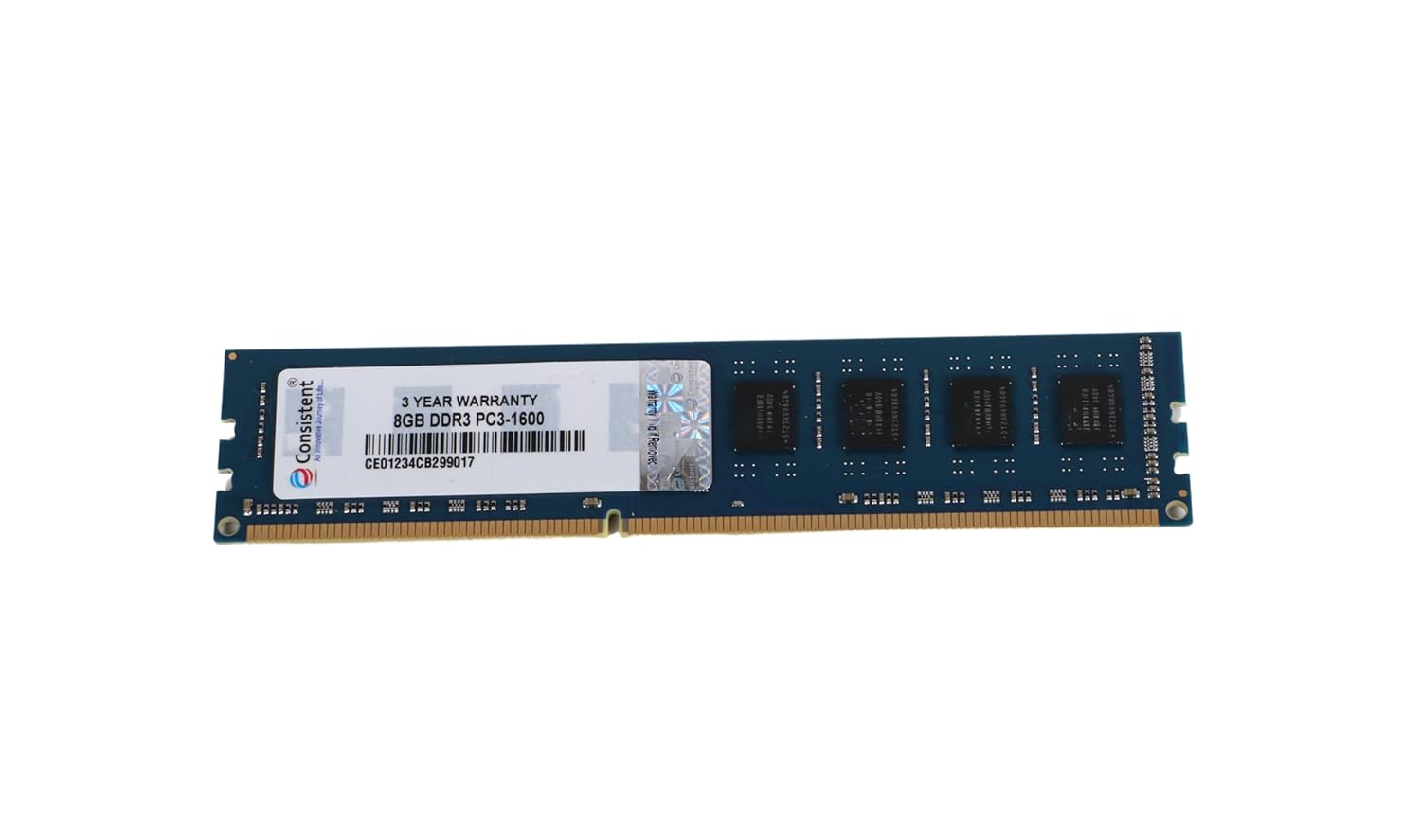
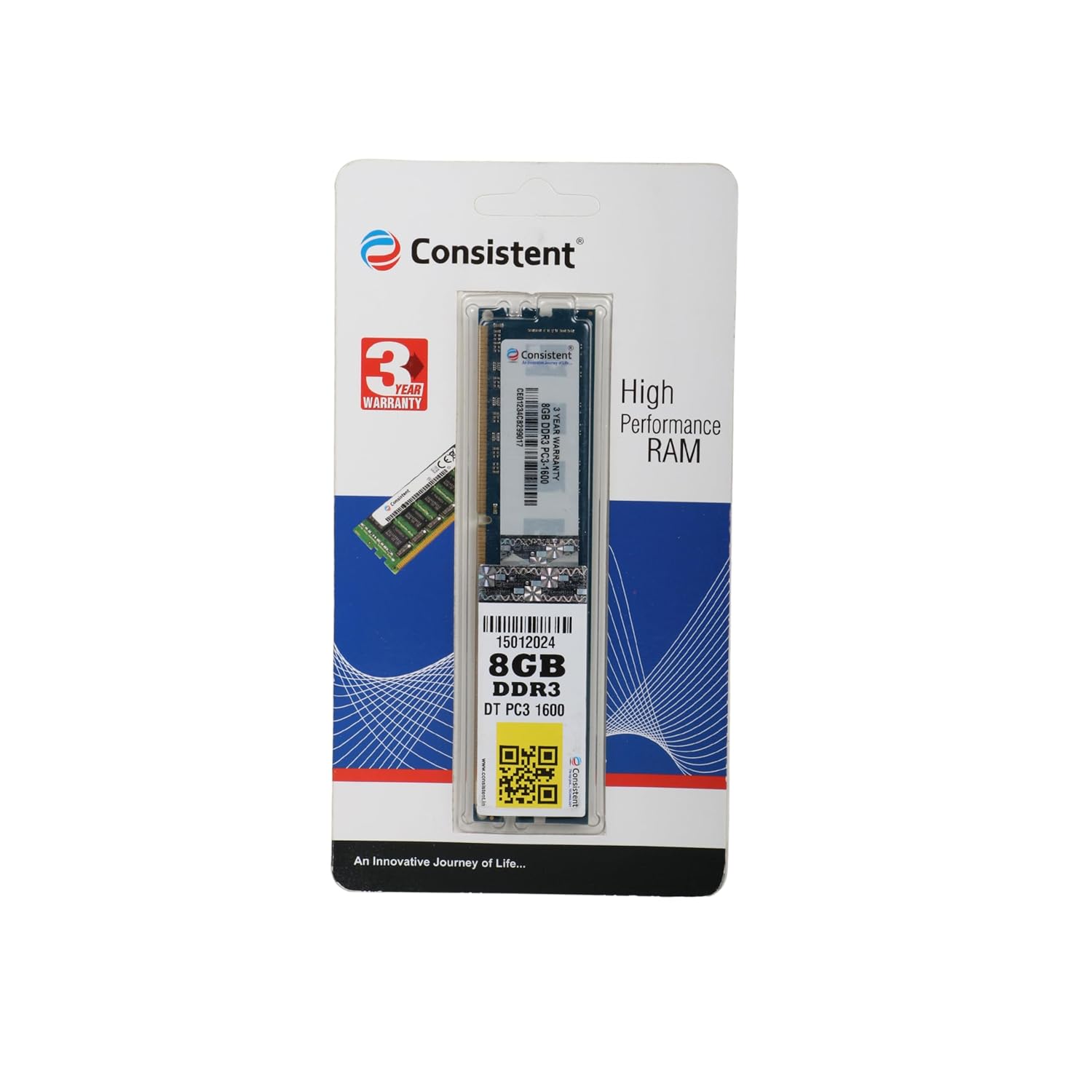
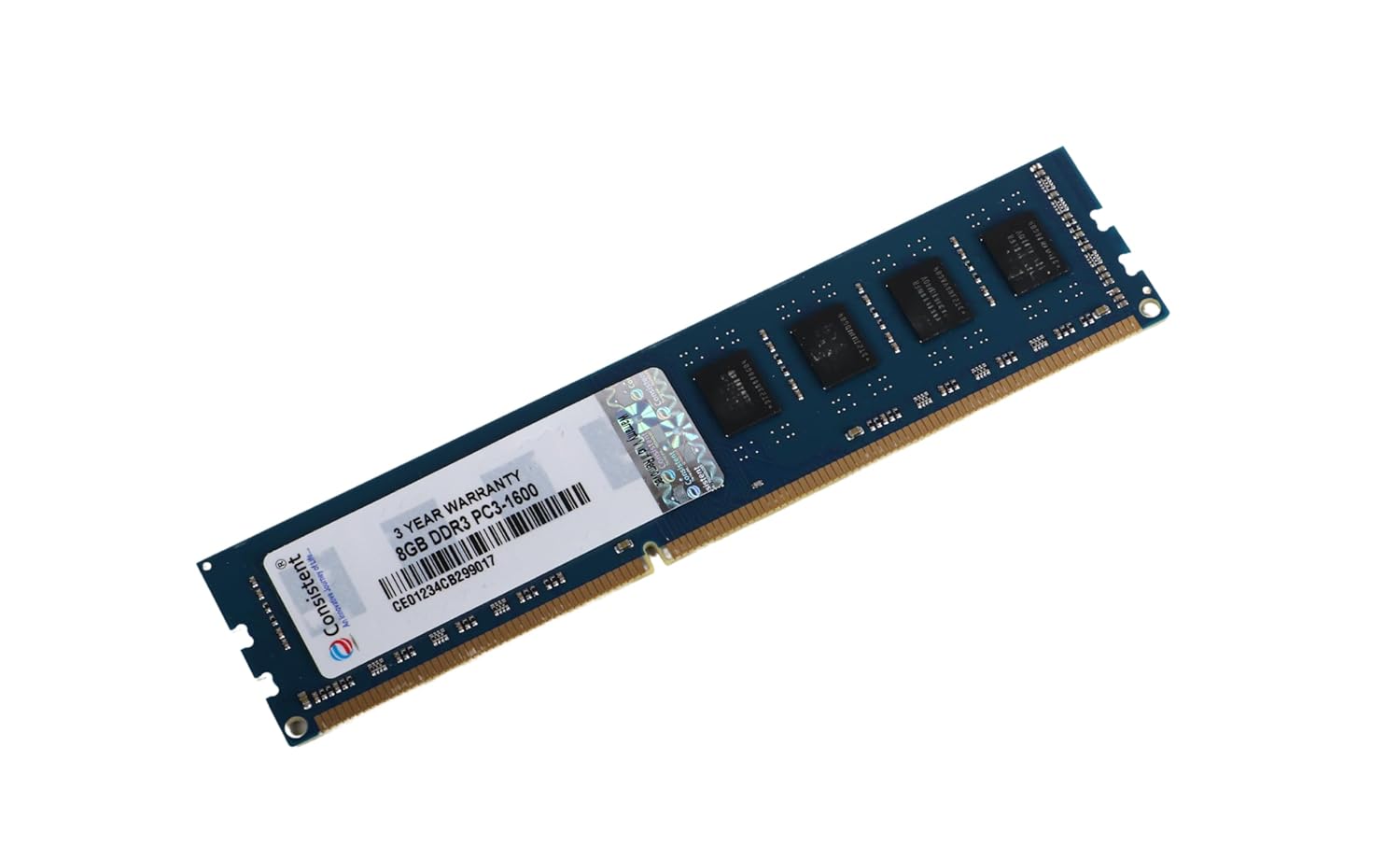
In today’s fast-paced digital world, ensuring your desktop computer performs at its peak is essential for seamless multitasking, gaming, content creation, and productivity. One of the most critical components influencing your desktop’s performance is Desktop RAM (Random Access Memory). Whether you’re upgrading an older system or building a new one, choosing the right Desktop RAM can make a significant difference. In this comprehensive guide, we’ll explore everything you need to know about Desktop RAM, focusing on a lightweight, high-performance option: 8GB DDR3 SDRAM with a memory speed of 1600 MHz, designed specifically for desktop compatibility.
Desktop RAM is the short-term memory of your computer, acting as a temporary storage space for data that your processor needs to access quickly. Unlike your hard drive or SSD, which stores data permanently, RAM is volatile, meaning it holds data only while the system is powered on. The speed, capacity, and type of Desktop RAM you choose directly impact how efficiently your computer handles tasks, from opening applications to running complex software.
For desktops, RAM is particularly crucial because it determines how well your system can manage multiple processes simultaneously. Insufficient or outdated RAM can lead to sluggish performance, frequent crashes, and frustrating lag. Upgrading to a reliable Desktop RAM module, such as an 8GB DDR3 SDRAM running at 1600 MHz, ensures your desktop remains responsive and capable of meeting modern computing demands.
When selecting Desktop RAM, it’s essential to understand the specifications that make a particular module stand out. Let’s break down the key features of the 8GB DDR3 SDRAM at 1600 MHz:
The 8GB capacity strikes an excellent balance between affordability and performance for most desktop users. Whether you’re a casual user browsing the web, a student working on assignments, or a professional handling moderate workloads, 8GB of Desktop RAM provides ample space for multitasking without overwhelming your budget. It’s ideal for running operating systems like Windows 10 or 11, productivity suites, and even light gaming or photo editing.
DDR3 (Double Data Rate 3) SDRAM is a tried-and-true memory technology that remains relevant for many desktop systems, especially older or budget-friendly builds. While newer DDR4 and DDR5 RAM types offer higher speeds and efficiency, DDR3 is still widely used due to its compatibility with a vast range of motherboards and its cost-effectiveness. This makes the 8GB DDR3 Desktop RAM a perfect choice for upgrading legacy systems without needing a complete hardware overhaul.
The memory speed of 1600 MHz ensures that data transfers between the RAM and the processor occur quickly, reducing latency and improving overall system responsiveness. For desktops, this speed is sufficient for most everyday tasks, including web browsing, video streaming, and office applications. While higher-speed RAM is available, 1600 MHz offers a reliable performance baseline for budget-conscious users.
The lightweight design of this Desktop RAM module ensures easy installation and compatibility with a wide range of desktop systems. Its compact form factor minimizes physical strain on your motherboard, making it an excellent choice for both novice and experienced PC builders.
This 8GB DDR3 Desktop RAM is explicitly designed for desktop computers, ensuring seamless integration with most standard desktop motherboards that support DDR3 memory. Always check your motherboard’s specifications to confirm compatibility, but this RAM’s universal design makes it a versatile option for many systems.
Upgrading or selecting the right can significantly enhance your computing experience. Here are some compelling reasons to choose the 8GB DDR3 SDRAM at 1600 MHz:
For users looking to upgrade older desktops without breaking the bank, 8GB DDR3 Desktop RAM offers an affordable solution. It provides a noticeable performance boost compared to lower-capacity modules (e.g., 4GB) while remaining compatible with older systems that don’t support DDR4 or DDR5.
With 8GB of RAM, your desktop can handle multiple applications simultaneously without slowing down. Whether you’re switching between web browsers, document editors, or media players, this Desktop RAM ensures smooth performance.
While modern AAA games may require 16GB or more, 8GB DDR3 Desktop RAM is sufficient for casual gaming, older titles, or less resource-intensive games. Paired with a decent GPU and CPU, this RAM can deliver a satisfactory gaming experience on a budget.
The DDR3 technology in this Desktop RAM is known for its stability and reliability, making it a dependable choice for daily computing tasks. Whether you’re working from home, studying, or streaming content, this RAM ensures consistent performance.
If you’re not ready to invest in a new desktop, upgrading to 8GB DDR3 Desktop RAM can breathe new life into your existing system. It’s a practical way to extend the usability of your PC without the expense of a full upgrade.
Selecting the best Desktop RAM involves considering several factors to ensure compatibility and optimal performance. Here’s a step-by-step guide to help you make an informed decision:
Before purchasing Desktop RAM, verify that your motherboard supports DDR3 memory. Most motherboards specify the RAM type (DDR3, DDR4, or DDR5) and the maximum supported capacity and speed. You can find this information in your motherboard’s manual or on the manufacturer’s website.
Consider how you use your desktop. For basic tasks like web browsing and document editing, 8GB of Desktop RAM is sufficient. If you plan to run memory-intensive applications like video editing software or modern games, you may need 16GB or more, depending on your motherboard’s capabilities.
Ensure the RAM’s speed (e.g., 1600 MHz) matches or is supported by your motherboard. While higher-speed RAM can sometimes be used, it will typically downclock to the motherboard’s supported speed, so check specifications to avoid performance bottlenecks.
If your motherboard supports multiple RAM slots, you can start with one 8GB DDR3 Desktop RAM module and add more later for increased capacity. This scalability makes DDR3 a flexible choice for budget builds.
Choose a reputable brand known for producing high-quality Desktop RAM. Reliable brands ensure better compatibility, durability, and performance, reducing the risk of system crashes or data corruption.
Installing Desktop RAM is a straightforward process that most users can complete with minimal tools. Follow these steps to install your 8GB DDR3 SDRAM:
You’ll need a screwdriver (typically Phillips) to open your desktop case and an anti-static wrist strap (optional but recommended) to prevent static damage to components.
Turn off your desktop and unplug it from the power source to ensure safety during installation.
Remove the side panel of your desktop case to access the motherboard. Refer to your case’s manual for specific instructions.
Find the RAM slots on your motherboard, usually located near the CPU. They are long, narrow slots with clips on either end.
Align the notch on the 8GB DDR3 Desktop RAM module with the ridge in the RAM slot. Gently press the module into the slot until the clips snap into place, securing the RAM.
Replace the side panel, screw it back in, and reconnect your desktop to power.
Boot up your desktop and check the system information (e.g., via Windows Task Manager or BIOS) to confirm that the new 8GB Desktop RAM is recognized.
Upgrading to 8GB DDR3 offers numerous benefits that enhance your computing experience:
Faster Application Loading: Applications launch quicker, reducing wait times and improving productivity.
Smoother Multitasking: Run multiple programs simultaneously without slowdowns or crashes.
Better System Stability: Adequate RAM reduces strain on your system, minimizing freezes and errors.
Cost Savings: DDR3 RAM is more affordable than newer DDR4 or DDR5 modules, making it a budget-friendly upgrade.
Extended PC Lifespan: Upgrading RAM can delay the need for a new desktop, saving you money in the long run.
There are several misconceptions about that can confuse users. Let’s debunk some of the most common myths:
While more RAM can improve performance, the benefits diminish beyond a certain point, depending on your use case. For most users, 8GB of Desktop RAM is sufficient for everyday tasks. Exceeding your motherboard’s supported capacity or pairing mismatched RAM modules can cause compatibility issues.
Not all Desktop RAM is created equal. Factors like memory type (DDR3 vs. DDR4), speed, and brand quality affect performance and compatibility. Always choose RAM that matches your system’s requirements.
Installing Desktop RAM is one of the easiest PC upgrades. With basic precautions, anyone can do it in minutes.
While higher memory speeds can improve performance, the difference is often negligible for everyday tasks. For most users, 1600 MHz Desktop RAM provides a good balance of speed and cost.
As DDR4 and DDR5 become more prevalent, you might wonder how DDR3 compares. Here’s a quick comparison:
|
Feature |
DDR3 |
DDR4 |
|---|---|---|
|
Speed |
Up to 2133 MHz |
Up to 3200 MHz+ |
|
Power Efficiency |
Higher power consumption |
More energy-efficient |
|
Compatibility |
Older motherboards |
Newer motherboards |
|
Cost |
More affordable |
More expensive |
|
Performance |
Good for basic tasks |
Better for high-end tasks |
For users with older desktops or budget constraints, DDR3 Desktop RAM remains a practical choice. However, if you’re building a new system or upgrading a modern motherboard, DDR4 or DDR5 may be worth considering.
To get the most out of your 8GB DDR3 , follow these tips:
If your motherboard supports dual-channel memory, install two identical 4GB DDR3 modules (or one 8GB module with another in the future) to double the memory bandwidth and improve performance.
Ensure your operating system and drivers are up to date to avoid compatibility issues that could affect RAM performance.
Free up RAM by closing background applications and processes that consume memory unnecessarily.
Use tools like Windows Task Manager or third-party software to monitor RAM usage and identify memory-hogging applications.
While overclocking can boost RAM speed, it requires technical expertise and can void warranties or damage components if done incorrectly.
The 8GB DDR3 Desktop RAM at 1600 MHz is ideal for:
Budget PC Builders: Those assembling or upgrading a desktop on a tight budget.
Casual Users: Individuals using their desktop for web browsing, streaming, and office work.
Students: Those needing a reliable system for studying, research, and light multitasking.
Retro Gamers: Players running older games that don’t require high-end hardware.
Small Businesses: Offices with multiple desktops needing cost-effective upgrades.
If you fall into any of these categories, this offers a perfect blend of performance, affordability, and compatibility.
No, DDR3 and DDR4 RAM are not compatible due to differences in physical design and electrical requirements. Always use the RAM type supported by your motherboard.
For casual or older games, 8GB is sufficient. However, modern AAA titles may require 16GB or more for optimal performance.
Check your motherboard’s manual or specifications on the manufacturer’s website. Look for supported memory types and speeds.
Yes, upgrading from 4GB to 8GB can significantly improve performance, especially for multitasking and modern applications.
Yes, but the impact depends on your use case. For most users, 1600 MHz Desktop RAM provides adequate performance for everyday tasks.
Upgrading to an 8GB DDR3 with a speed of 1600 MHz is a smart, cost-effective way to boost your desktop’s performance. Whether you’re reviving an older system or building a budget-friendly PC, this lightweight, reliable RAM module delivers the speed and capacity needed for seamless multitasking, casual gaming, and everyday computing tasks. By choosing a reputable brand and ensuring compatibility with your motherboard, you can unlock your desktop’s full potential without breaking the bank.
Ready to upgrade your Check your motherboard’s specifications, follow our installation guide, and enjoy a faster, more responsive computing experience today!

Reviews
There are no reviews yet.