
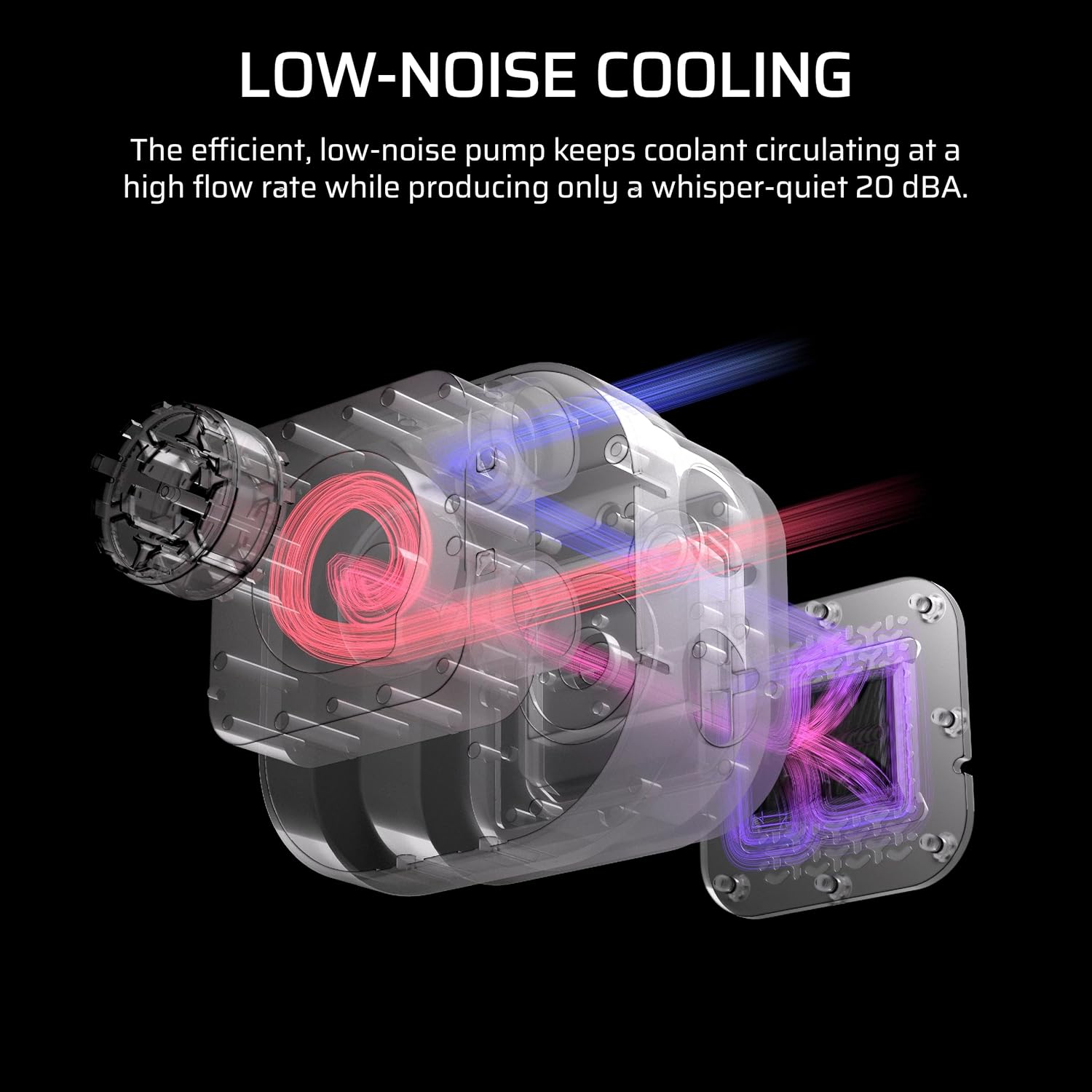
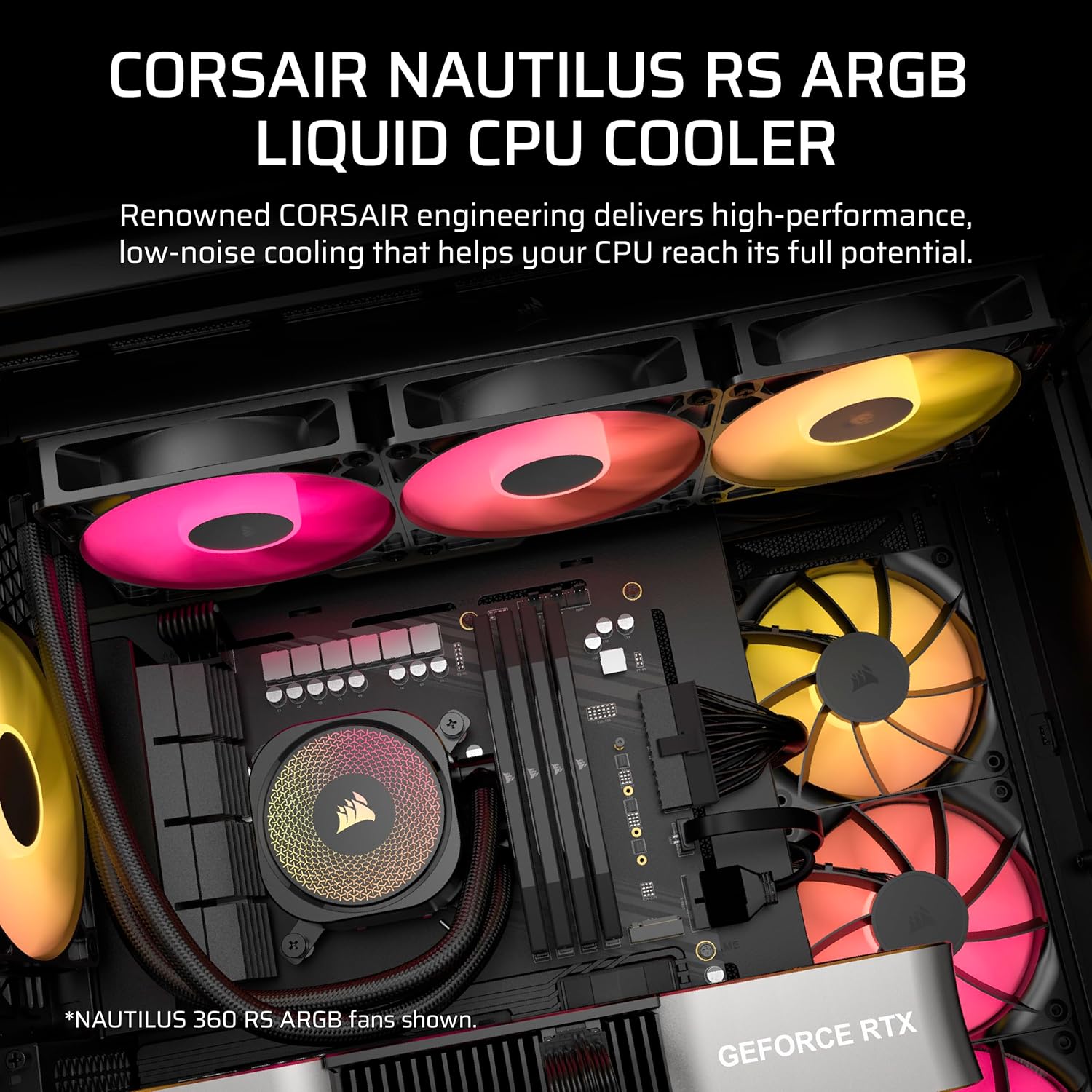
Efficient, Low-Noise Pump: Keeps your coolant circulating at a high flow rate while generating a whisper-quiet 20 dBA.

Liquid CPU Cooler


Original price was: ₹14,999.00.₹6,875.00Current price is: ₹6,875.00.
Efficient, Low-Noise Pump: Keeps your coolant circulating at a high flow rate while generating a whisper-quiet 20 dBA.
Liquid CPU Cooler
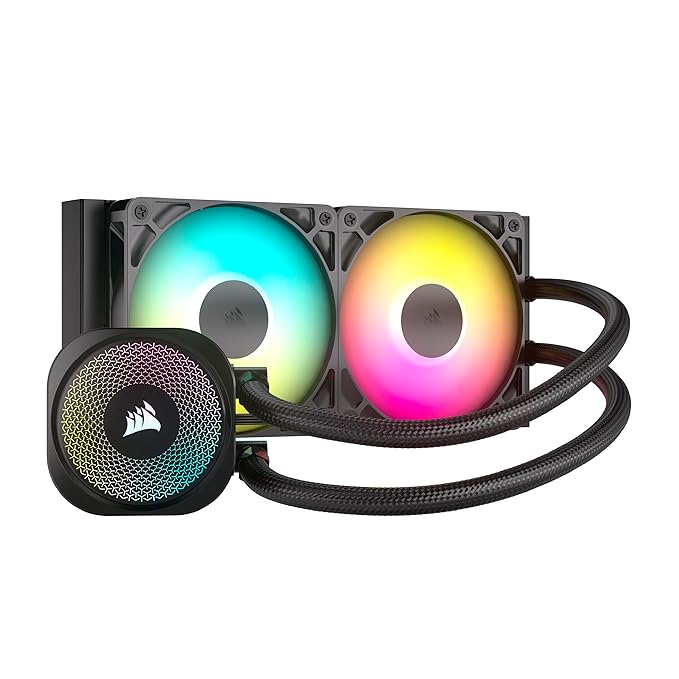
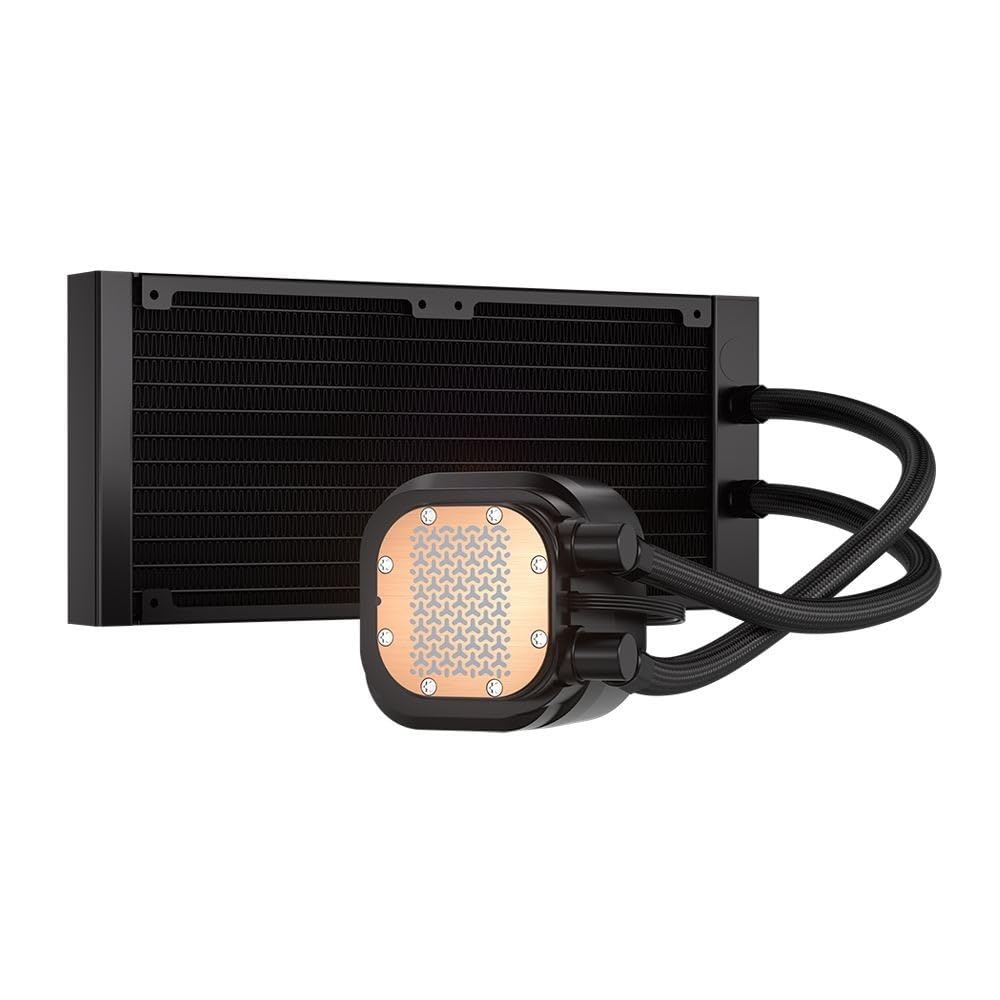
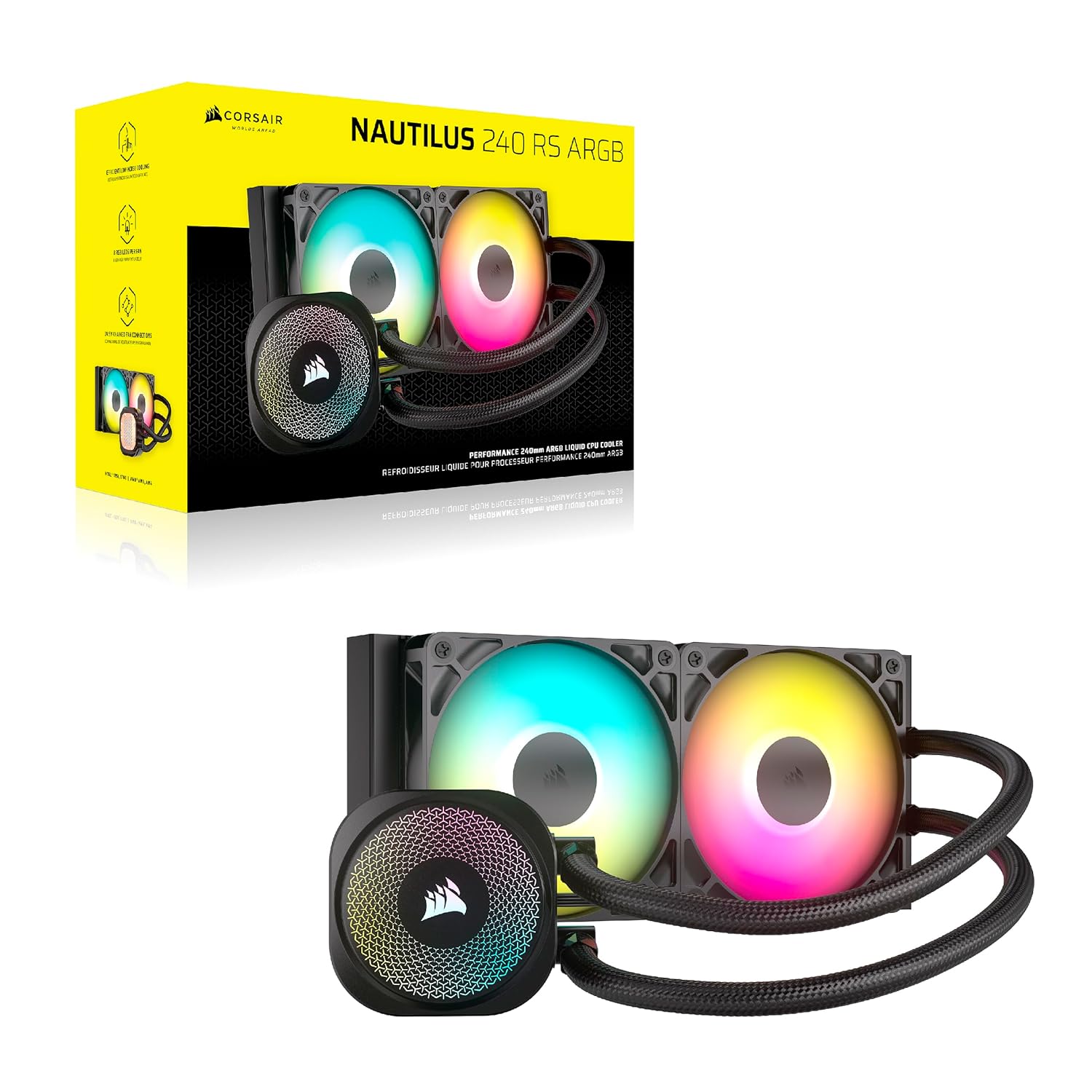
A Liquid CPU Cooler, also known as an all-in-one (AIO) liquid cooler, is a closed-loop cooling system designed to dissipate heat from your CPU more effectively than traditional air coolers. Unlike air coolers that rely solely on fans and heatsinks, liquid coolers use a combination of a pump, radiator, and liquid coolant to transfer heat away from the CPU. The Corsair Liquid CPU Cooler stands out in this category due to its innovative design, high-quality components, and user-friendly features, making it a go-to choice for anyone looking to enhance their PC’s cooling performance.
Liquid CPU coolers offer several advantages over air coolers, including:
Superior Cooling Performance: Liquid coolers can handle higher thermal loads, making them ideal for overclocked CPUs or high-performance systems.
Lower Noise Levels: Advanced pump and fan designs, like those found in the Corsair Liquid CPU Cooler, produce minimal noise, ensuring a quiet computing experience.
Aesthetic Appeal: Liquid coolers often come with customizable RGB lighting and sleek designs, enhancing the visual appeal of your PC build.
Compact Design: Despite their powerful cooling capabilities, AIO liquid coolers like the Corsair model are compact and easy to install, fitting into a variety of PC cases.
With these benefits in mind, let’s explore the Corsair Liquid CPU Cooler in detail, focusing on its key features and why it’s a standout choice for PC enthusiasts.
The Corsair Liquid CPU Cooler is packed with features that make it a top-tier choice for cooling high-performance CPUs. Below, we’ll break down its standout attributes, ensuring you understand why this cooler is a must-have for your PC build.
The Corsair Liquid CPU Cooler is designed with simplicity and performance in mind. Renowned for its engineering excellence, Corsair has created a cooling solution that delivers robust thermal management without the complexity of custom liquid cooling loops. Whether you’re a seasoned PC builder or a first-timer, this AIO cooler is easy to install and provides exceptional cooling performance right out of the box.
With dimensions of 27.5L x 12.5W x 12.5H centimeters, the Corsair Liquid CPU Cooler is compact enough to fit into most mid-tower and full-tower PC cases while still offering the cooling power needed for high-end CPUs. Its 15-watt power consumption ensures energy efficiency, making it an eco-friendly choice for modern PC builds.
At the heart of the Corsair Liquid CPU Cooler is its efficient, low-noise pump. This pump is designed to circulate coolant at a high flow rate, ensuring that heat is quickly and effectively transferred away from the CPU. What sets this pump apart is its whisper-quiet operation, generating just 20 dBA of noise. This makes the Corsair Liquid CPU Cooler one of the quietest AIO coolers on the market, perfect for users who prioritize a silent computing environment.
The low-noise pump is particularly beneficial for gamers and content creators who need a quiet setup during long gaming sessions or intensive workloads like video editing and 3D rendering. By keeping noise levels to a minimum, the Corsair Liquid CPU Cooler ensures that your focus remains on your tasks, not on distracting fan noise.
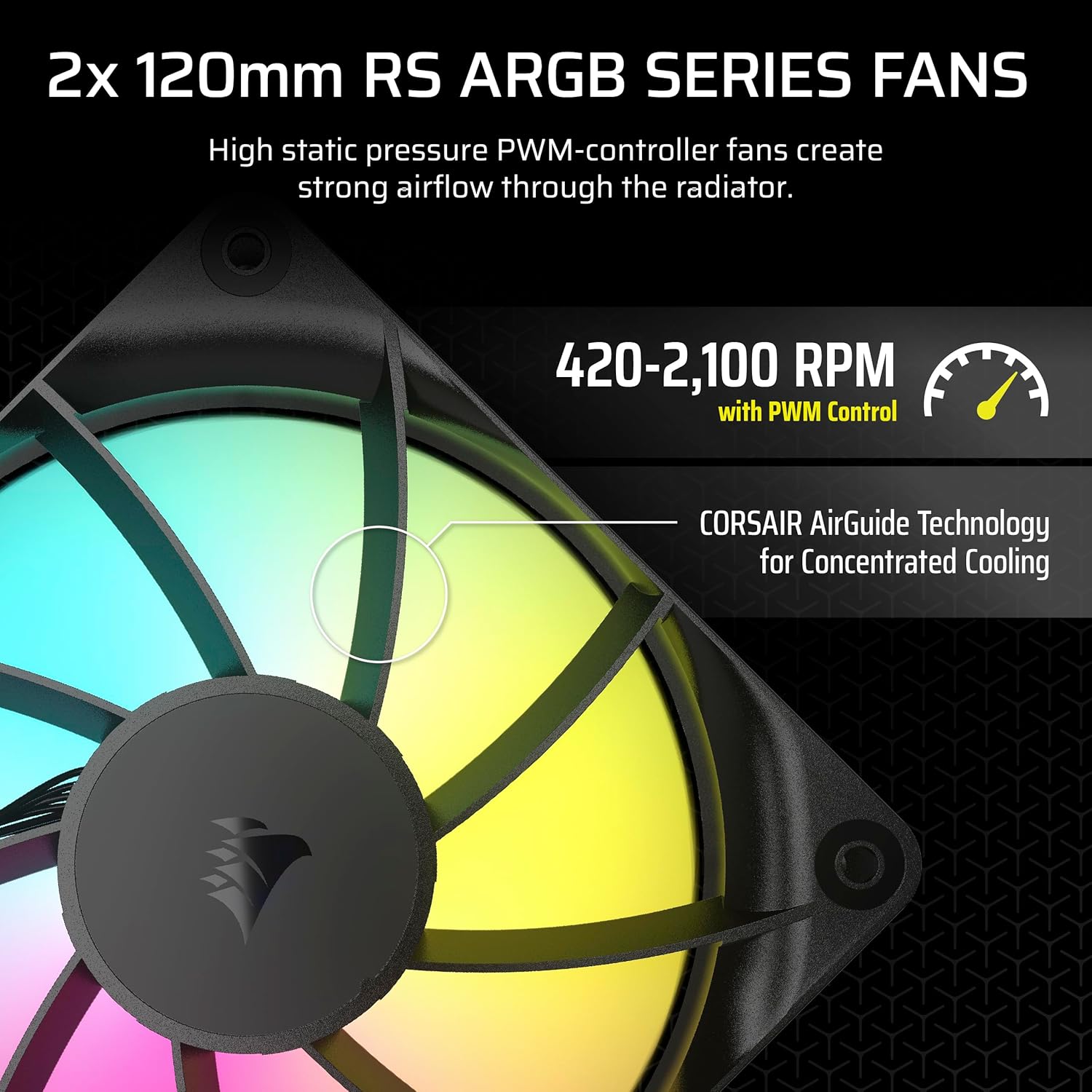
The Corsair Liquid CPU Cooler features PWM-controlled cooling, allowing you to precisely dictate fan speeds up to 2,100 RPM. Pulse Width Modulation (PWM) technology enables the fans to adjust their speed dynamically based on the CPU’s temperature, ensuring optimal cooling performance while minimizing noise.
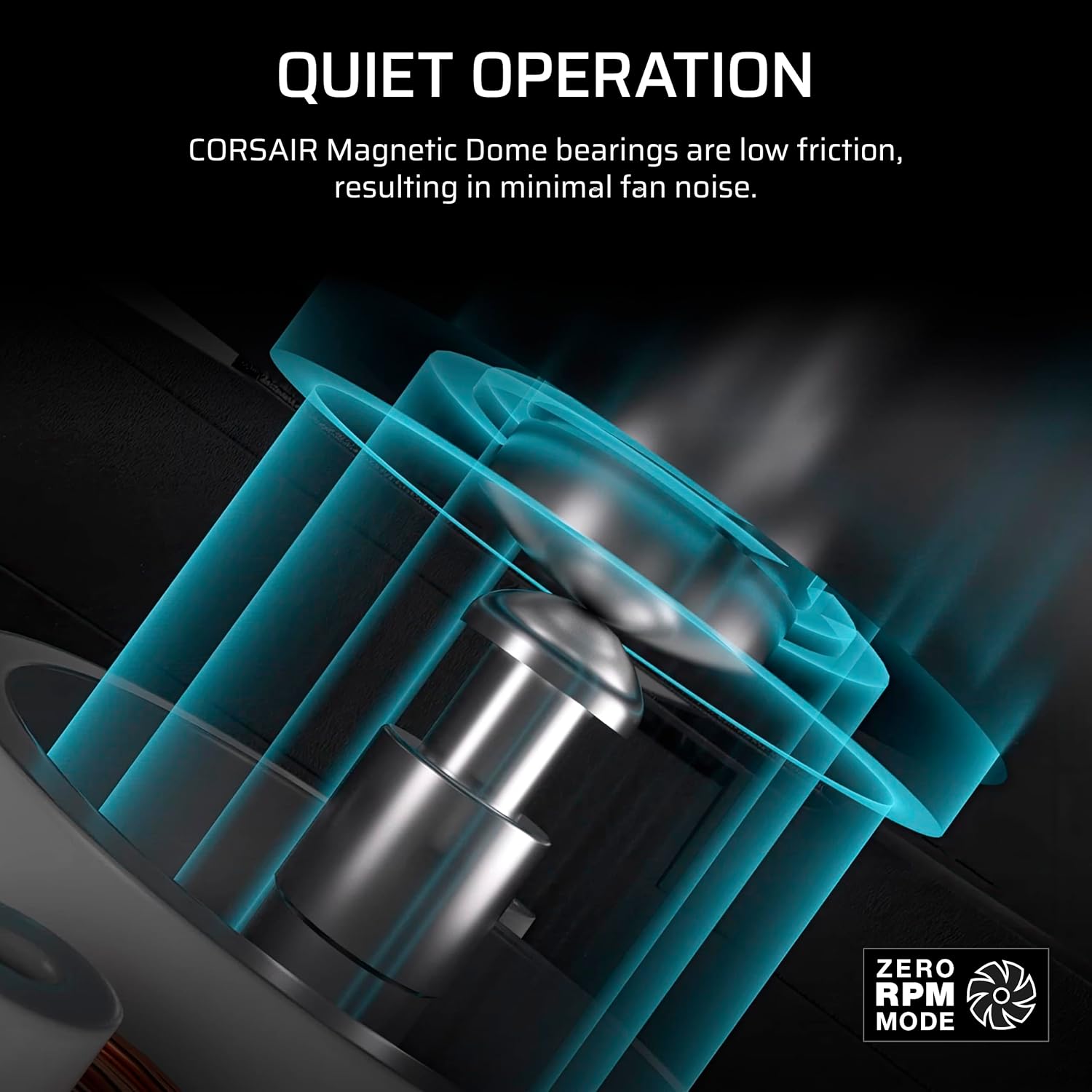
One of the standout features of this cooler is its Zero RPM Mode. This innovative feature allows the fans to stop completely when the CPU is operating at low temperatures, eliminating fan noise entirely. This is particularly useful for light workloads, such as web browsing or document editing, where minimal cooling is required. The combination of PWM control and Zero RPM Mode makes the Corsair Liquid CPU Cooler a versatile and quiet cooling solution.
The Corsair Liquid CPU Cooler comes equipped with RS120 ARGB fans, which are designed to deliver strong airflow and high static pressure. These fans are optimized for radiator cooling, ensuring that heat is efficiently dissipated from the coolant. The fans also feature CORSAIR AirGuide technology, which directs airflow more effectively, reducing turbulence and enhancing cooling performance.
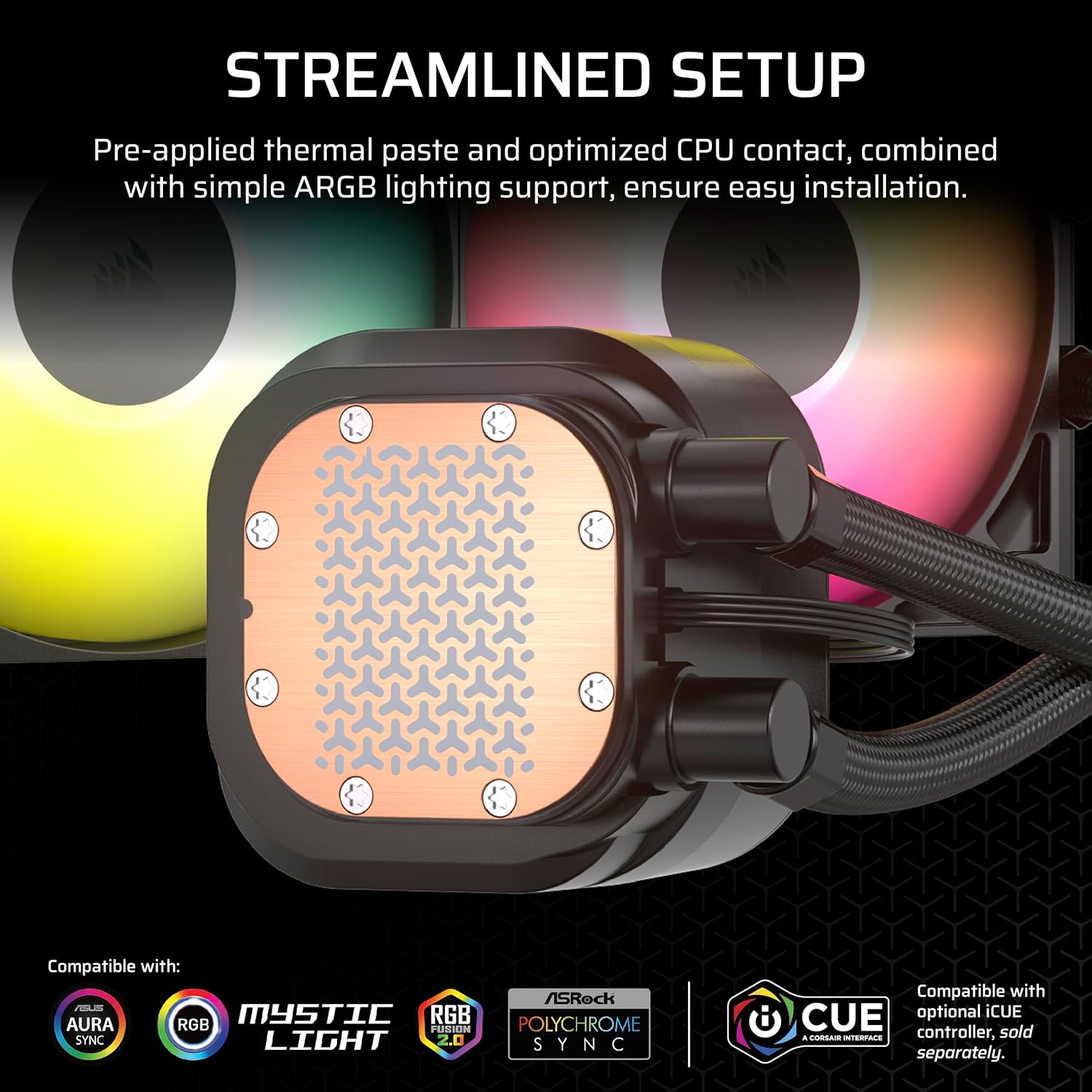
In addition to their performance capabilities, the RS120 ARGB fans offer customizable ARGB lighting. This allows you to personalize the look of your PC build with vibrant, dynamic lighting effects. The fans are compatible with most motherboard ARGB headers, making it easy to sync your lighting with other components in your system.
The Magnetic Dome bearings used in the RS120 fans further enhance their performance by reducing friction and noise, ensuring long-lasting durability and quiet operation. Whether you’re building a gaming rig or a workstation, these fans provide the perfect balance of performance, aesthetics, and silence.
One of the challenges of building a high-performance PC is managing cable clutter. The Corsair Liquid CPU Cooler addresses this with its daisy-chained fan connections, which reduce the number of cables needed for installation. By connecting multiple RS120 ARGB fans to a single 4-pin PWM fan header and a single +5V ARGB header, the cooler simplifies your build process and keeps your PC’s interior clean and organized.
This feature is particularly beneficial for users who want a clean, professional-looking build without sacrificing performance. The daisy-chained connections also make it easier to scale your cooling setup if you decide to add additional fans or components in the future.
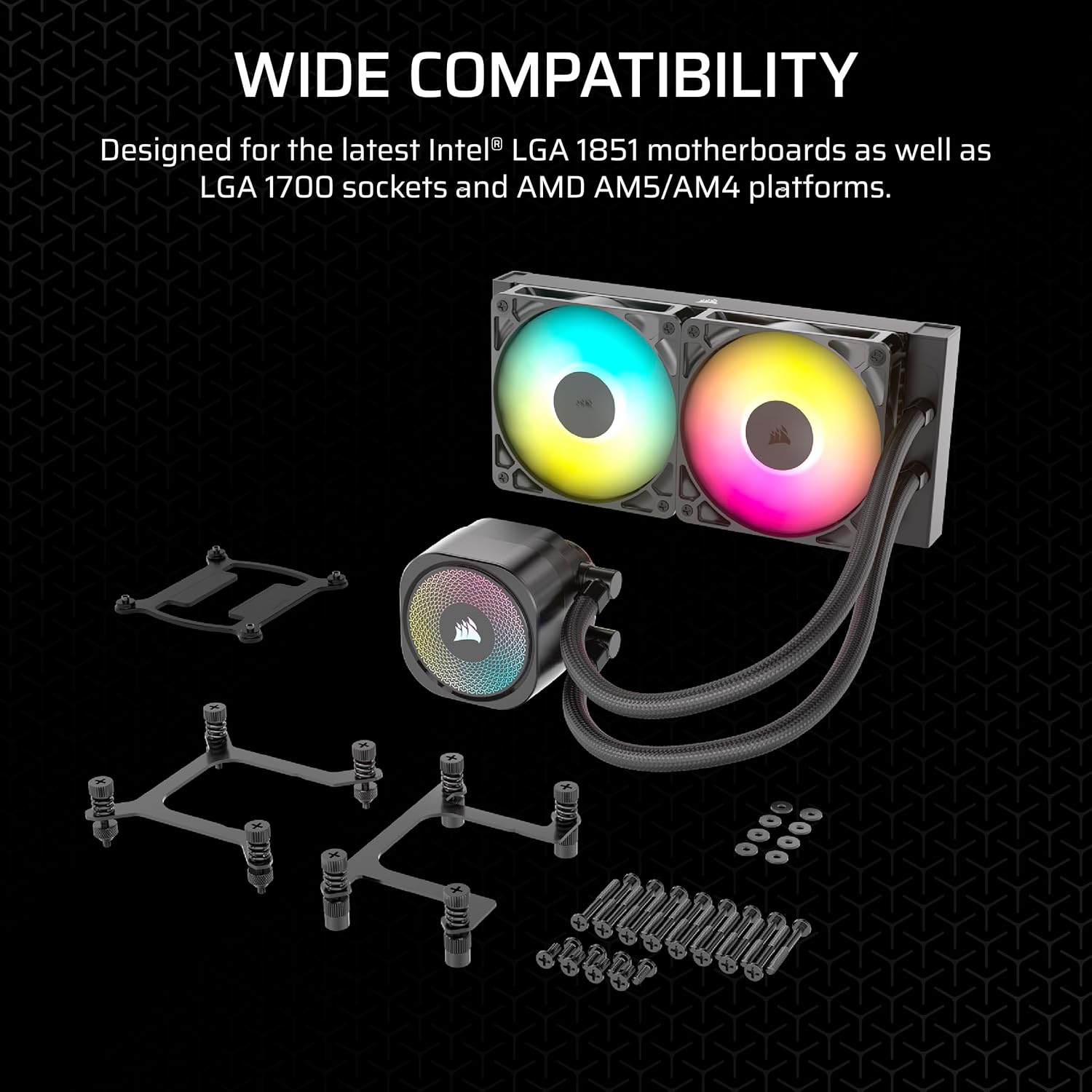
The Corsair Liquid CPU Cooler is designed to be compatible with a wide range of CPU sockets, including Intel and AMD platforms. This ensures that it can be used with most modern CPUs, making it a versatile choice for a variety of PC builds. The cooler’s 4-pin power connector and 12-volt voltage ensure seamless integration with standard PC power supplies, while its compact dimensions make it suitable for a range of case sizes.
Whether you’re upgrading an existing system or building a new one from scratch, the Corsair Liquid CPU Cooler offers the flexibility and compatibility needed to meet your cooling requirements.
Now that we’ve explored the key features of the Corsair Liquid CPU Cooler, let’s dive into the benefits it offers for different types of users, from gamers to professionals.
By keeping your CPU at optimal temperatures, the Corsair Liquid CPU Cooler allows your processor to perform at its best, even under heavy loads. This is particularly important for users who engage in CPU-intensive tasks like gaming, video editing, or 3D rendering. With this cooler, you can push your CPU to its limits without worrying about thermal throttling.
The low-noise pump and Zero RPM Mode make the Corsair Liquid CPU Cooler an excellent choice for users who value a quiet computing experience. Whether you’re gaming late at night or working in a shared space, this cooler ensures that fan noise won’t disrupt your focus.
With its ARGB fans, the Corsair Liquid CPU Cooler adds a touch of style to your PC build. You can customize the lighting to match your setup’s color scheme or create dynamic effects that enhance the visual appeal of your system. This makes it a great choice for gamers and PC enthusiasts who want a visually stunning rig.
Unlike custom liquid cooling loops, which require extensive setup and maintenance, the Corsair Liquid CPU Cooler is a closed-loop system that’s easy to install and virtually maintenance-free. The daisy-chained fan connections and compact design further simplify the installation process, making it accessible to users of all skill levels.
With a power consumption of just 15 watts, the Corsair Liquid CPU Cooler is an energy-efficient choice that won’t significantly impact your PC’s power draw. This is especially important for users building eco-conscious systems or those looking to minimize their energy costs.
The Corsair Liquid CPU Cooler is an ideal choice for a wide range of users, including:
Gamers: The cooler’s high-performance cooling capabilities and quiet operation make it perfect for gaming PCs, where low temperatures and minimal noise are essential for an immersive experience.
Content Creators: Video editors, 3D animators, and other professionals who rely on CPU-intensive software will benefit from the cooler’s ability to maintain optimal temperatures during long rendering sessions.
PC Enthusiasts: With its customizable ARGB lighting and sleek design, the Corsair Liquid CPU Cooler is a great choice for those who want a high-performance, visually appealing build.
Overclockers: Users who push their CPUs beyond stock speeds will appreciate the cooler’s ability to handle high thermal loads, ensuring stable performance during overclocking.
Installing the Corsair Liquid CPU Cooler is a straightforward process, even for first-time PC builders. Here’s a step-by-step guide to help you get started:
Prepare Your System: Power off your PC and remove the side panel of your case to access the internal components.
Mount the Radiator: Attach the radiator to the appropriate mounting location in your case (typically the front, top, or rear). Ensure that the radiator is securely fastened using the provided screws.
Install the Fans: Attach the RS120 ARGB fans to the radiator, ensuring that the airflow is directed correctly (usually pushing air through the radiator).
Connect the Pump: Place the pump block on your CPU, applying thermal paste if necessary. Secure the block using the provided mounting hardware, ensuring compatibility with your CPU socket.
Connect the Cables: Plug the 4-pin PWM fan header and +5V ARGB header into your motherboard. Use the daisy-chained connections to minimize cable clutter.
Power On and Configure: Once everything is connected, power on your PC and configure the fan speeds and lighting using your motherboard’s software or Corsair’s iCUE software.
Test and Monitor: Run a stress test or monitor your CPU temperatures to ensure that the cooler is performing as expected.
By following these steps, you can have your Corsair Liquid CPU Cooler up and running in no time, providing efficient and quiet cooling for your CPU.
To help you make an informed decision, let’s compare the Corsair Liquid CPU Cooler to other popular AIO coolers on the market.
|
Feature |
Corsair Liquid CPU Cooler |
Competitor A |
Competitor B |
|---|---|---|---|
|
Dimensions |
27.5L x 12.5W x 12.5H cm |
28L x 12W x 13H cm |
27L x 12W x 12H cm |
|
Pump Noise |
20 dBA |
25 dBA |
22 dBA |
|
Fan Speed |
Up to 2,100 RPM |
Up to 2,000 RPM |
Up to 2,200 RPM |
|
Zero RPM Mode |
Yes |
No |
Yes |
|
ARGB Lighting |
Yes |
Yes |
No |
|
Power Consumption |
15 Watts |
18 Watts |
16 Watts |
|
Daisy-Chained Connections |
Yes |
No |
Yes |
As you can see, the Corsair Liquid CPU Cooler offers a compelling combination of low noise, high performance, and user-friendly features like daisy-chained connections and Zero RPM Mode. Its compact size and energy efficiency further set it apart from competitors, making it a top choice for a wide range of PC builds.
To get the most out of your Corsair Liquid CPU Cooler, consider the following tips for optimizing your PC build:
Choose the Right Case: Ensure that your PC case has sufficient space for the radiator and fans. The cooler’s compact dimensions make it compatible with most mid-tower and full-tower cases, but double-check your case’s specifications before purchasing.
Pair with a High-Performance CPU: The Corsair Liquid CPU Cooler is designed to handle high thermal loads, making it an excellent match for high-end CPUs like Intel Core i9 or AMD Ryzen 9 processors.
Use High-Quality Thermal Paste: To maximize heat transfer between your CPU and the cooler’s pump block, use a high-quality thermal paste during installation.
Optimize Fan Curves: Use your motherboard’s BIOS or Corsair’s iCUE software to create custom fan curves that balance cooling performance and noise levels based on your usage patterns.
Sync Your Lighting: If you’re using other Corsair components, such as RGB RAM or keyboards, use iCUE to synchronize the ARGB lighting for a cohesive look.
By following these tips, you can ensure that your Corsair Liquid CPU Cooler delivers optimal performance and enhances the overall experience of your PC build.
A Liquid CPU Cooler uses a liquid coolant and radiator to dissipate heat, offering superior cooling performance and lower noise levels compared to traditional air coolers, which rely on fans and heatsinks. Liquid coolers are ideal for high-performance systems and overclocking.
The Corsair Liquid CPU Cooler is compatible with most modern Intel and AMD CPU sockets. Check the product specifications or Corsair’s website to confirm compatibility with your specific CPU model.
As a closed-loop AIO cooler, the Corsair Liquid CPU Cooler is virtually maintenance-free. The coolant is sealed within the system, and no refilling or flushing is required under normal use.
Yes, the RS120 ARGB fans support customizable lighting via a compatible motherboard’s +5V ARGB header or Corsair’s iCUE software, allowing you to create dynamic lighting effects.
While the cooler’s dimensions (27.5L x 12.5W x 12.5H cm) make it suitable for many mid-tower and full-tower cases, it may not fit in smaller SFF cases. Check your case’s radiator clearance before purchasing.
Corsair is a well-established name in the PC hardware industry, known for its high-quality components and innovative designs. The Corsair Liquid CPU Cooler is a testament to the brand’s commitment to performance, reliability, and user satisfaction. With its advanced features, such as the low-noise pump, PWM-controlled fans, and customizable ARGB lighting, this cooler is designed to meet the needs of both casual users and hardcore enthusiasts.
Corsair’s dedication to quality is evident in the durable construction of the RS120 ARGB fans, the efficient design of the pump, and the ease of installation provided by the daisy-chained connections. Whether you’re building a gaming PC, a workstation, or a content creation rig, the Corsair Liquid CPU Cooler is a reliable and high-performing choice.
The Corsair Liquid CPU Cooler is a top-tier cooling solution that combines performance, aesthetics, and ease of use. With its compact dimensions (27.5L x 12.5W x 12.5H cm), low power consumption (15 watts), and advanced features like a whisper-quiet 20 dBA pump, PWM-controlled RS120 ARGB fans, and Zero RPM Mode, this cooler is designed to keep your CPU running at optimal temperatures while maintaining a quiet and visually appealing system.
Whether you’re a gamer, content creator, or PC enthusiast, the Corsair Liquid CPU Cooler offers the perfect balance of cooling efficiency, noise reduction, and customization options. Its daisy-chained connections simplify installation, while its compatibility with a wide range of CPU sockets ensures versatility across different builds.
If you’re in the market for a high-performance Liquid CPU Cooler that delivers exceptional cooling, low noise, and stunning aesthetics, the Corsair Liquid CPU Cooler is an excellent choice. Upgrade your PC build today and experience the benefits of Corsair’s renowned engineering firsthand.

Reviews
There are no reviews yet.