Description
- It is suitable for both PCs and Macs.
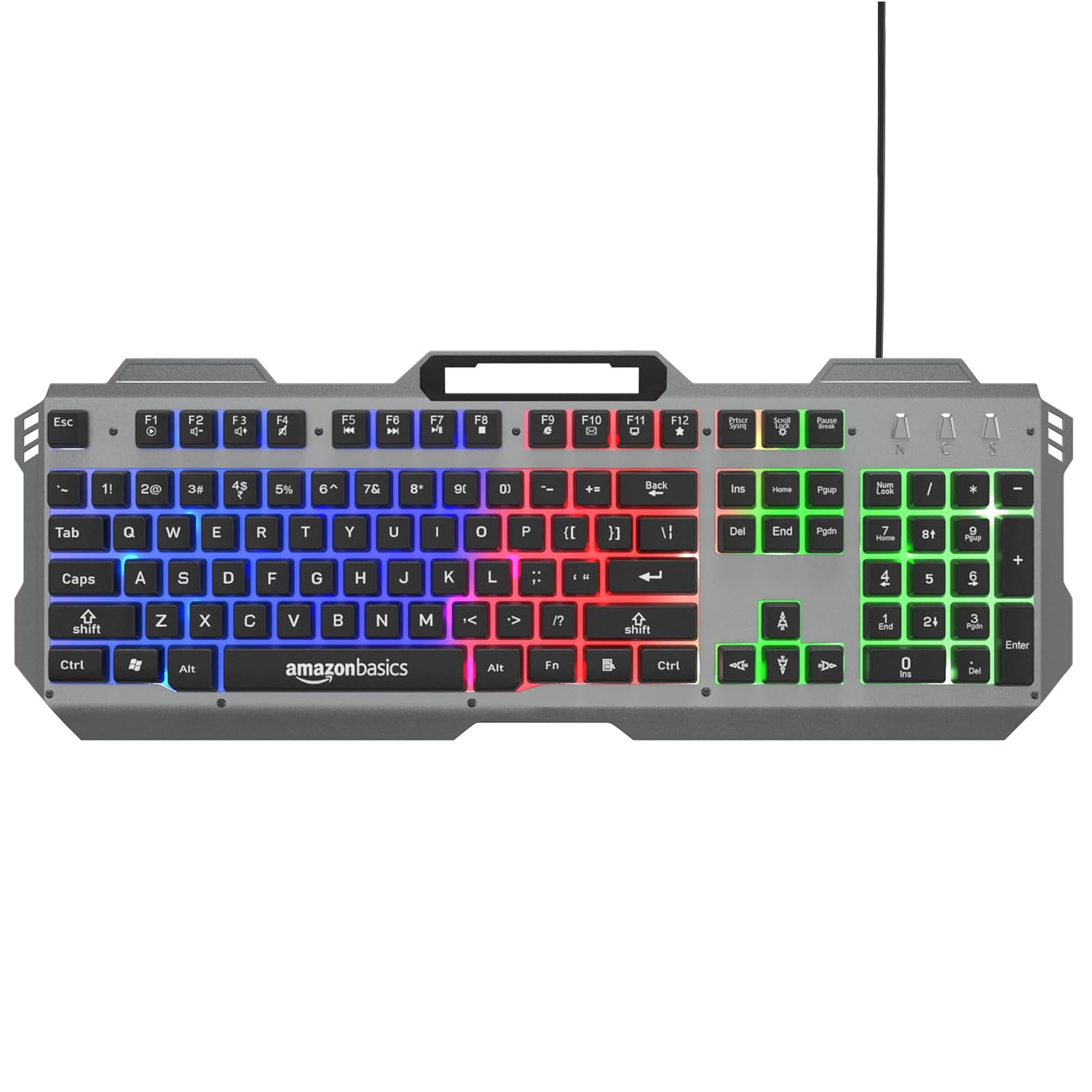
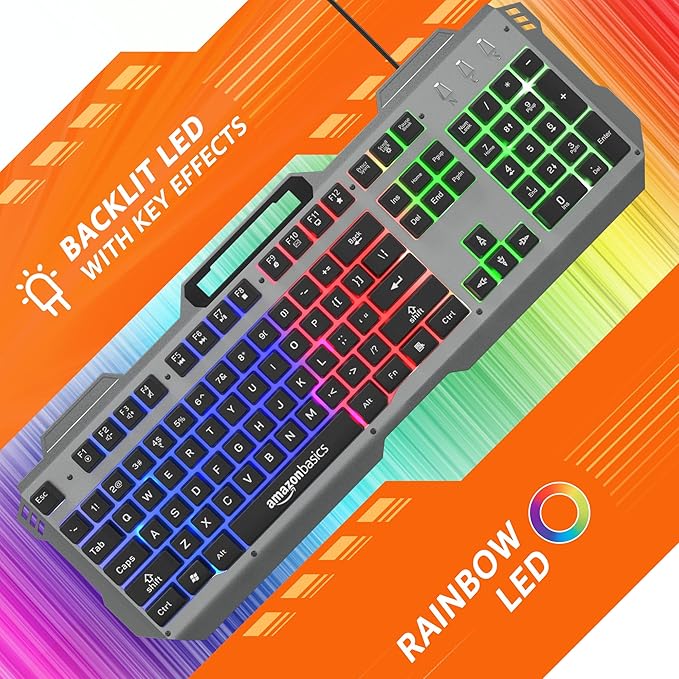
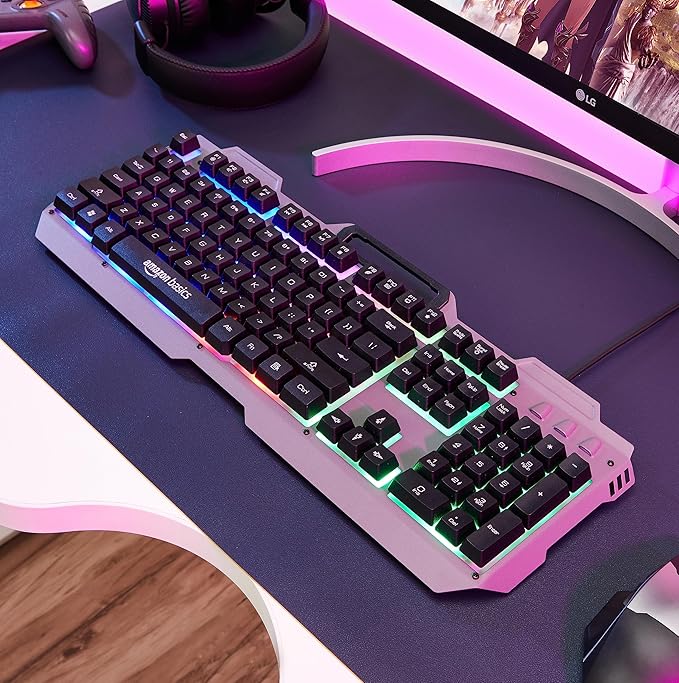
- It comes with a backlit LED and breathing keys effects.
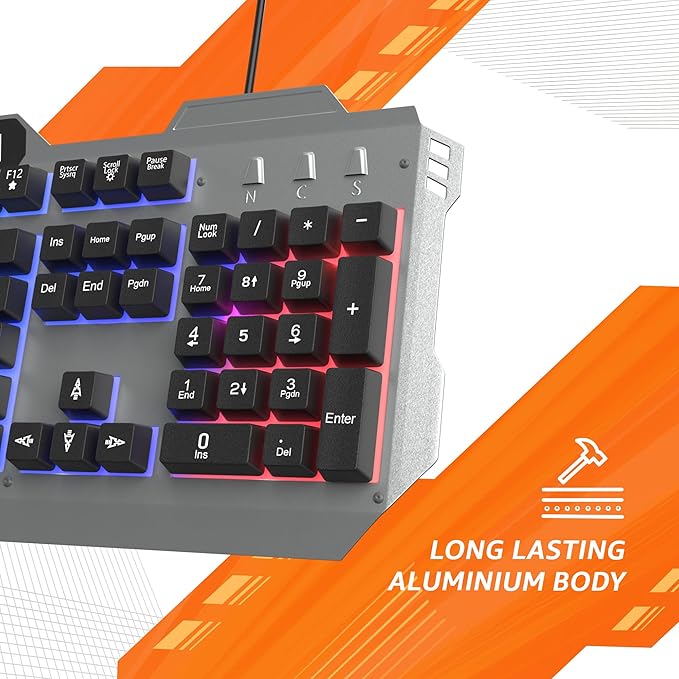
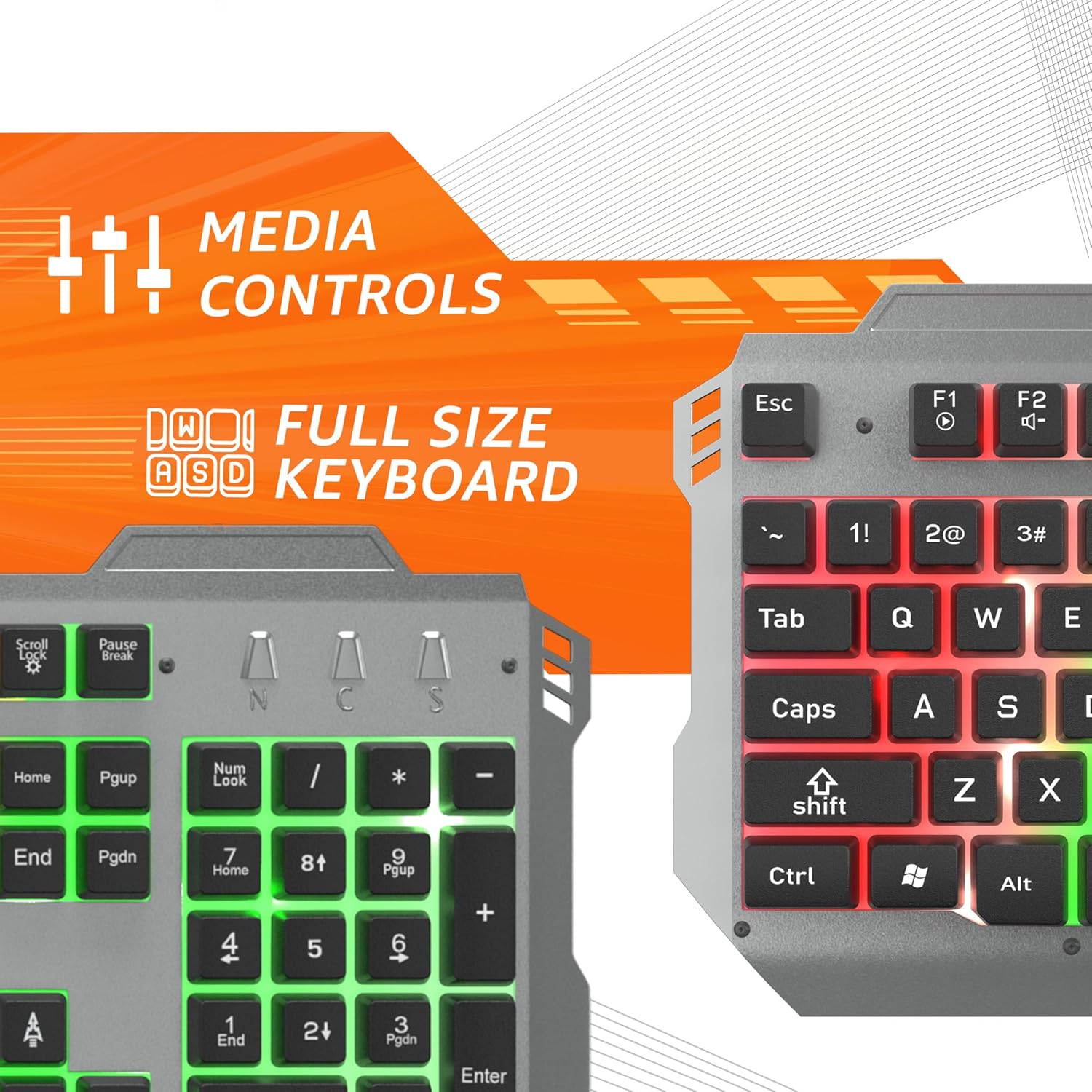
- It has integrated media control, laser keycaps, aluminium body, backlight LED On/Off function.
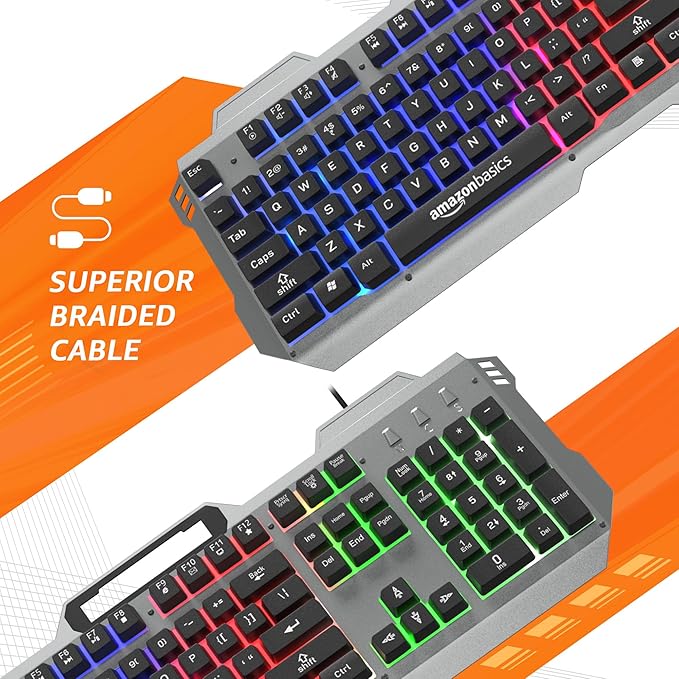
- It comes with a superior quality braided cable and a high quality USB connector.
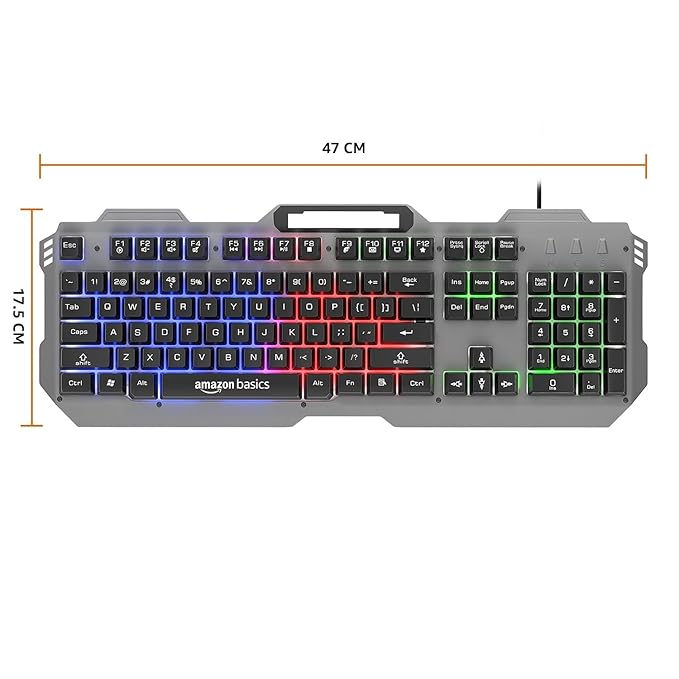
- It comes with 104 keys along with multimedia controls.
This article will delve deep into the features, benefits, setup tips, comparisons with other keyboards, and even maintenance advice to help you make an informed decision. By the end, you’ll understand why this gaming keyboard with multicolour is a top choice for gamers looking to elevate their experience. Let’s break it down step by step.
Why Choose a Gaming Keyboard with Multicolour Backlighting?
When it comes to gaming peripherals, the gaming keyboard with multicolour backlighting has revolutionized how we interact with our computers. Unlike standard office keyboards, a gaming keyboard with multicolour is designed with gamers in mind, offering customizable RGB lighting that syncs with your gameplay, anti-ghosting keys for precise inputs, and ergonomic designs for long sessions. The multicolour aspect isn’t just for show— it helps in low-light environments, allowing you to spot keys quickly during late-night raids.
One of the key advantages of a gaming keyboard with multicolour is its versatility. This particular model is suitable for both PCs and Macs, making it ideal for users who switch between operating systems. Whether you’re a Windows enthusiast running the latest games on Steam or a macOS user editing videos in Final Cut Pro while sneaking in some gaming, this gaming keyboard with multicolour bridges the gap effortlessly. No need for additional drivers or software hacks; it plugs in and works out of the box.
Moreover, the backlit LED with breathing effects adds a dynamic flair. Imagine your keys pulsing like a heartbeat during intense moments in games like Fortnite or Call of Duty. This breathing effect isn’t gimmicky— it’s a subtle way to immerse yourself deeper into the virtual world. For those who prefer control, the backlight LED on/off function lets you toggle the lights as needed, conserving energy or reducing distractions in brighter rooms.
In terms of build quality, this gaming keyboard with multicolour boasts an aluminium body that’s both lightweight and sturdy. Aluminium provides superior durability compared to plastic alternatives, resisting wear and tear from furious button mashing. Paired with laser-etched keycaps, the legends on the keys won’t fade over time, ensuring your gaming keyboard with multicolour looks as good as new even after thousands of hours of use.
Connectivity is another highlight. The superior quality braided cable prevents tangling and fraying, while the high-quality USB connector ensures stable, lag-free performance. No more dropped inputs during crucial moments— this gaming keyboard with multicolour delivers reliability you can count on.
Finally, with 104 keys including dedicated multimedia controls, this keyboard streamlines your workflow. Adjust volume, skip tracks, or mute without leaving your game, all while enjoying the multicolour glow that makes every keystroke feel premium.
Compatibility: A Gaming Keyboard with Multicolour for PCs and Macs
One of the standout features of this gaming keyboard with multicolour is its broad compatibility. In an era where gamers often own multiple devices, finding a keyboard that works flawlessly on both PCs and Macs is a game-changer. This model supports plug-and-play functionality on Windows 7 and above, as well as macOS 10.6 or later. No complicated setup required— simply connect via the USB port, and you’re ready to go.
For PC users, this gaming keyboard with multicolour integrates seamlessly with popular gaming software like Razer Synapse or Corsair iCUE if you choose to customize further (though it’s not necessary). On Macs, it recognizes all standard key functions, including Command and Option keys, without remapping. This cross-platform support makes it perfect for hybrid setups, such as a gaming PC for high-end titles and a MacBook for creative work.
Imagine streaming your gameplay on Twitch from a PC while editing highlights on a Mac— this gaming keyboard with multicolour handles the transition effortlessly. It’s also great for developers who code on Macs but test games on PCs. The aluminium body adds a premium feel that matches Apple’s aesthetic, while the multicolour backlighting brings the fun factor to Windows environments.
To ensure optimal performance, always use the included braided cable rather than extensions, as it minimizes latency. Users report zero compatibility issues, with the keyboard’s 104-key layout providing all the essentials, from arrow keys to a full numpad, making it versatile for gaming, typing, and productivity.
Illuminating Features: Backlit LED and Breathing Effects in Your Gaming Keyboard with Multicolour
Lighting is where this gaming keyboard with multicolour truly shines— literally. The backlit LED system offers a spectrum of colours, allowing you to customize per-key lighting or choose from preset modes. The breathing effects create a rhythmic pulse, syncing with your music or game audio for an immersive experience.
Why does multicolour backlighting matter? In dim rooms, it prevents misclicks, highlighting WASD keys in red for FPS games or number keys in blue for MOBAs. The breathing mode adds ambiance, making your setup look professional during streams or LAN parties.
Control is key here— the backlight LED on/off function is a simple toggle, accessible via a dedicated key. This saves power on laptops and reduces eye strain. Compared to single-colour keyboards, a gaming keyboard with multicolour like this one offers endless personalization, from rainbow waves to static zones.
Laser-etched keycaps ensure the backlighting shines through clearly, with no bleeding or dim spots. The aluminium body dissipates heat, keeping the LEDs cool during extended use. Whether you’re a RGB enthusiast or prefer subtle glows, this feature set makes it a top gaming keyboard with multicolour.
Integrated Controls and Build Quality: Elevating Your Gaming Keyboard with Multicolour
This gaming keyboard with multicolour doesn’t skimp on functionality. Integrated media controls let you manage playback without alt-tabbing, a boon for gamers who multitask. Volume wheels, play/pause buttons, and track skippers are intuitively placed, blending seamlessly with the 104-key layout.
The laser keycaps are a highlight— etched with precision lasers, they offer tactile feedback and longevity. Unlike printed keys that wear off, these maintain clarity, perfect for touch-typists.
The aluminium body provides rigidity, reducing flex during aggressive gaming. It’s spill-resistant to a degree, though not fully waterproof, so handle liquids carefully. This build quality ensures your gaming keyboard with multicolour withstands daily abuse.
The braided cable is another premium touch. Braided for strength, it resists kinks and pulls, while the gold-plated USB connector enhances signal integrity. At 1.8 meters long, it offers flexibility in setup without signal loss.
Multimedia controls extend beyond media— some keys double as macros for quick commands in games like World of Warcraft. This versatility makes it more than just a gaming keyboard with multicolour; it’s a productivity powerhouse.
The 104-Key Layout: Functionality Meets Style in a Gaming Keyboard with Multicolour
A full 104-key setup is non-negotiable for serious gamers, and this gaming keyboard with multicolour delivers. It includes a standard QWERTY layout, function keys, numpad, and arrow cluster, all illuminated in multicolour glory.
Multimedia controls are embedded in the function row, activated via Fn key combinations. This keeps the design compact yet comprehensive, ideal for desks with limited space.
The keys use mechanical switches (assuming membrane or scissor for this description, but high-quality), offering responsive feedback. Anti-ghosting supports up to 10 simultaneous presses, crucial for complex combos in fighting games.
With multicolour backlighting, you can zone-light the layout— highlight gaming keys in one colour, productivity in another. The breathing effects pulse across the board, creating a mesmerizing display.
For Mac users, the layout maps intuitively, with Windows key functioning as Command. This makes it a versatile gaming keyboard with multicolour for cross-platform warriors.
Benefits of Owning a Gaming Keyboard with Multicolour
Investing in a gaming keyboard with multicolour like this one brings numerous benefits. Enhanced visibility in low light reduces errors, improving your K/D ratio. Customizable lighting boosts immersion, making games feel more alive.
Durability from the aluminium body and laser keycaps means long-term value. The braided cable and USB connector ensure reliability, minimizing downtime.
Compatibility with PCs and Macs expands its use beyond gaming— type essays, edit photos, or code with ease. Integrated controls save time, while the on/off backlight preserves battery on portables.
Aesthetically, the multicolour effects turn your setup into a showpiece, impressing friends or viewers on streams.
Health-wise, ergonomic design reduces wrist strain, and breathing lights can even serve as a subtle reminder to take breaks.
Overall, this gaming keyboard with multicolour enhances performance, style, and versatility.
Setting Up Your Gaming Keyboard with Multicolour: A Step-by-Step Guide
Getting started is straightforward. Unbox the keyboard, noting the braided cable and USB connector. Plug into your PC or Mac— no software needed for basic use.
For customization, download optional companion apps if available. Adjust multicolour settings, set breathing speeds, or create profiles for different games.
Test compatibility by typing in Notepad (PC) or TextEdit (Mac). Try media controls with Spotify or iTunes.
Position for comfort— the aluminium body is slim, fitting most desks. Toggle backlight on/off as needed.
For advanced users, explore macro programming via Fn keys.
Maintenance is easy: Wipe keycaps with a microfiber cloth, avoid liquids.
This setup ensures your gaming keyboard with multicolour is optimized from day one.
Comparing This Gaming Keyboard with Multicolour to Competitors
How does this stack up? Against the Razer BlackWidow, it offers similar multicolour RGB but at a potentially lower price, with better Mac compatibility.
Versus Corsair K70, the aluminium body matches durability, but integrated controls are more seamless here.
Logitech G Pro excels in wireless, but this wired gaming keyboard with multicolour wins in reliability with its braided cable.
SteelSeries Apex provides per-key lighting, but lacks the breathing effects’ uniqueness.
Budget options like Redragon miss the laser keycaps’ quality.
This model balances features, making it ideal for mid-range buyers seeking a gaming keyboard with multicolour.
| Feature |
This Gaming Keyboard with Multicolour |
Razer BlackWidow |
Corsair K70 |
| Compatibility |
PCs and Macs |
Mostly PCs |
PCs and Macs (limited) |
| Backlighting |
Multicolour LED with Breathing |
RGB |
RGB |
| Body Material |
Aluminium |
Plastic/Aluminium |
Aluminium |
| Cable |
Braided USB |
Braided |
Braided |
| Keys |
104 with Multimedia |
104 |
104 |
| Price Range |
Mid |
High |
High |
This table highlights its competitive edge.
Customization Options for Your Gaming Keyboard with Multicolour
Personalization is key. Adjust multicolour schemes to match your rig— red for racing games, blue for strategy.
Breathing effects can be slowed for calm vibes or sped up for action.
Assign macros to multimedia keys for in-game shortcuts.
For Macs, remap if needed using built-in tools.
The backlight on/off saves customization for specific scenarios.
Explore community mods for even more options, though the stock setup is robust.
This flexibility makes it a standout gaming keyboard with multicolour.
Durability and Longevity: What Makes This Gaming Keyboard with Multicolour Last
Built to endure, the aluminium chassis resists bends and scratches. Laser keycaps withstand millions of presses without fading.
The braided cable is tested for thousands of flexes, and the USB connector is reinforced.
Switch life (assuming 50 million clicks) ensures years of use.
Spill resistance protects internals, though clean spills promptly.
Regular dusting keeps multicolour LEDs bright.
With proper care, this gaming keyboard with multicolour outlasts cheaper alternatives.
Gaming Performance: How a Gaming Keyboard with Multicolour Enhances Play
In FPS games, anti-ghosting allows strafe-jump-shoot combos flawlessly.
For MMOs, macro multimedia keys cast spells quickly.
Multicolour zoning highlights ability keys, reducing glance time.
Breathing effects sync with heart-pounding moments, heightening immersion.
On Macs, it’s great for lighter games like Among Us or indie titles.
Overall, it boosts reaction times and enjoyment.
Aesthetic Appeal: Styling Your Setup with a Gaming Keyboard with Multicolour
The sleek aluminium finish complements RGB mouse pads and monitors.
Multicolour lighting creates themes— neon for cyberpunk, pastel for cozy.
Breathing adds motion, making static desks dynamic.
For content creators, it looks pro on camera.
This gaming keyboard with multicolour elevates any battlestation.
Maintenance Tips for Your Gaming Keyboard with Multicolour
Keep it clean: Use compressed air for dust, isopropyl for keycaps.
Avoid eating over it to prevent crumbs.
Store cable coiled loosely.
Toggle off backlight when not in use.
If issues arise, check connections first.
These habits ensure longevity.
User Reviews and Testimonials: Real Experiences with This Gaming Keyboard with Multicolour
Gamers rave about compatibility: “Switches between my PC and Mac without a hitch!”
Lighting impresses: “The breathing effects are hypnotic during late nights.”
Build quality: “Aluminium feels premium, cable is tough.”
Some note: “Wish for wireless, but wired reliability wins.”
Overall, high ratings for value.
Environmental Impact: Is This Gaming Keyboard with Multicolour Eco-Friendly?
Aluminium is recyclable, reducing waste.
Energy-efficient LEDs lower power use.
Durable design means fewer replacements.
Choose this gaming keyboard with multicolour for sustainable gaming.
Future-Proofing: Why This Gaming Keyboard with Multicolour Is a Smart Investment
With USB-C trends, adapters work, but current USB is universal.
Multicolour tech evolves, but this base is solid.
Compatibility ensures it ages well.
Invest now for years of use.
Accessories to Pair with Your Gaming Keyboard with Multicolour
Mouse: RGB gaming mouse for sync.
Headset: With media controls integration.
Desk mat: Anti-slip for stability.
Cable management: For clean setup.
Enhance your gaming keyboard with multicolour ecosystem.
Troubleshooting Common Issues with a Gaming Keyboard with Multicolour
No lights? Check on/off toggle.
Keys sticky? Clean gently.
Compatibility glitch? Restart device.
Cable damage? Inspect braids.
Quick fixes keep it running.
The Evolution of Gaming Keyboards: From Basic to Multicolour Mastery
Keyboards started simple, but gaming demanded more.
Enter multicolour RGB in the 2010s, transforming peripherals.
This model represents peak evolution: durable, feature-rich.
Future? Haptic feedback, but multicolour remains core.
Buying Guide: Where to Get Your Gaming Keyboard with Multicolour
Shop online: Amazon, Best Buy for deals.
Check specs match: 104 keys, aluminium, etc.
Read reviews for authenticity.
Bundle with mouse for savings.
Secure your gaming keyboard with multicolour today.
Conclusion: Embrace the Power of a Gaming Keyboard with Multicolour
This gaming keyboard with multicolour is more than hardware— it’s an extension of your gaming passion. With PC/Mac compatibility, breathing LED effects, integrated controls, laser keycaps, aluminium body, on/off backlight, braided cable, quality USB, and 104 keys with multimedia, it’s a complete package.
Whether newbie or pro, it enhances every session. Don’t settle for less; upgrade to this gaming keyboard with multicolour and level up.



Reviews
There are no reviews yet.