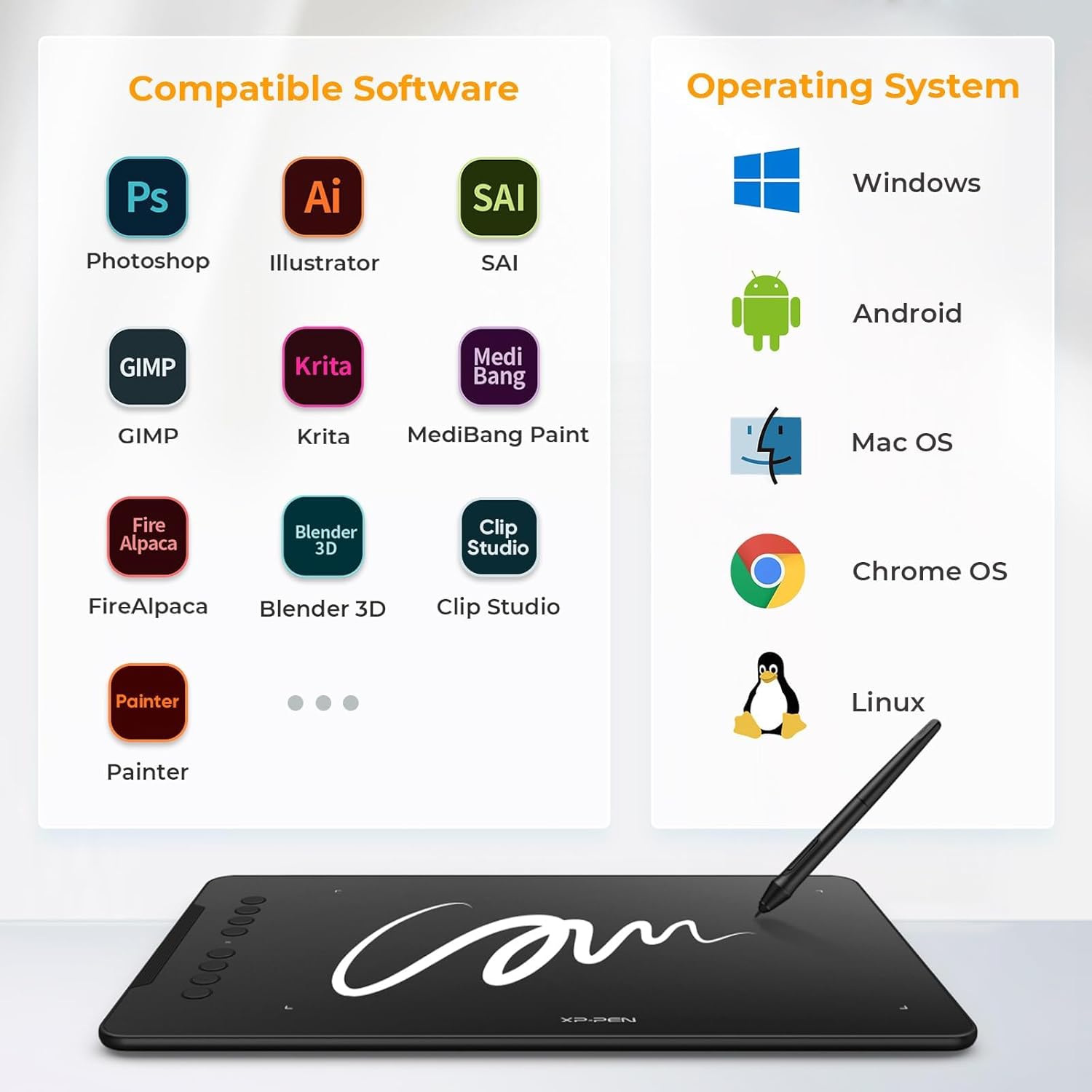
- ✅ [Supports All Design Softwares]: XPPen drawing tablets are software neutral, meaning they work seamlessly with ALL commonly used design softwares including AdobeCC, Krita, Corel, Clip studio, Blender, etc.
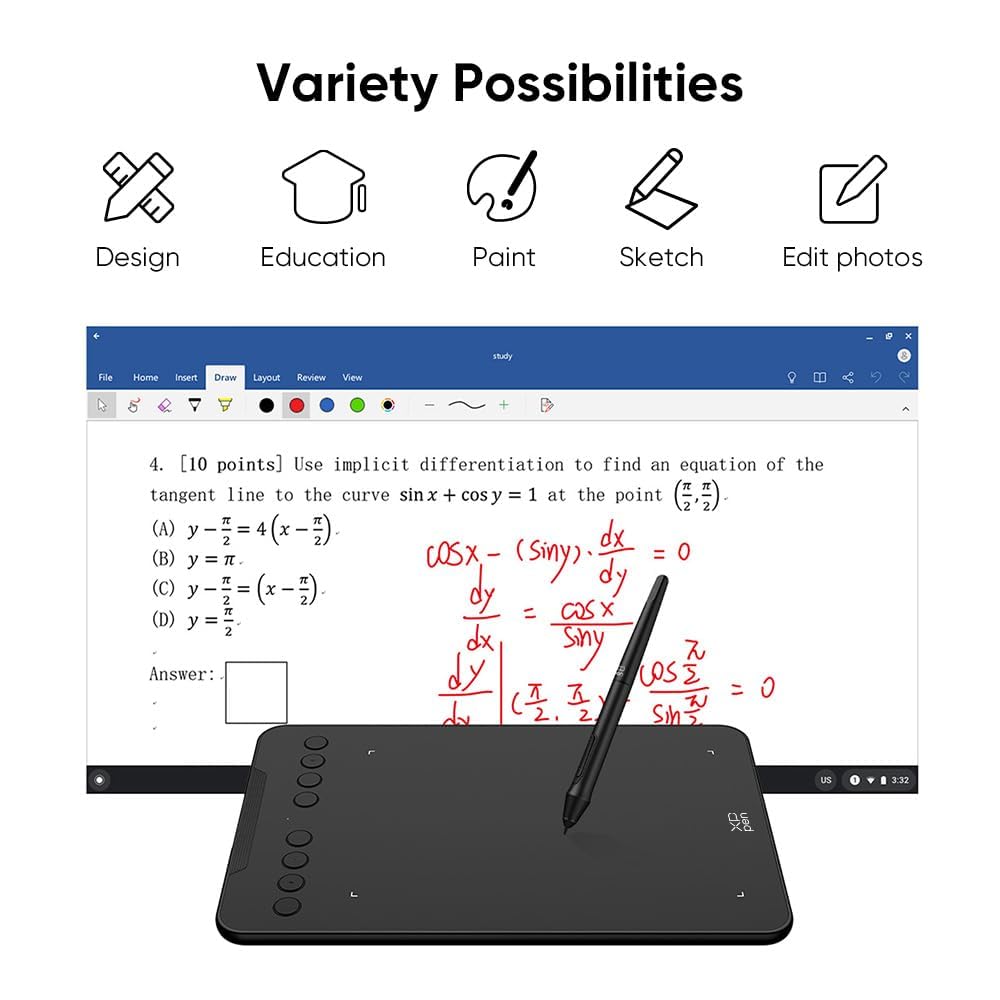
- ✅ [Great for online teaching]: Use XPPen graphic tablets for teaching online, note-taking, annotations, digital signatures, etc. Compatible with all writing softwares like MS Teams, Word, Powerpoint, Zoom, etc.
- ✅ [Technical support]: We offer a pan-India 12 months replacement warranty on XPPen graphic tablets. For technical support, call us on our toll free number or raise a ticket on our website.
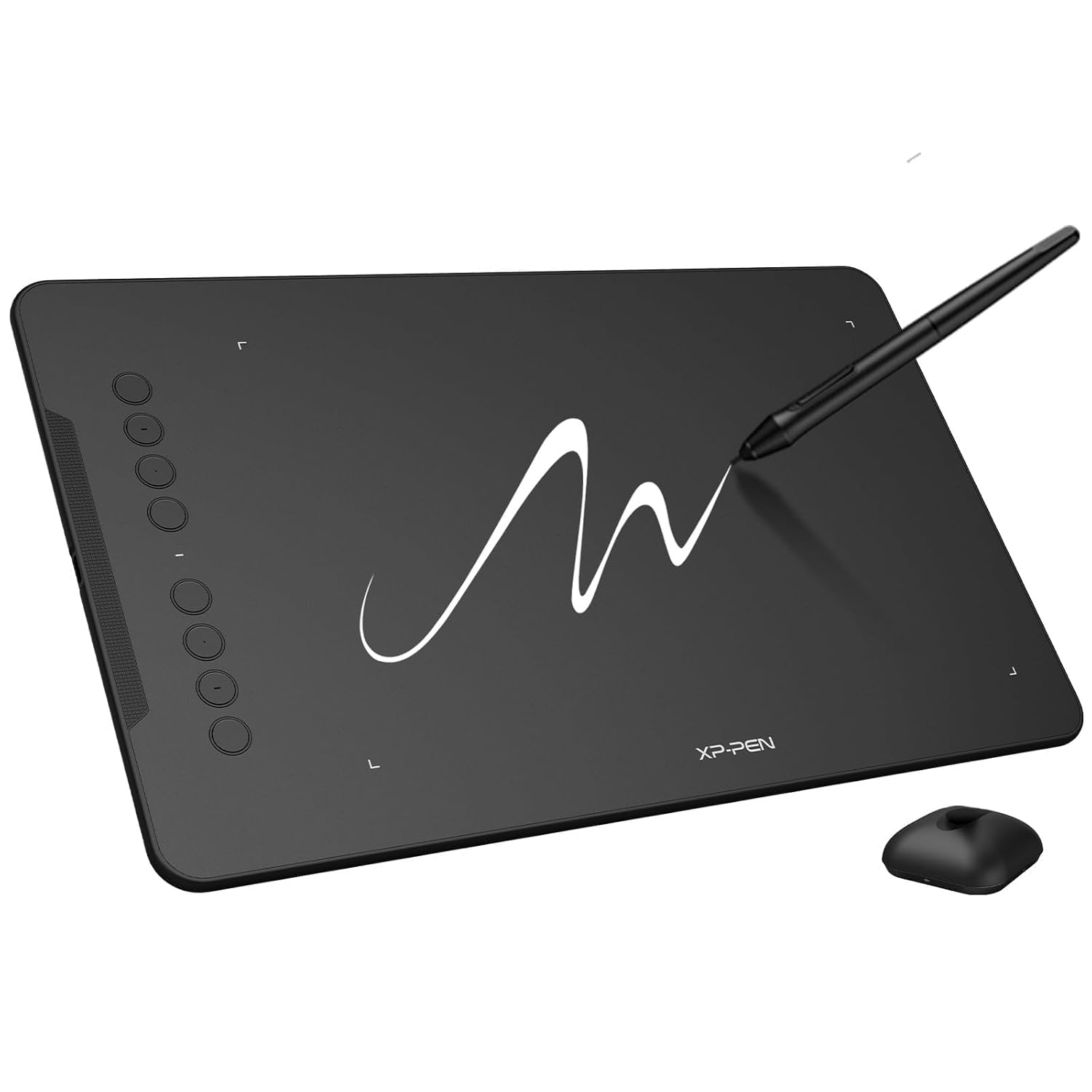
The Graphics Drawing Pen Tablet market has seen incredible advancements, and the XP-Pen Deco 01 V2 stands out as a versatile, affordable, and high-performance option for digital artists, designers, educators, and creative professionals. Whether you’re a beginner exploring digital art or a seasoned professional seeking a reliable tool, this Graphics Drawing Pen Tablet offers a robust set of features, including a large active area, 8192 levels of pressure sensitivity, and compatibility with multiple operating systems. In this in-depth review, we’ll explore why the XP-Pen Deco 01 V2 is a top choice for anyone looking to elevate their creative workflow.
The Graphics Drawing Pen Tablet is an essential tool for digital creatives, bridging the gap between traditional drawing and modern technology. The XP-Pen Deco 01 V2 is designed to cater to a wide audience, from illustrators and animators to online educators and graphic designers. With its sleek design, advanced stylus technology, and compatibility with platforms like Windows, macOS, Linux, and Android, this tablet is a game-changer in the world of digital art.
In this article, we’ll dive into the features, benefits, and potential use cases of the XP-Pen Deco 01 V2, ensuring you have all the information needed to decide if this Graphics Drawing Pen Tablet is right for you. We’ll also discuss its compatibility with various software, its ergonomic design, and how it stands out in a competitive market.
Key Features of the XP-Pen Deco 01 V2 Graphics Drawing Pen Tablet
1. Large Active Area for Creative Freedom
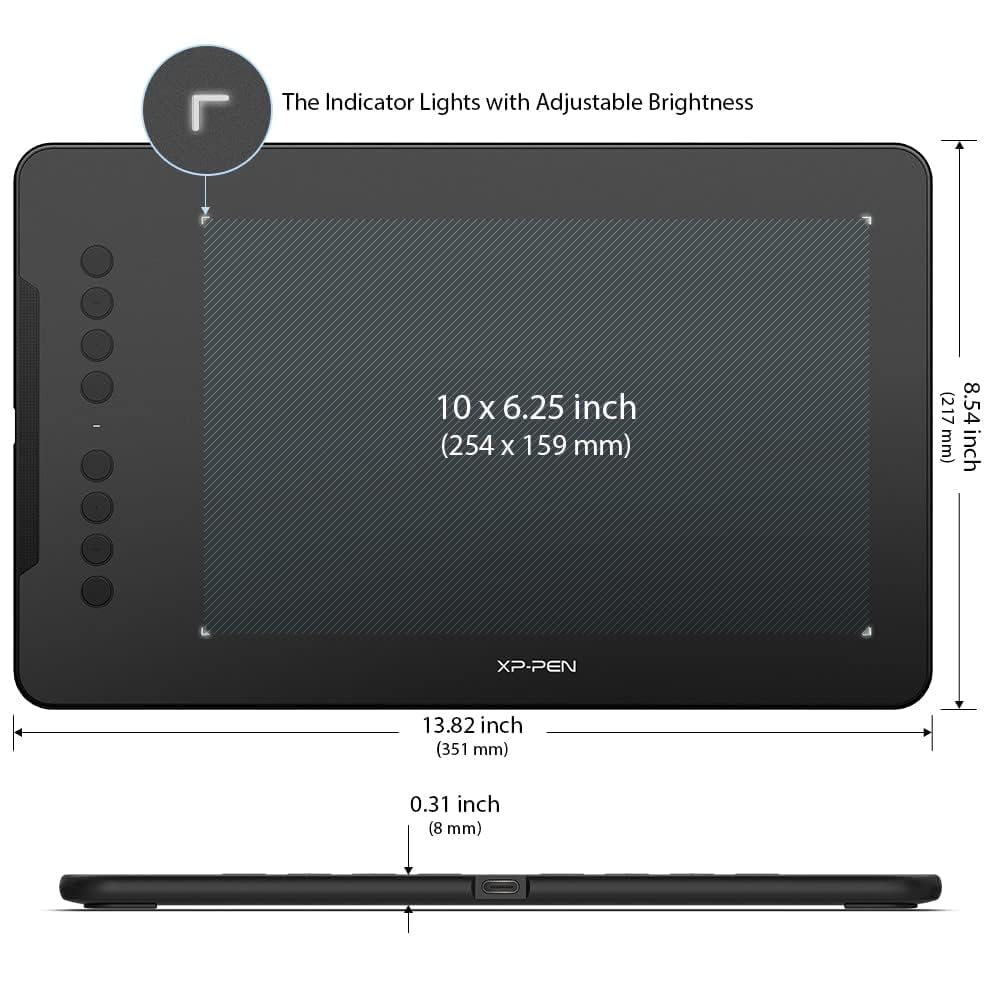
The XP-Pen Deco 01 V2 boasts a spacious 10 x 6-inch active area, providing ample space for digital drawing, sketching, and writing. This large active area is ideal for artists who need room to create intricate designs or for educators annotating large documents. Compared to smaller tablets, this Graphics Drawing Pen Tablet allows for more precise and fluid movements, mimicking the experience of drawing on paper.
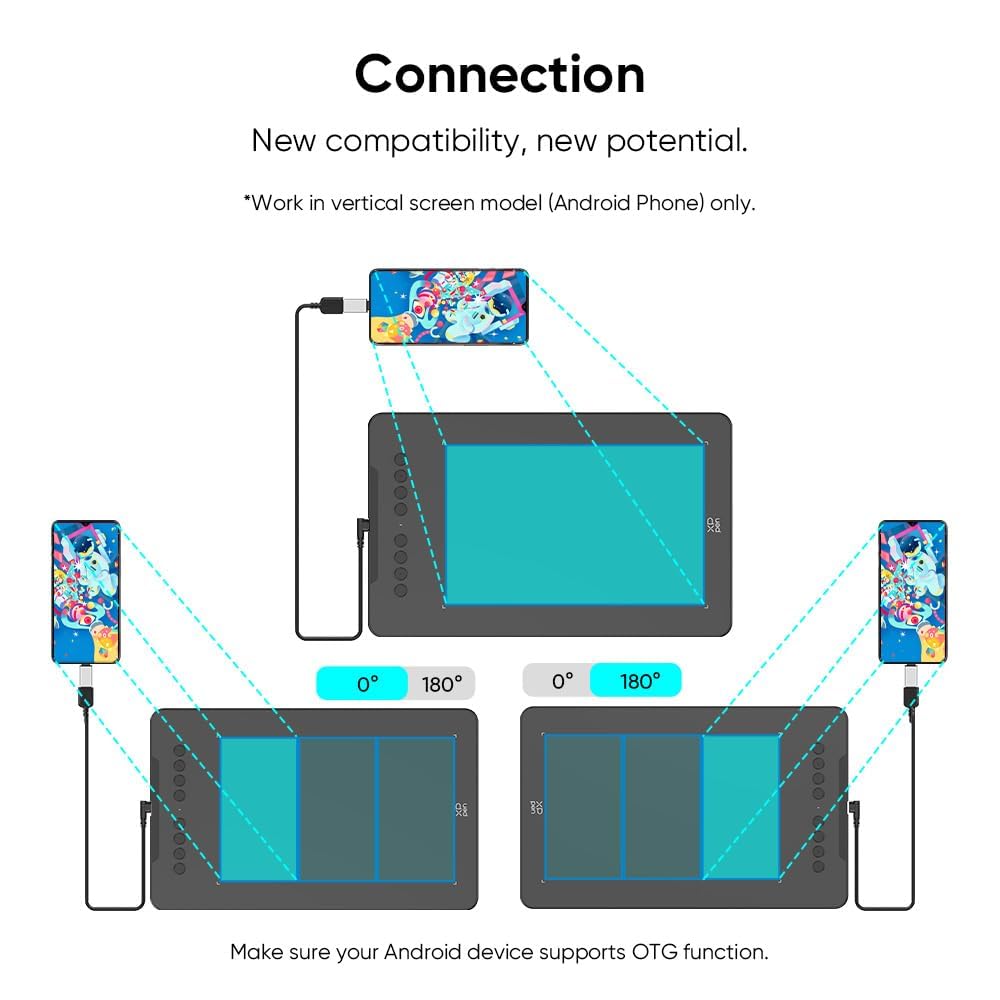
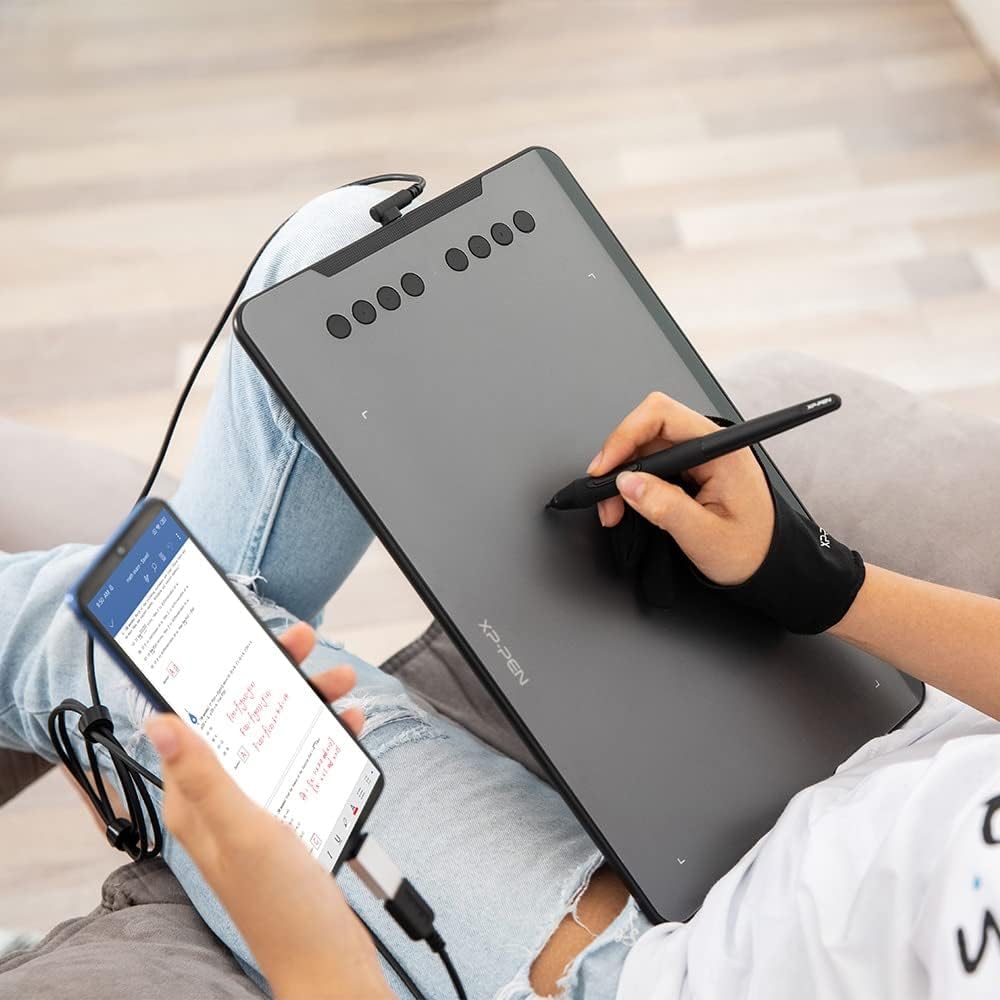
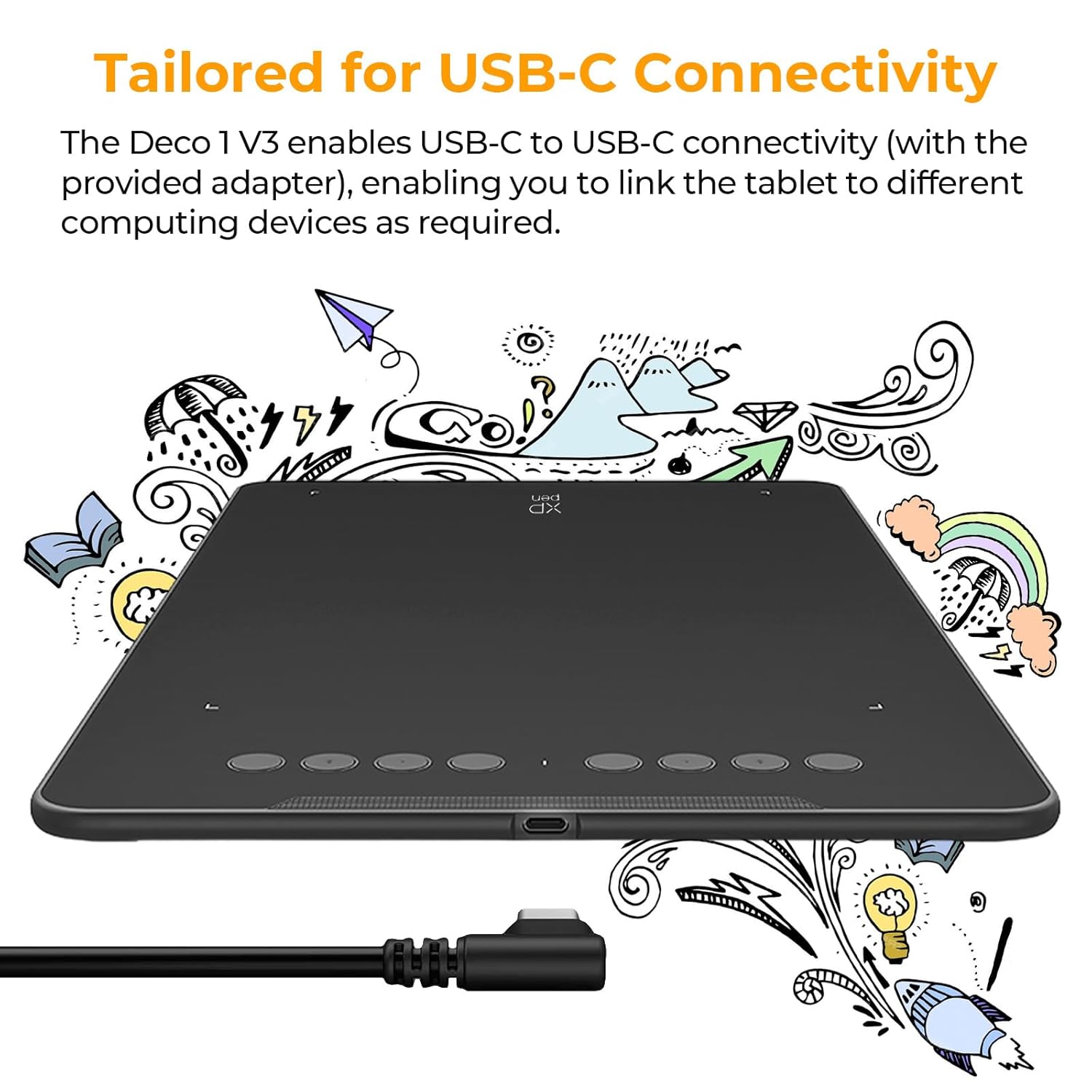
The active area is complemented by a Type-C input design, which ensures easy plug-and-play functionality. Whether you’re connecting to a laptop, desktop, or Android device, the reversible Type-C port simplifies setup and enhances portability.
2. 8192 Levels of Pressure Sensitivity
One of the standout features of the XP-Pen Deco 01 V2 is its 8192 levels of pressure sensitivity, which is among the best in its class. This high level of sensitivity allows artists to create lines with varying thickness and opacity, closely replicating the feel of traditional drawing tools like pencils, pens, or brushes. Whether you’re shading a digital painting or creating fine details in a graphic design, this Graphics Drawing Pen Tablet delivers a natural and responsive experience.
The pressure sensitivity is paired with automatic line correction and an intelligent anti-shake function, which smooths out shaky lines and ensures precision even during fast-paced sketching sessions. This makes the Deco 01 V2 a top choice for both beginners and professionals who demand accuracy in their work.
3. Battery-Free Stylus with 60° Tilt Support
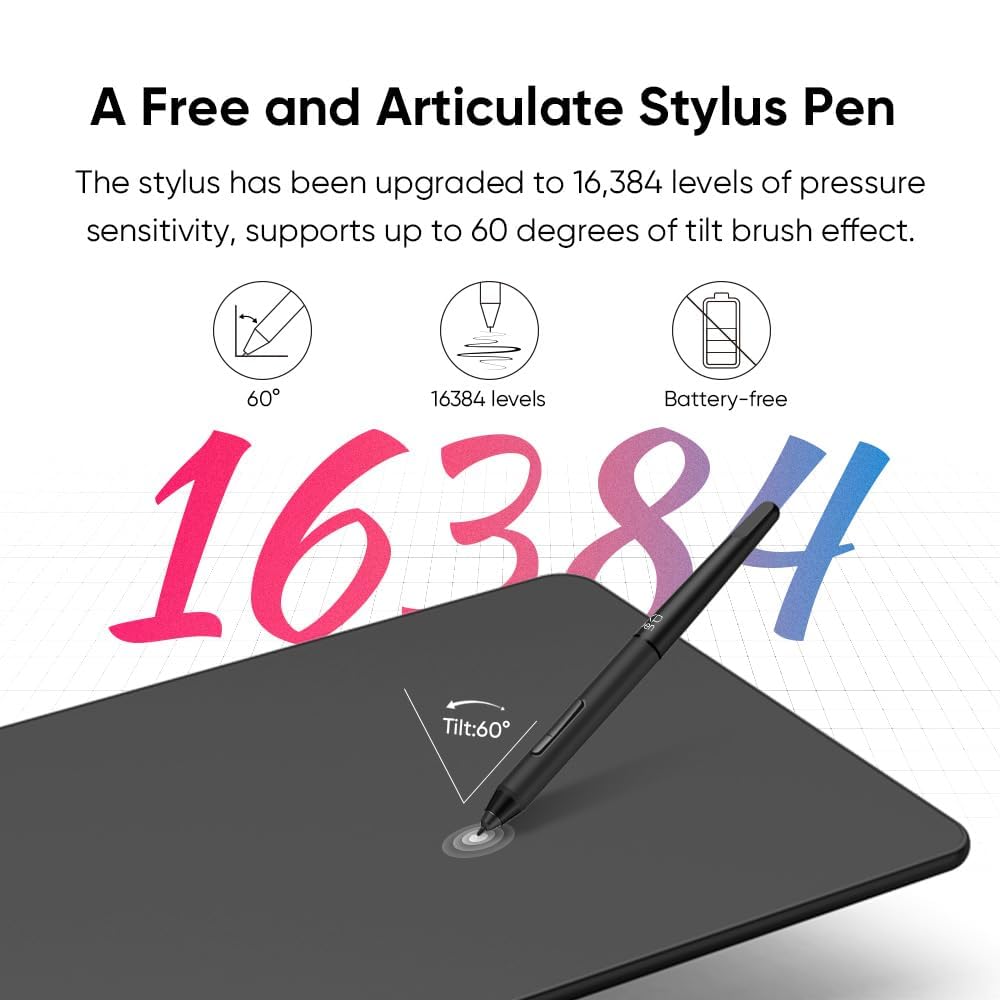
The P05 Passive Pen included with the XP-Pen Deco 01 V2 is a battery-free stylus, eliminating the need for charging or battery replacements. This eco-friendly design not only reduces clutter but also ensures uninterrupted creative sessions. The stylus feels natural in hand, offering a pen-on-paper experience that artists will appreciate.
Additionally, the stylus supports 60 degrees of tilt, allowing for dynamic shading and varied stroke effects. This feature is particularly useful for illustrators and digital painters who want to emulate the techniques of traditional media. The combination of tilt support and pressure sensitivity makes this Graphics Drawing Pen Tablet a powerful tool for creating professional-grade artwork.
4. Eight Customizable Shortcut Keys
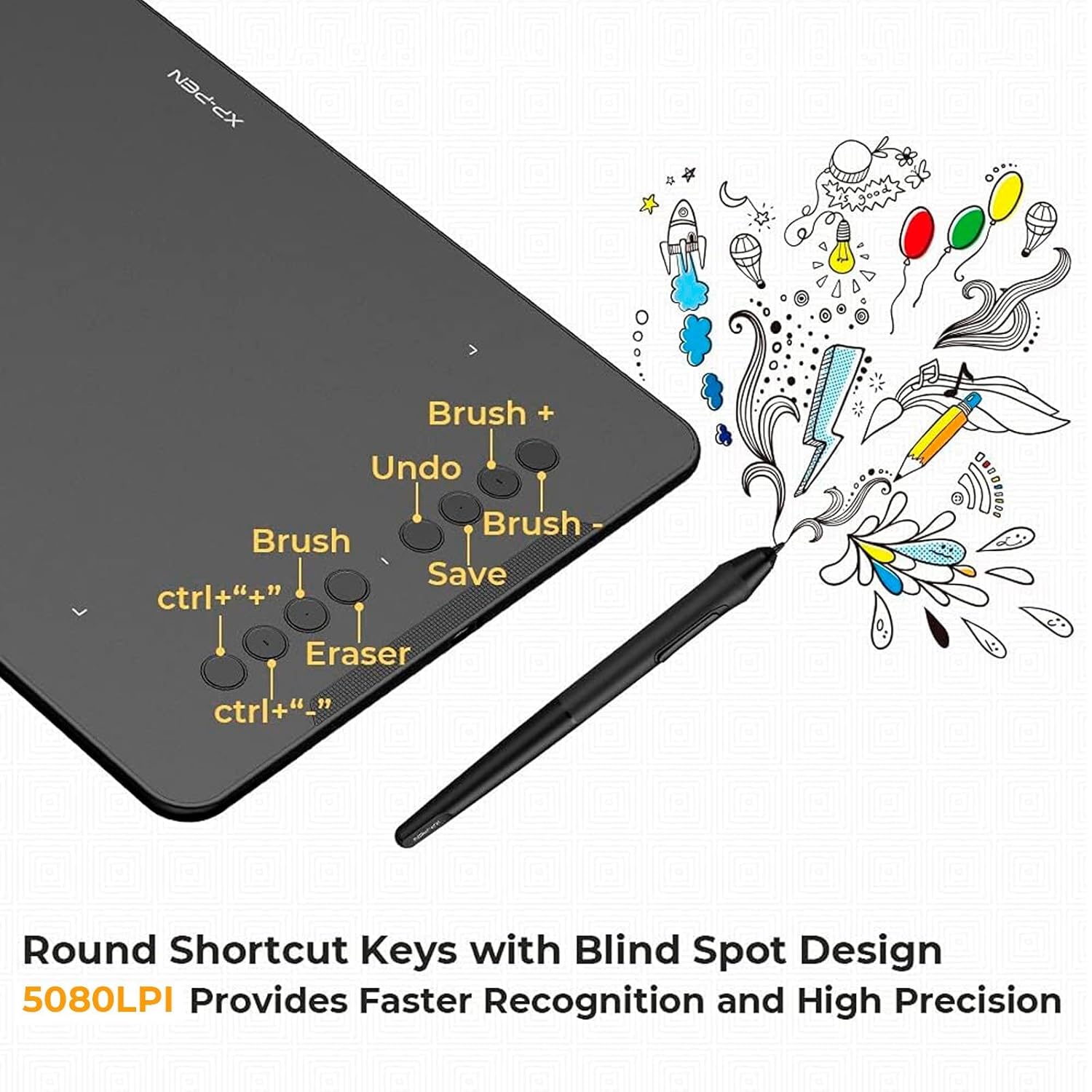
Efficiency is key in any creative workflow, and the XP-Pen Deco 01 V2 delivers with eight customizable shortcut keys. These keys can be programmed to perform frequently used functions, such as switching between pen and eraser modes, zooming, copying, or changing brush sizes. This feature is a significant time-saver, allowing artists to focus on their craft rather than navigating complex software menus.
The shortcut keys are designed to accommodate both left- and right-handed users, making the tablet versatile for all creatives. Whether you’re working in Adobe Photoshop, CorelDRAW, or Krita, these customizable keys enhance productivity and streamline your workflow.
5. Broad Software and Operating System Compatibility
The XP-Pen Deco 01 V2 is a software-neutral Graphics Drawing Pen Tablet, meaning it works seamlessly with virtually all popular design software, including:
This compatibility ensures that artists and designers can integrate the tablet into their existing workflows without compatibility issues. Additionally, the tablet supports Windows 10/8/7, macOS X 10.10 or higher, Linux, and Android 6.0 or higher, making it a versatile choice for users across different platforms.
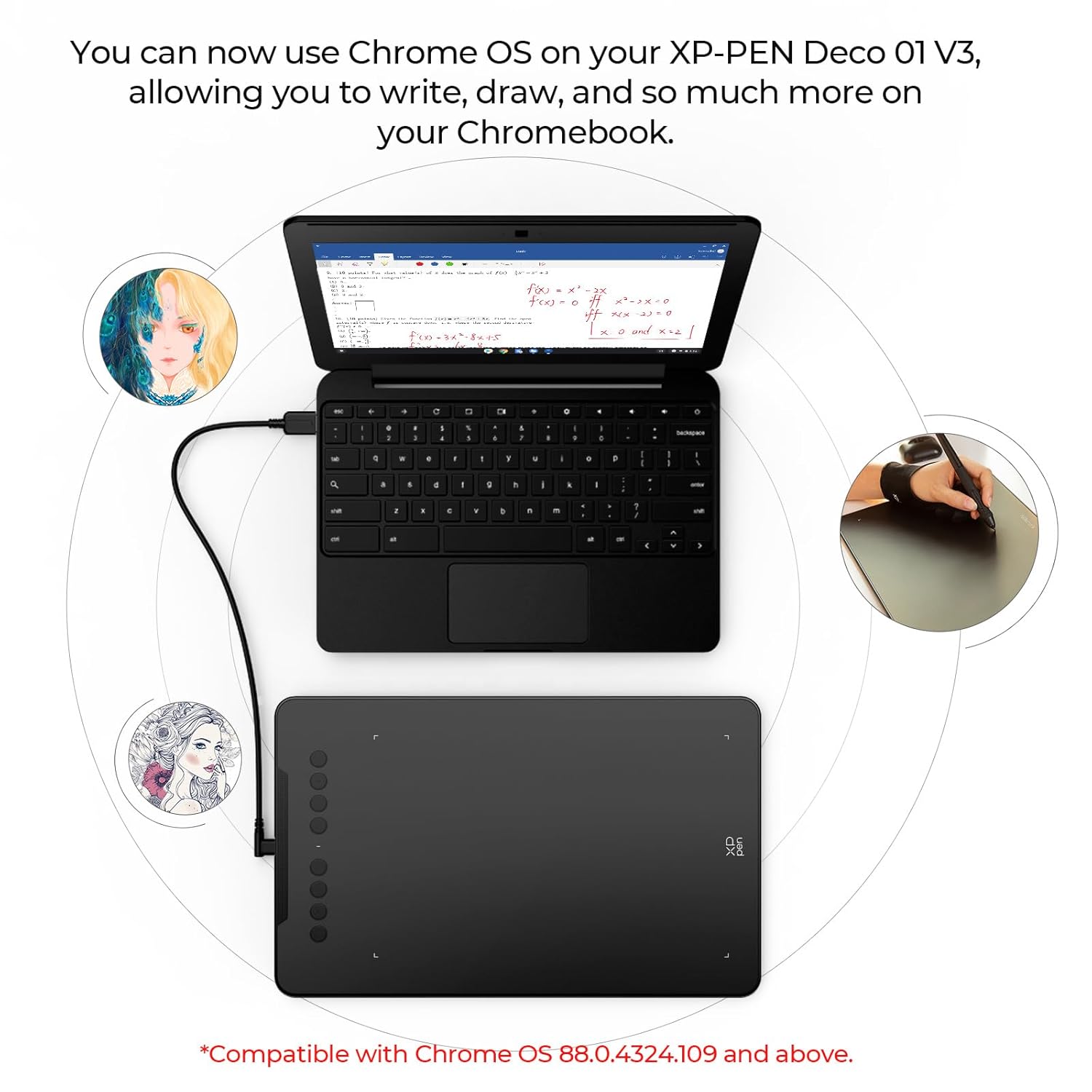
For educators, the tablet is compatible with teaching software like Microsoft Teams, Zoom, Word, and PowerPoint, making it an excellent tool for online teaching, note-taking, annotations, and digital signatures.
6. Complete Bundle for Immediate Use
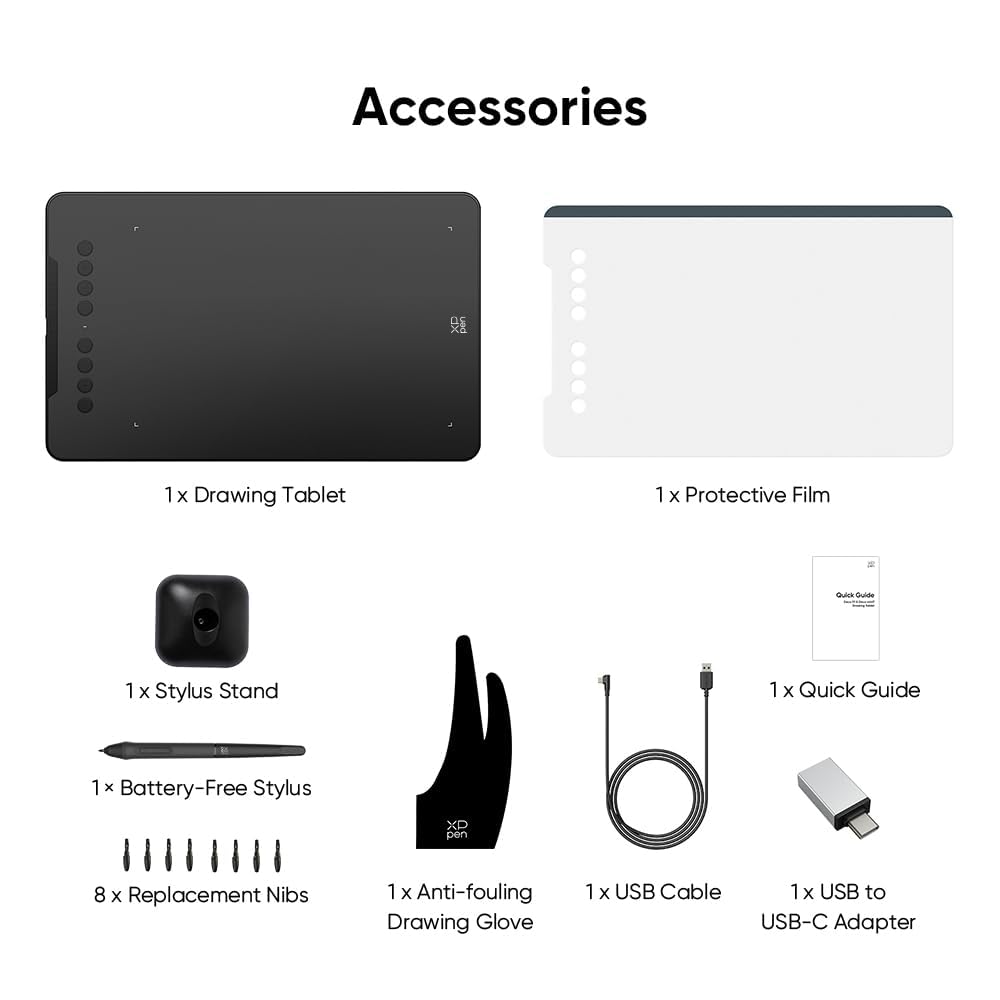
The XP-Pen Deco 01 V2 comes with a comprehensive set of accessories, ensuring you have everything you need to start creating right out of the box. The standard package includes:
-
Pen Tablet: The Deco 01 V2 tablet itself.
-
P05 Passive Pen: Battery-free stylus with tilt support.
-
Pen Stand: Keeps your stylus secure when not in use.
-
USB Cable: For easy connectivity.
-
Pen Clipper: For attaching the stylus to the tablet or other surfaces.
-
Eight Pen Nibs: Replacement nibs for long-term use.
-
Scratch Guard: Protects the tablet’s surface from wear and tear.
-
Protective Glove: Reduces smudging and improves comfort during long drawing sessions.
-
Quick Guide: Helps you set up the tablet quickly.
Additionally, a free driver is available for download, allowing you to customize the tablet’s settings to suit your preferences.
7. Ideal for Online Teaching and Professional Use
The XP-Pen Deco 01 V2 is not just for artists—it’s also a fantastic tool for educators and professionals. Its compatibility with teaching platforms makes it ideal for online teaching, enabling instructors to annotate presentations, write equations, or create diagrams in real time. The large active area and pressure-sensitive stylus ensure that handwriting and annotations are clear and precise, enhancing the virtual classroom experience.
For professionals, the tablet supports digital signatures and note-taking, making it a valuable tool for business settings. Its portability and Android compatibility also allow users to work on the go, whether on a smartphone, tablet, or laptop.
8. Durable and Eco-Friendly Design
The XP-Pen Deco 01 V2 features an extra-slim design, making it lightweight and easy to carry. Despite its slim profile, the tablet is built to withstand regular use, with a durable surface protected by the included scratch guard. The battery-free stylus further enhances its eco-friendly credentials, reducing waste and ensuring a sustainable creative process.
Why Choose the XP-Pen Deco 01 V2 Graphics Drawing Pen Tablet?
1. Affordability Without Compromise
The XP-Pen Deco 01 V2 offers premium features at a budget-friendly price, making it an excellent choice for beginners and professionals alike. Compared to other Graphics Drawing Pen Tablets in its price range, the Deco 01 V2 delivers superior pressure sensitivity, tilt support, and customization options, ensuring you get the most value for your investment.
2. Versatility for Multiple Use Cases
Whether you’re an artist creating digital illustrations, an educator delivering online lessons, or a professional signing documents digitally, the XP-Pen Deco 01 V2 Graphics Drawing Pen Tablet adapts to your needs. Its compatibility with a wide range of software and operating systems makes it a versatile tool for various industries.
3. Enhanced Workflow with Shortcut Keys
The customizable shortcut keys and one-click toggle on the stylus streamline repetitive tasks, allowing you to work faster and more efficiently. This feature is particularly valuable for professionals who rely on speed and precision in their workflows.
4. Portability for On-the-Go Creativity
With its slim design and Android compatibility, the XP-Pen Deco 01 V2 Graphics Drawing Pen Tablet is perfect for creatives who need to work from different locations. Whether you’re sketching on a tablet at a café or teaching a class from your laptop, this Graphics Drawing Pen Tablet is easy to carry and set up.
5. Reliable Technical Support
XP-Pen offers a 12-month replacement warranty across India, ensuring peace of mind for users. Their technical support team is accessible via a toll-free number or through their website, providing prompt assistance for any issues.
How the XP-Pen Deco 01 V2 Stands Out in the Graphics Drawing Pen Tablet Market
The Graphics Drawing Pen Tablet market is crowded with options, but the XP-Pen Deco 01 V2 distinguishes itself through its combination of advanced features, affordability, and versatility. Here’s how it compares to competitors:
-
Wacom Intuos Pro: While Wacom is a well-known brand, the Deco 01 V2 offers similar features, such as 8192 levels of pressure sensitivity and tilt support, at a lower price point.
-
Huion Inspiroy: The Huion Inspiroy is a strong competitor, but the Deco 01 V2’s larger active area and Android compatibility give it an edge for mobile users.
-
XP-Pen’s Own Star Series: Compared to XP-Pen’s Star series, the Deco 01 V2 offers a larger active area and more advanced stylus features, making it suitable for more demanding tasks.
The Deco 01 V2 strikes a balance between performance and affordability, making it an ideal choice for artists and professionals who want a high-quality Graphics Drawing Pen Tablet without breaking the bank.
Setting Up the XP-Pen Deco 01 V2
Getting started with the XP-Pen Deco 01 V2 is straightforward, thanks to its plug-and-play design and comprehensive setup guide. Here’s a step-by-step guide to setting up your Graphics Drawing Pen Tablet:
-
Unbox the Tablet: Open the box and ensure all components (tablet, stylus, USB cable, etc.) are included.
-
Download the Driver: Visit the XP-Pen website to download the latest driver for your operating system (Windows, macOS, Linux, or Android).
-
Connect the Tablet: Use the included Type-C USB cable to connect the tablet to your device. The reversible Type-C port makes this step hassle-free.
-
Install the Driver: Follow the on-screen instructions to install the driver, which allows you to customize pressure sensitivity, shortcut keys, and other settings.
-
Test the Stylus: Open your preferred drawing or teaching software and test the stylus to ensure it’s working correctly.
-
Customize Settings: Use the driver software to program the shortcut keys and adjust the stylus settings to match your workflow.
Once set up, the tablet is ready for use with your favorite software, whether you’re creating digital art, teaching online, or annotating documents.
Tips for Maximizing Your XP-Pen Deco 01 V2 Experience
To get the most out of your Graphics Drawing Pen Tablet, consider the following tips:
-
Experiment with Shortcut Keys: Spend time customizing the shortcut keys to match your most-used functions. This can significantly speed up your workflow.
-
Use the Protective Glove: The included glove reduces smudging and improves comfort, especially during long drawing sessions.
-
Replace Pen Nibs as Needed: The tablet comes with eight replacement nibs, so swap them out when you notice wear to maintain optimal performance.
-
Explore Tilt Functionality: Practice using the 60-degree tilt support to add depth and variety to your artwork.
-
Keep Drivers Updated: Regularly check the XP-Pen website for driver updates to ensure compatibility with the latest software and operating systems.
Use Cases for the XP-Pen Deco 01 V2 Graphics Drawing Pen Tablet
1. Digital Art and Illustration
The XP-Pen Deco 01 V2 is a dream tool for digital artists. Its large active area, high pressure sensitivity, and tilt support make it ideal for creating detailed illustrations, concept art, and digital paintings. Whether you’re using Adobe Photoshop, Krita, or Clip Studio Paint, this Graphics Drawing Pen Tablet delivers a natural and responsive drawing experience.
2. Graphic Design
Graphic designers can use the Deco 01 V2 to create logos, layouts, and other design elements with precision. The customizable shortcut keys streamline tasks like switching tools or adjusting layers, making it easier to meet tight deadlines.
3. Online Teaching and Education
Educators can leverage the tablet’s compatibility with teaching platforms to deliver engaging online lessons. Whether you’re annotating slides, writing equations, or creating diagrams, the Deco 01 V2 ensures your handwriting is clear and professional.
4. Digital Signatures and Note-Taking
For professionals, the tablet is perfect for signing documents digitally or taking handwritten notes during meetings. Its portability and Android support make it a convenient tool for business users on the go.
5. Animation and 3D Modeling
Animators and 3D artists can use the Deco 01 V2 with software like Blender to create keyframes, storyboards, or detailed textures. The tablet’s precision and tilt support enhance the quality of animations and models.
Customer Reviews and Feedback
The XP-Pen Deco 01 V2 Graphics Drawing Pen Tablet has received widespread praise from users for its performance and value. Artists appreciate the natural drawing experience, while educators highlight its ease of use for online teaching. Some common feedback includes:
-
Pros:
-
Affordable price for premium features.
-
Large active area suitable for detailed work.
-
Battery-free stylus with tilt support.
-
Wide software and platform compatibility.
-
Excellent customer support and warranty.
-
Cons:
Overall, the Deco 01 V2 is highly rated for its balance of performance, affordability, and versatility, making it a top choice in the Graphics Drawing Pen Tablet market.
Conclusion: Is the XP-Pen Deco 01 V2 the Right Graphics Drawing Pen Tablet for You?
The XP-Pen Deco 01 V2 is a standout Graphics Drawing Pen Tablet that combines advanced features, affordability, and versatility. Its large active area, 8192 levels of pressure sensitivity, and battery-free stylus make it a top choice for digital artists, while its compatibility with teaching platforms and business software extends its appeal to educators and professionals. Whether you’re sketching, designing, teaching, or signing documents, this tablet delivers a seamless and intuitive experience.
With its eco-friendly design, customizable shortcut keys, and robust technical support, the XP-Pen Deco 01 V2 is a reliable investment for anyone looking to enhance their creative or professional workflow. If you’re in the market for a high-quality Graphics Drawing Pen Tablet that won’t break the bank, the Deco 01 V2 is an excellent choice.
For more information or to purchase the XP-Pen Deco 01 V2, visit the official XP-Pen website or authorized retailers. Start creating, teaching, or designing with confidence today!


Reviews
There are no reviews yet.